
Template
AI Portrait Generator
MoreUpload an image to start your template-based generation.

Upload Image
AI Portrait Generator
AI Portraits of Studio Quality with Natural Details and Professional Results
Guma AI Portrait helps turn everyday photos into polished portraits with accurate facial features, improved lighting, and realistic visual quality. Built for professional headshots and portrait enhancement, it delivers consistent results through an easy AI-powered creation workflow.
AI Prompt
{Low-contrast background} {American-style LinkedIn photo} {Noise: 3.0}, {Noise: 1.8}, {Reference to the subject’s key facial features in the original image: 1.6} — Generate a half-body ID photo in a vintage American yearbook style, featuring a 3/4 view of the face, with loosely styled, textured hair, creating a dignified and elegant collegiate atmosphere. The shot is taken from a level, medium-distance perspective, with naturally saturated skin tones. The subject stands slightly turned to one side, with the body angled slightly and the head facing directly toward the camera. The gaze is calm and gentle, the expression poised and composed. The makeup is light, refined, and translucent, with nude-colored lips and soft eye makeup that complements the natural lip color, highlighting a fresh and youthful aura. The subject wears a light gray suit jacket paired with a white shirt and a dark blue tie, creating an overall look that is sharp and formal. The background features a classic, gradient, mottled, low-saturation, blurred dark-blue textured backdrop. The low-saturation lighting and shadows are evenly diffused and gentle, perfectly enhancing the formal elegance and retro质感 characteristic of collegiate portrait photography. {The subject’s key facial features and gender remain consistent with those in the original image; biometric characteristics remain unchanged.} {Realism: 1.6}, with accurate human proportions.
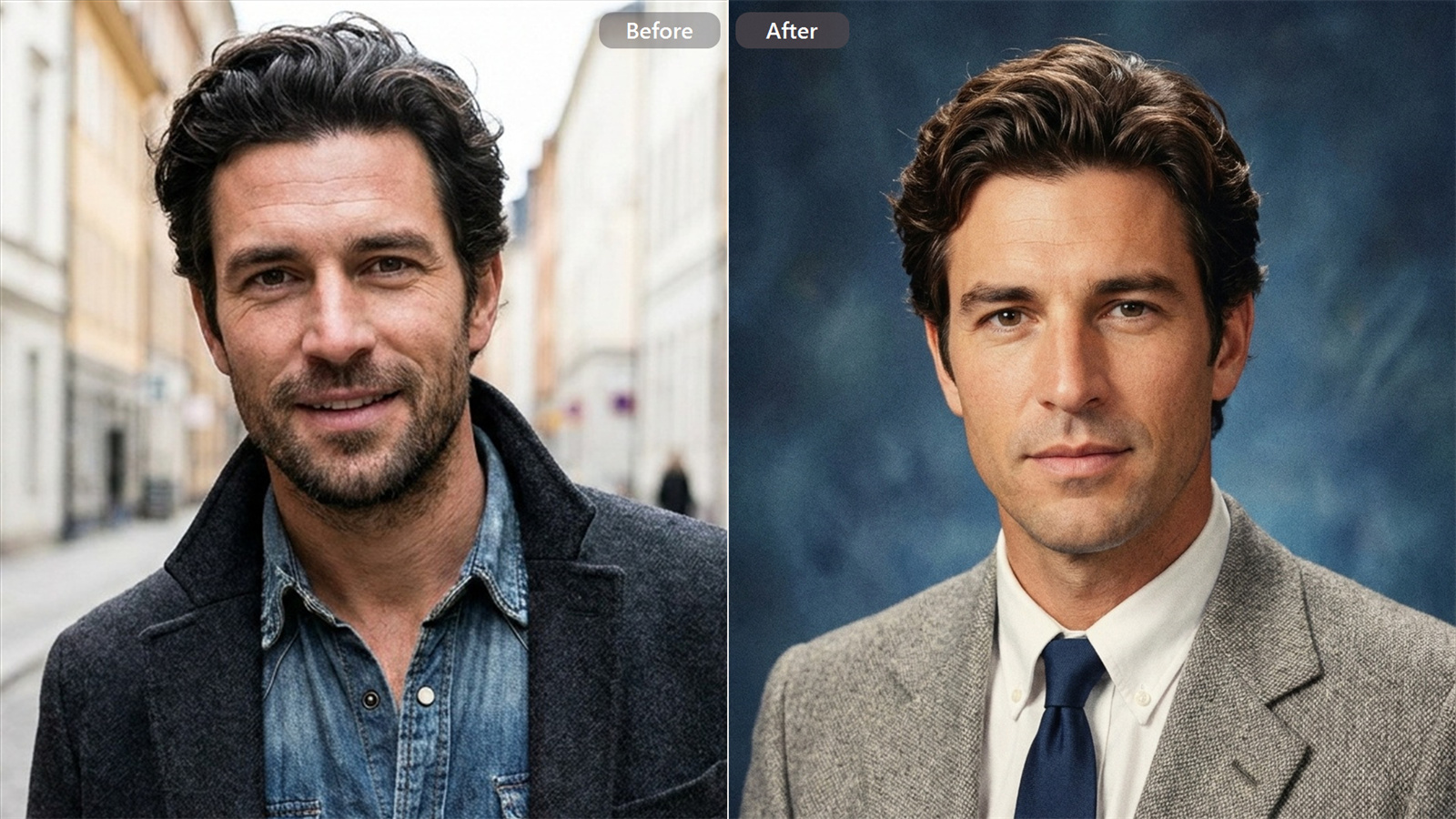
Professional-Looking Portraits From Any Photo
Create a cleaner, more polished portrait with Guma AI Portrait Generator. Improve lighting, composition, and overall image quality to achieve a studio-style look without complicated editing.

A More Natural Look That Still Feels Like You
Guma AI Portrait Generator preserves your key facial features while enhancing portrait quality. Generate images with balanced details, natural expressions, and a realistic appearance.

Find the Right Portrait Style For Every Purpose
Create different AI portrait styles while keeping your appearance consistent. From clean professional looks to more refined portrait options, generate results that match your needs.

Give Everyday Photos a More Professional Finish
Transform casual photos into improved AI portraits with better lighting, sharper details, and a cleaner presentation. Create impressive portrait results through a simple AI-powered process.
How to Generate Portraits Photos with Guma AI
Upload Your Photo
Upload a clear photo to start creating your AI portrait with natural details.
Generate Your AI Portrait
Let Guma AI Portrait Generator transform your photo into a realistic portrait.
Download Your Portrait
Preview the result and download your finished AI portrait instantly.
Explore More AI Tools for Every Creation Need


FAQ
Can a regular selfie become a professional AI portrait?
Yes. The Guma AI Portrait Generator can turn everyday selfies into refined portrait images with improved lighting, facial details, and a cleaner overall look. For more specialized professional profile images, explore AI Headshot Generator.
What type of photo works best for AI portrait generation?
Photos with a visible face, balanced lighting, and minimal filters usually create better results. If the original image needs improvement before generation, explore AI Photo Enhancer to optimize image quality.
Can AI portraits replace traditional studio photos?
For many portrait needs, AI-generated images provide a faster alternative to traditional photography. They help create professional-looking results without arranging a studio session or using specialized equipment.
Can I create different versions from the same portrait photo?
Yes. Different AI portrait styles can be generated from the same image while keeping the main facial characteristics consistent. For creating more personalized character-style results, explore the AI Avatar Generator.
Can I try Guma AI Portrait Generator for free?
Yes. Guma provides free credits for users to experience AI portrait creation. Start creating with a free account and explore more advanced features when additional generation needs arise.