
Gemstone Effect
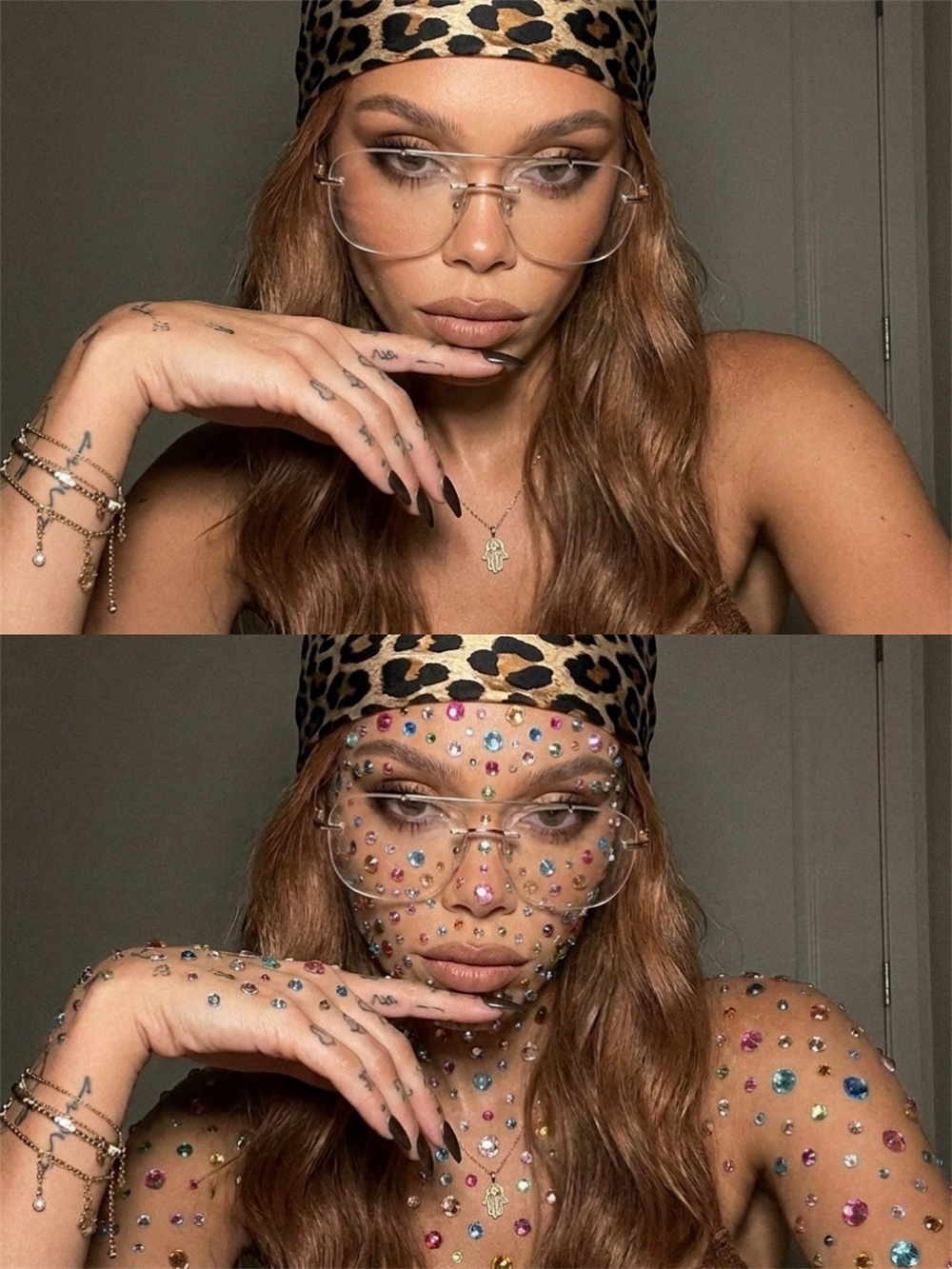
Easily Recreate the Same Look with Gemstone Effect
Copy Gemstone Effect prompts in one click and quickly recreate the same look in your images and videos, without starting from scratch.
AI Prompt
Reference the subject’s identity and facial features from the original image: 1.8}, {Pet consistency: 1.8}. Using the input photo as the sole visual reference, preserve the original photo in its entirety: The pet’s identity, facial features, expressions, hairstyle, body shape, pose, gestures, accessories, background, lighting, shadows, camera angle, composition, and overall color tone must remain unchanged. Only add colored gemstone embellishments to exposed skin surfaces and body areas; the overall scale, density, and distribution rhythm should be moderate—delicate accents with a natural spacing and density. Leave appropriate gaps of white fur intact; do not cover the surface densely. The gems are primarily distributed on white-furred areas such as the forehead, cheeks, chest, and front legs, arranged naturally and randomly, varying in size yet maintaining overall harmony. Gem sizes range from approximately 1 to 4 millimeters, predominantly featuring small round, oval, and a few heart-shaped facets. Colors include pink, blue, green, purple, orange, gold, silver, and clear crystal hues. Each gemstone must adhere realistically to the fur surface, following the curves of the pet’s face and body, accurately reflecting the perspective, hair direction, and lighting conditions depicted in the original image. The gems should have genuine facets, subtle highlights, natural contact shadows, and slight reflections. Some gems may be partially obscured by surrounding fur, creating a professional jewelry makeup effect. The gems must not float freely; they should not resemble two-dimensional stickers affixed flat onto the photo’s surface, nor should they exhibit uniform height, uniform angles, or mechanical grid-like arrangements. The final effect should closely resemble high-density jewelry makeup and fashion magazine styling—exquisite, sparkling, realistic, and exuding a sense of luxury—while still preserving the pet’s natural appearance from the original photo. Do not alter or overlay the background. Do not add any text, arrows, collage borders, before-and-after comparison layouts, logos, or watermarks. {Refer to the protagonist’s key facial features and gender from the original image}, {Realism: 1.6}