
AI Backflip Video Generator
Turn Any Photo into a High-Energy AI Backflip Video in Seconds
Watch your pictures perform amazing, physics-defying stunts with Guma’s AI backflip generator. Simply upload any photo and our action engine instantly transforms it into a smooth video, capturing a perfect flip with natural motion. No filming or complex editing required—just instant, clean backflip videos designed for TikTok, Instagram Reels, viral fun, and showing off skill.
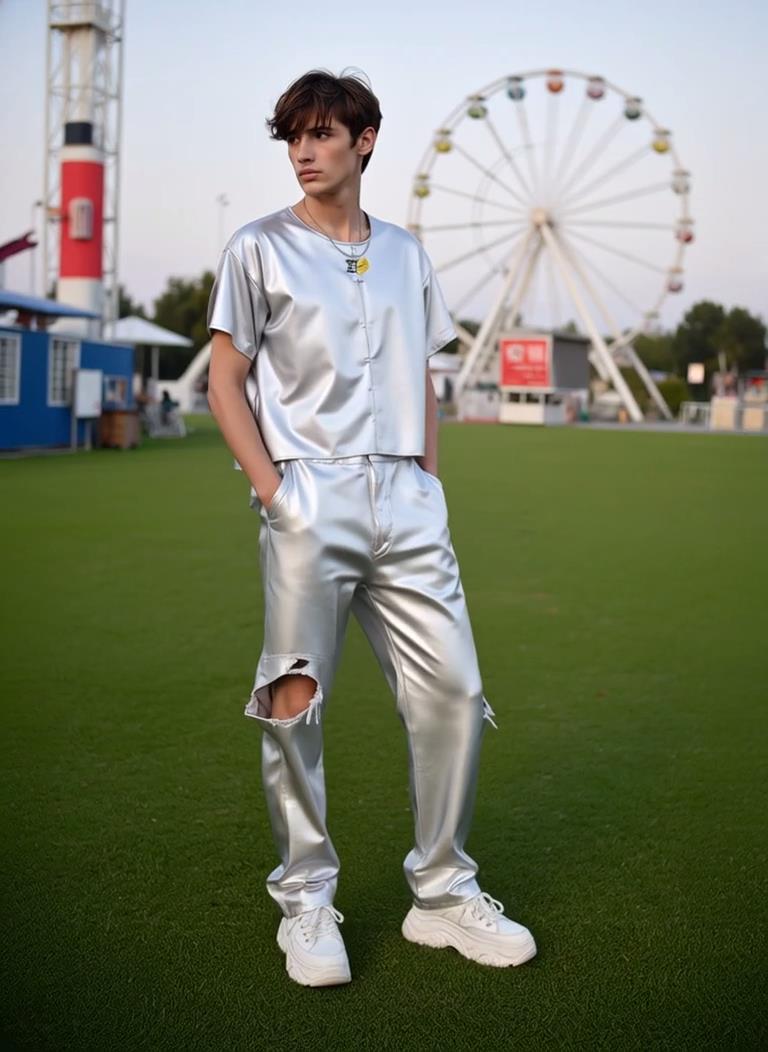
AI Prompt
"5-Second Video Generation Description (Adapts image-to-video, with the first frame 100% replicating the user’s reference image) Basic Parameters: Total duration—5 seconds; 4K HD quality with a realistic, dynamic on-location shoot; natural daylight illumination; human body kinetics fully consistent with real-world physics; throughout the video, there’s a subtle, natural hand-held shake effect. The first frame faithfully preserves all details of the reference image—including the subject’s facial features, clothing, initial pose, and scene elements—without any modifications. Dynamic Timeline: 0–1s: The first frame is identical to the reference image. After holding steady for 0.3 seconds, the camera smoothly zooms out at a constant rate, gradually revealing the full background environment where the protagonist is situated. Meanwhile, the protagonist naturally adjusts into a preparatory stance for a backflip. Throughout this segment, the character remains centered in the frame. 1–3.5s: The camera switches to dynamic tracking mode; the protagonist performs two consecutive, standard backflips. The two flips are seamlessly connected without any pauses, and the protagonist stays firmly within the central area of the frame throughout. 3.5–5s: The protagonist gradually and steadily lands, and the camera simultaneously stops moving and stabilizes. The protagonist naturally regulates their breathing, and the final movements are crisp and precise. The entire sequence flows smoothly and realistically, with no stiff or jerky motions."

Create a Backflip Stunt from One Photo
Turn a clear character photo into a backflip-style action video with lift, rotation, and a stronger sense of movement. Instead of keeping your image static, this effect gives the subject a bold flip moment that feels more energetic, playful, and visually exciting.

Turn Still Shots into Airborne Motion
Give your portrait the feeling of jumping into the air and rotating through a dynamic stunt. The AI adds flip-style movement, height, and action impact, making a simple photo feel closer to a short motion clip instead of a still image.

Generate a Dynamic Flip Without Filming
Create a backflip video effect without recording a real stunt, setting up a camera, or editing motion frame by frame. Upload a suitable character image, let AI build the flip movement, and get a more dramatic action result from one photo.

Build a Stronger Flip-Action Clip
Add more punch to a simple portrait with a short video effect built around speed, lift, and stunt-style motion. It is a practical way to turn ordinary character images into more active visual content for edits, profiles, or creative projects.
How to Generate Backflip Videos With Guma AI
Upload a Character Photo
Choose a clear character photo with the subject easy to recognize.
Generate the Backflip Motion
Let AI create a short video with backflip motion and stunt energy.
Save Your Action Clip
Save your backflip video and use it for edits, posts, or creative projects.
Explore More AI Creation Tools
Guma provides flexible AI creation tools for transforming photos, prompts, and creative ideas into images and videos. Choose the workflow that fits your project and start creating in one place.
Explore More AI Action Video Generator


FAQ
What is an AI Backflip Video Generator?
An AI Backflip Video Generator is a tool that helps turn a character photo into a short video with backflip-style motion. Instead of filming an actual stunt, you can use AI to create a dynamic flip effect from a still image.
Do I need to know how to do a backflip?
No. You don’t need to perform or record a real backflip. The tool creates a backflip-style video effect from your uploaded photo, making it easier to produce an action clip without trying risky moves, setting up a camera, or editing complex motion frame by frame.
Will the AI keep the same person in the video?
The AI uses your uploaded photo as the main visual reference and generates motion based on it. The result may keep the character's general look, outfit, and visual identity, but small changes can happen during movement.
Why does the backflip motion look different each time?
AI video generation can vary depending on the photo, pose, background, and how the motion is interpreted. Since a backflip is a complex body movement, the result may differ slightly each time. If the first output is not ideal, try a clearer image or a photo with a more visible body outline.
Can I use this for short videos or creative edits?
Yes. The generated backflip video can be used for creative edits, action clips, profile content, fun visual experiments, or short-form video ideas. It works especially well when you want to add movement and stunt energy to a simple photo without filming a real action scene.