
Breaking News
Easily Recreate the Same Look with Breaking News
Copy Breaking News prompts in one click and quickly recreate the same look in your images and videos, without starting from scratch.
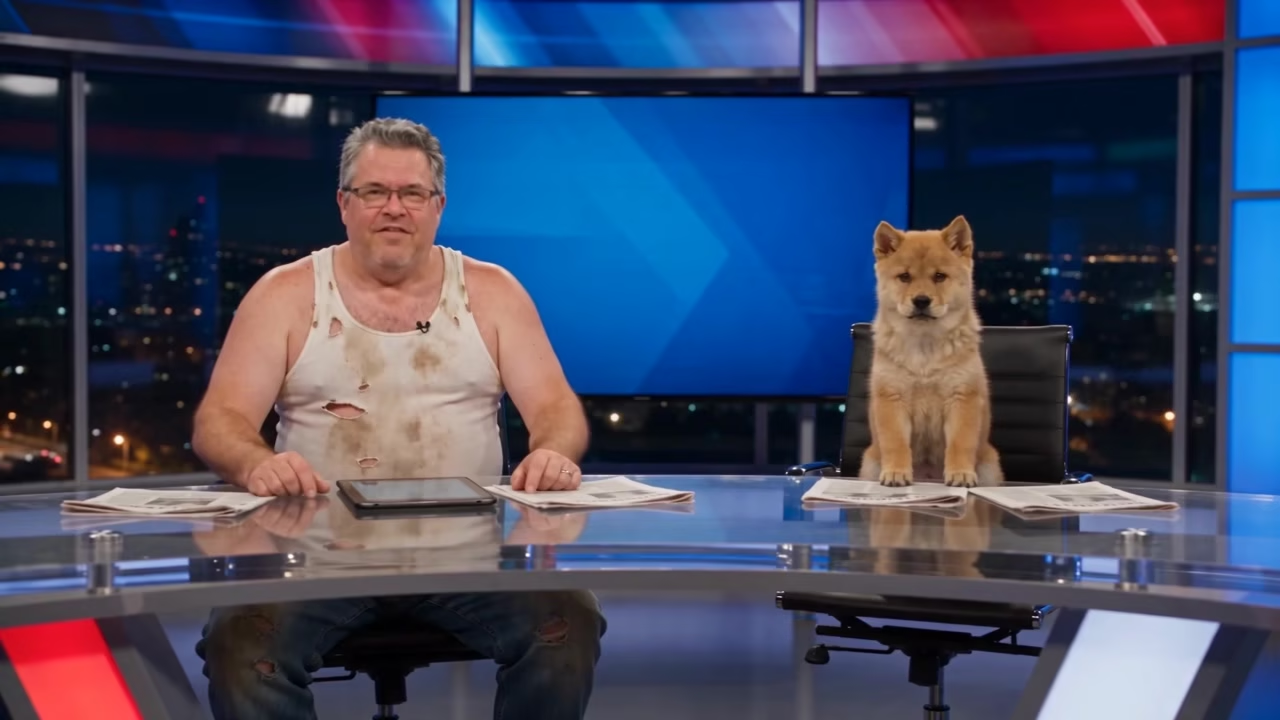
AI Prompt
"Generate a 15-second hyperrealistic video, in 4K HD with cinematic-quality texture, {camera shooting pixel parameters 1.6}, natural image noise level 3.0, {realism parameter 1.6}, with smooth light-and-shadow transitions and perfectly accurate human body proportions; the protagonist’s facial features, gender, temperament, hair color, hairstyle, makeup, and clothing style are 100% based on the facial characteristics from @image. [Video: 15 seconds] Overall style: Authentic American local evening news broadcast feel, with subtle TV signal noise, studio lighting featuring cool white light, ambient reflections on the glass tabletop, a city night scene visible through floor-to-ceiling windows in the background, and a red-blue gradient blurred news backdrop light at the top. The camera movement remains steady throughout, without exaggerated transitions. Shot-by-shot timeline: 0–2 seconds: Opening wide shot A fixed wide-angle shot shows a transparent, reflective glass anchor desk positioned in the lower half of the frame, with a tablet and scattered press releases resting on it. Two anchors sit side by side—one on each side: On the left, the protagonist wears a tattered, dirty, old white tank top, sitting upright and formally addressing the camera as they begin reporting; On the right, the “co-anchor” is a pet, perched atop an elevated anchor chair, its front paws resting on the edge of the desk, eyes open and gazing directly into the camera. Behind them, in the center, the blue news screen reveals its top red headline bar, while standard news subtitles appear at the bottom: bold white text with key terms highlighted in yellow. The first subtitle reads: “THE GOVERNMENT WILL BEGIN,” with “GOVERNMENT” in yellow. 2–6 seconds: Zoom-in focusing on the big screen The camera smoothly pushes forward to zoom in on the news screen behind them: At the top, a red banner displays the words “BREAKING NEWS”; in the middle, the screen is replaced by an image of stacks of brand-new hundred-dollar bills (corresponding to $3,000 subsidies, with no illegal elements); at the bottom, black text announces: “$3000 MONTHLY FOR EVERY CITIZEN.” Subtitles scroll one by one: “ROLLING OUT A UNIVERSAL CASH PROGRAM” / “$3000 WILL BE SENT TO EVERY PERSON” / “EVERY MONTH STARTING NEXT MONTH,” with “$3000” and “NEXT MONTH” highlighted in yellow and bolded. 6–11 seconds: Pull back to medium shot—anchor interaction The camera smoothly pulls back to reveal a medium shot of the anchor desk: the protagonist continues speaking seriously toward the camera, lightly tapping the desk with one hand; meanwhile, the pet tilts its head, looking intently as if listening, softly chirps once, and gently taps the seat back with its tail. The protagonist glances over at the pet, can’t help but crack a small smile, chuckles quietly, then quickly turns back to the camera, maintaining a serious expression as they continue reporting. Subtitles at the bottom shift to: “NO APPLICATION IS NEEDED FOR THE PAYMENT.” 11–15 seconds: Closing wide shot The camera returns to the opening wide shot: the protagonist finishes their report, giving a slight nod toward the camera; next to them, the pet sticks out its tongue, lets out another cheerful bark, and lightly scratches the papers on the desk with one front paw. At the very bottom, the final subtitle appears: “OFFICIALS CONFIRM THE POLICY LAUNCHES NEXT MONTH,” leaving the scene frozen in this wide shot of the two anchors, preserving the formal tone of the news report while leveraging the absurdity of the anchor duo and their content to create comedic effect.