
Shop Live
Easily Recreate the Same Look with Shop Live
Copy Shop Live prompts in one click and quickly recreate the same look in your images and videos, without starting from scratch.
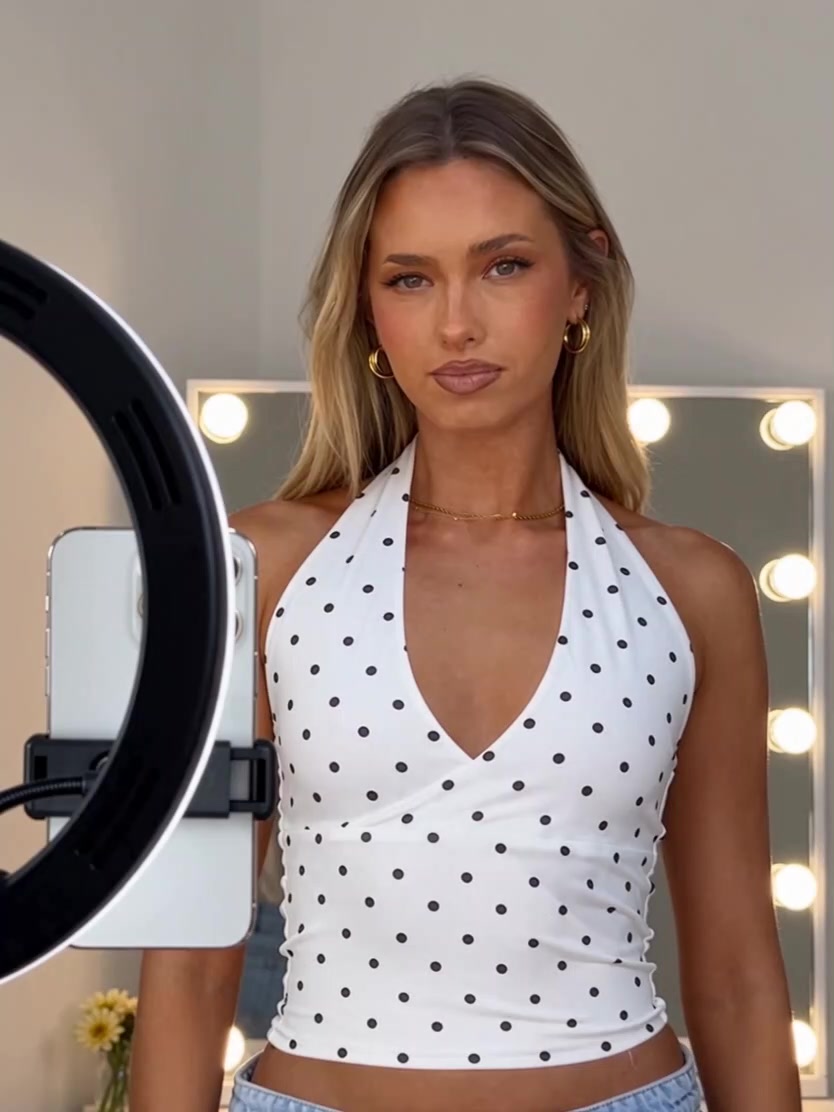
AI Prompt
Generate an 8-second hyper-realistic video with 4K, cinematic-quality texture. Camera pixel settings: 1.6; natural image noise level: 3.0; realism parameter: 1.6. The lighting and shadow transitions are smooth, and the human body proportions are perfectly accurate. The product itself is 100% based on the details, logo, and shape of the provided image. [8-Second Video] Camera Angles and Scene (100% preserving the original live-streaming environment): The entire shot uses a fixed, eye-level camera position, subtly capturing the very slight, natural breathing‑induced shake unique to live streaming—no pushing, pulling, panning, or tilting. The framing is medium-close up, with a black ring-shaped fill light and a white live‑streaming smartphone mounted centrally on its stand always visible in the foreground, creating a natural framing effect. Behind the model stands a lit makeup mirror adorned with warm white circular LED beads, against a pale beige wall, with small yellow flower accents in the corner. An European‑American female model faces the phone, standing in an empty space to showcase the clothing while wearing the full outfit. Lighting consists of soft, front‑facing fill light that matches the live‑streaming room’s illumination exactly. Action Sequence by Second (with the garment fully worn): 0–2 seconds: Opening interaction The model wears the featured product, standing facing the camera with a gentle smile directed at the phone lens, waving hello to viewers in the live stream with a relaxed, friendly demeanor. 2–4 seconds: Silhouette demonstration The model turns slightly to her left, gently pinching fabric at her side waist and lightly tugging it outward to clearly highlight the silhouette and the drape of the material, keeping her head oriented toward the camera throughout. 4–6 seconds: Detail showcase Returning to face the camera, the model lifts her left hand to delicately tug at the sleeve cuff, revealing the hemming and tailoring details. She leans ever so slightly toward the camera, allowing the fabric’s nuances to come into sharper focus, all while maintaining a lively, natural expression. 6–8 seconds: Closing presentation With both hands resting naturally along the hemline, the model gently smooths the bottom of the garment to emphasize its length, then tilts her head toward the camera and flashes a bright, cheerful smile, concluding this segment of the on‑body presentation. The movements are unhurried and natural, perfectly mirroring the authentic rhythm of everyday apparel livestreams.