
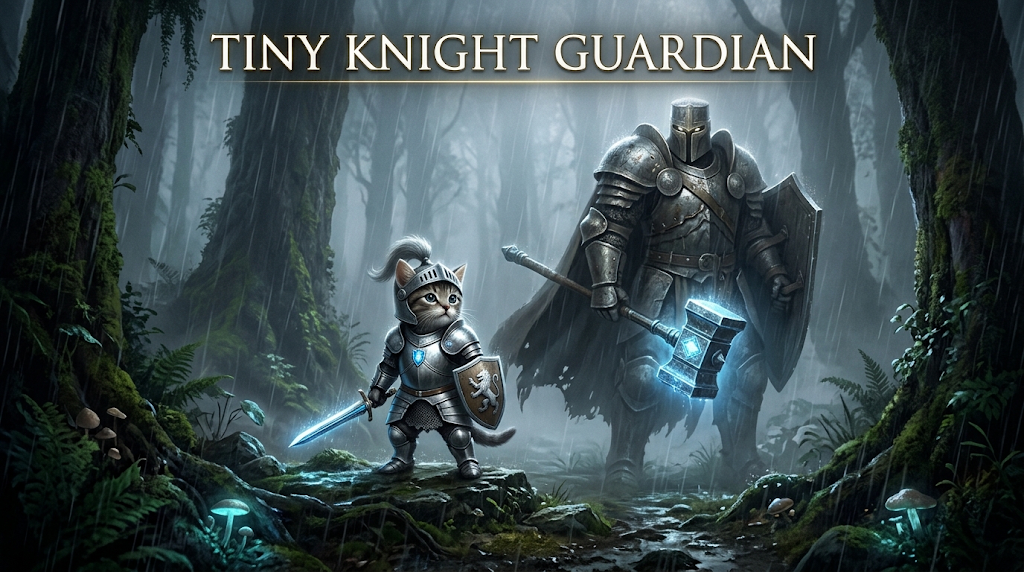
How to Make a Tiny Knight Guardian AI Video
The tiny knight guardian AI video trend—also known as the knight cat AI trend or AI sword-swap effect—has recently appeared across short-form video platforms as a cinematic fantasy format featuring a micro-scale armored character standing alongside a colossal kneeling guardian.
Creating these clips requires no traditional 3D software or advanced video editing background. By pairing modern generative video platforms with structured prompt frameworks, you can turn a static pet photo or character portrait into a polished vertical video.
Some tools can generate a short first draft within a few minutes, although processing time varies by model, resolution, and queue length. Here is a practical walkthrough of how creators set up these scenes, along with reviewed platform workflows and troubleshooting steps for common rendering glitches.
What Makes the Tiny Knight Style Work?
The Tiny Knight Guardian style is usually built from three recognizable visual elements:
- Strong size contrast: Positioning a tiny 3-inch armored pet directly beside a towering protector instantly communicates the miniature scale. As a creative starting point, try making the guardian roughly eight to twelve times larger than the pet, then adjust the scale based on the composition.
- Atmospheric weather FX: Layering heavy rainfall, swirling fog, capes blowing in the wind, and wet mud reflections helps ground the fantasy environment.
- The sword handoff: Focusing the camera sequence on the quiet narrative moment where the giant guardian helps draw or hand over a tiny broadsword.
Choose Your AI Video Tool & Workflow
Different AI video model handle character consistency and reference inputs differently. The workflows and parameter availability below were reviewed on November 10, 2026, and may change as platforms update their interfaces:
| ool | Workflow Type | Reference Material | Best Suited For |
|---|---|---|---|
| Seedance 2.5 | Multimodal reference generation | Images, video clips, and audio clips | Multi-subject scenes and more controlled camera direction |
| Kling AI | Image/reference-to-video | Version-specific reference uploads; controls depend on the selected model version | Image to video generation with reference-image support |
How to Create Your Tiny Knight Video Step by Step
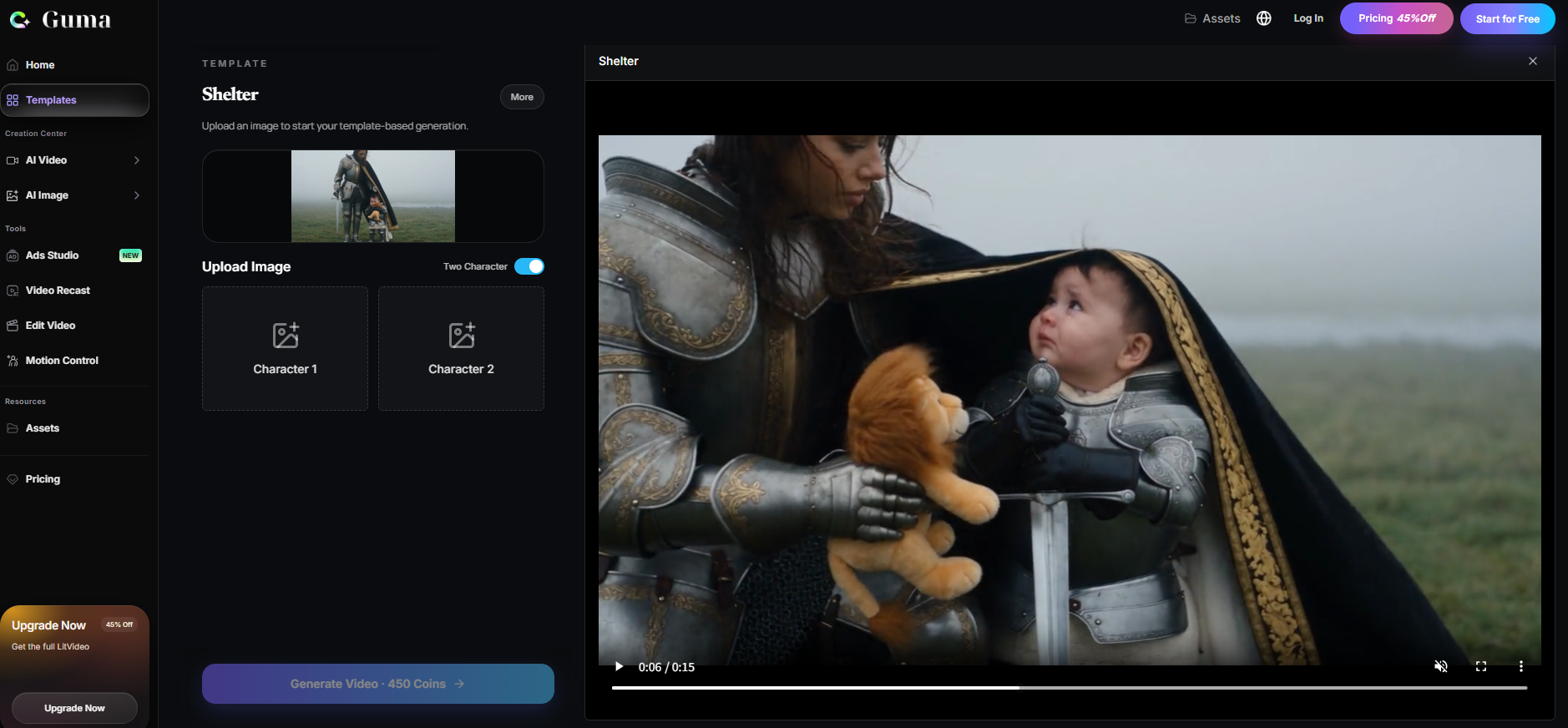
- Upload reference media: If your selected model supports character references, upload your pet photo through its reference-image or character-consistency workflow rather than describing the pet with text alone.
- Apply the cinematic prompt: Input a structured text prompt that details armor textures, weather elements, and gentle camera movements.
- Configure generation settings: Choose a 9:16 vertical aspect ratio and select an appropriate resolution (such as 720p or 1080p) depending on your platform options.
The Master Prompt Framework
To describe the intended cinematic texture, plate armor reflections, and depth of field more clearly, organize the prompt into distinct visual components.
Recommended Prompt Structure
[Subject Identity] + [Scale] + [Armor] + [Guardian] + [Interaction] + [Environment] + [Lighting] + [Camera] + [Motion Constraints]
Ready-to-Use Master Prompt Template
Prompt: A recognizable miniature version of the kitten from the reference image, approximately three inches tall, wearing polished silver plate armor and a short red cape. A giant human guardian in worn dark leather armor kneels beside the kitten and places a small broadsword upright in the mud. The kitten gently touches the sword handle. Rainy moss-covered forest, soft mist, wet ground reflections, low-angle cinematic shot, slow camera push-in, restrained character movement, stable background, realistic proportions.
Recommended Generation Parameters
| Parameter | Recommended Setting | Purpose |
|---|---|---|
| Aspect ratio | 9:16 | Matches vertical short-form video formats |
| Motion strength, if available | Low to medium | Reduces the amount of simultaneous subject and camera movement |
| Camera direction | Low-angle shot with a slow push-in | Emphasizes the size difference without requiring a fast camera move |
| Negative prompt, if supported | extra limbs, floating weapon, distorted face | May reduce common visual artifacts, but does not guarantee their removal |
Fixing Common AI Animation Glitches (Troubleshooting)
Multi-character fantasy scenes can occasionally challenge generative video models. Use these targeted adjustments to reduce or work around common rendering defects.
1. Pet Face Distortion or Animal-Human Hybrids
- Why it happens: Generative video models can sometimes misinterpret armor descriptions and blend human facial traits into animal subjects.
- The fix: Use the clearest available reference image, then inspect the generated face, eyes, coat pattern, and proportions before exporting the final video.
2. Floating Weapons and Sword-Clipping Glitches
- Why it happens: Complex hand-and-object interactions can make it difficult for generative video models to maintain consistent positioning, contact, and object shape across frames.
- The fix: Reduce the number of simultaneous actions. Instead of asking the guardian to hand over a moving sword, place the sword upright in the mud and have the kitten gently touch the handle.
Final Quality Checklist
Before exporting or sharing your short-form video, run through this quick evaluation:
- Is the pet’s face still recognizable from your reference photo?
- Are the paws and limbs anatomically plausible across frames?
- Does the sword remain consistent in shape during contact?
- Does the giant guardian maintain a consistent scale relative to the pet?
- Is the background stable during camera movement?
- Are there any sudden, distracting costume or lighting shifts?
Frequently Asked Questions
Can I make an armored knight video from my own dog or cat photo?
Yes. Uploading a clear picture of your pet into a reference-supported video generator provides the model with visual information about your pet’s face, coat, and proportions to guide the generation process.
What is the best AI generator for the knight cat trend?
Tools that support reference images are generally more suitable for this workflow because they give the model direct visual data rather than relying solely on text descriptions. You can compare AI video generators with reference-image support to choose between a template-based effect and a more controllable reference-to-video workflow.
How do I stop background flickering in rainy fantasy scenes?
Keep your environmental movement descriptions focused on single effects, such as falling rain or rising mist. Avoid wide, fast camera pans in the same prompt to maintain structural frame coherence.
Final Thoughts
Creating a compelling Tiny Knight Guardian video comes down to keeping things simple: start with a clear reference image, rely on structured prompt descriptions rather than heavy motion settings, and control one interaction at a time. Generate a few variations to find the cleanest frame sequence before posting your final clip to TikTok or Instagram Reels.