
AI Baby Podcast Generator
Create Realistic Talking Baby Podcast Videos With AI Voices
Turn real baby moments into engaging podcast-style videos with Guma. Add natural voices, expressive facial movements, and smooth lip-sync effects to create adorable talking baby videos. Perfect for family memories, fun content, and personalized video creations with an easy AI-powered experience.
AI Prompt
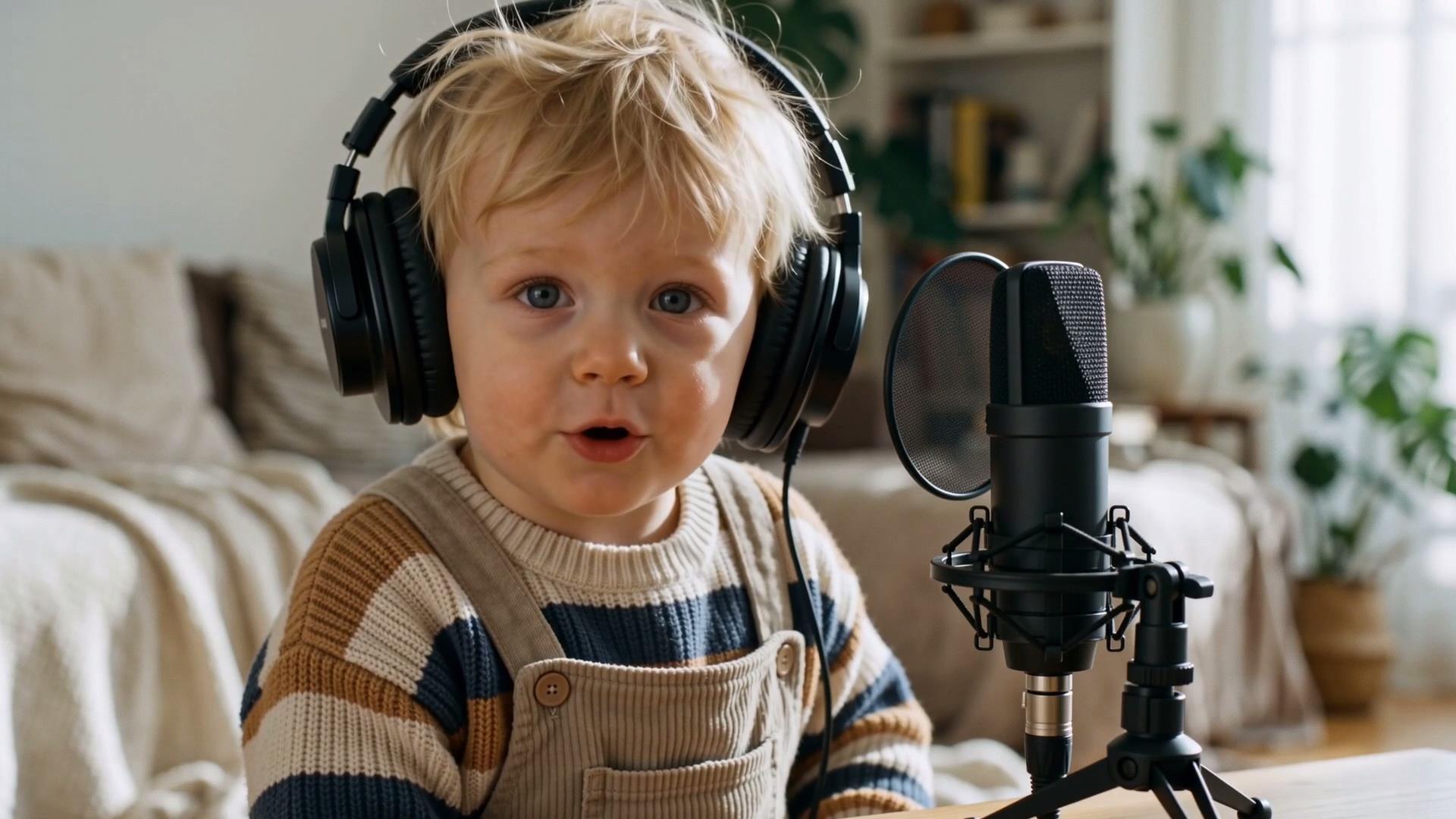
Generate an 8-second, hyper-realistic video with 4K HD cinematic-quality realism. {Camera shooting pixel parameters: 1.6}, natural image noise level: 3.0, {Realism parameter: 1.6}. The lighting and shadow transitions are seamless, and the human body proportions are perfectly accurate. The protagonist’s facial features, gender, demeanor, hair color, hairstyle, makeup, and clothing—entirely based on the reference image @—remain unchanged. First-frame description: The first frame is based on the reference image uploaded by the user, maintaining the character’s facial features, hairstyle, skin tone, age appearance, and clothing color and texture exactly as they appear in the reference. In the center of the frame, a livestreamer sits at a table, wearing large black noise-canceling headphones and looking directly at the camera. In front of the protagonist, a black professional condenser microphone is placed slightly above the tabletop, positioned on the right side of the frame in the foreground. The indoor setting is a warm and cozy podcast recording environment with a blurred background, featuring light-colored furniture and green plants. The lighting is soft and natural, and the composition closely matches the reference image. The style is realistic photography, with sharp facial details and the protagonist’s natural expressions preserved. The character’s identity and attire remain unchanged, and no additional characters are introduced. Full video generation prompt: 8-second video description: Using the reference image uploaded by the user as the first frame, generate a 5-second, hyper-realistic podcast livestreamer video. The protagonist’s facial features, hairstyle, age appearance, and black oversized headphones remain unchanged. The protagonist consistently sits at the table with a stable posture, and the black professional microphone remains positioned on the right side of the frame in front of them. At the start of the video, the protagonist looks directly at the camera with their mouth slightly open; then, naturally begins speaking into the microphone: “Upload baby photo and use the AI Baby Podcast Generator to create a video like this one.” The lip movements precisely match the English dialogue, with subtle eye blinks and a cute yet serious and slightly playful expression. The head exhibits gentle, natural movement, occasionally nodding lightly. The protagonist’s appearance and voice remain unchanged. The English pronunciation is clear and delivered at a moderate pace, ensuring the entire line is spoken completely. The microphone stays stationary, and subtle ambient sounds of a real indoor podcast recording environment are added.

A Baby That Really Talks
See how a simple baby image becomes a lively podcast-style video with natural voices, matching lip movements, and expressive reactions. Create a more engaging way to capture baby moments with realistic talking effects and smooth animation.

Every Expression Feels Alive
From facial movements to voice timing, every detail is designed to create a natural talking experience. The generated video captures realistic expressions and smooth interactions, making baby conversations feel more vivid and believable.
Shape Every Unique Expression
Customize the way baby videos speak and perform with different scripts, voices, and styles. Create expressive talking videos that match different moods, occasions, and creative needs with a simple AI-powered experience.
How to Generate Baby Podcast Video With Guma AI
Upload Baby Image
Upload a baby image to start creating a talking video.
Generate Video
Let AI turn your image into a realistic talking baby video.
Download Video
Download the generated baby podcast video.
Explore More AI Video Creation Tools
AI Image to Image
AI Text to Image
AI Image to Video
AI Text to Video
FAQ
What is the AI Baby Podcast Generator?
The AI Baby Podcast Generator turns baby images into talking videos featuring natural voice effects, lip-sync, and facial expressions. It transforms a simple image into a podcast-style video experience with more realistic and engaging interactions.
How do I create a talking baby video?
Creating a talking baby video is simple. Upload a baby image, and Guma automatically generates a video with synchronized expressions, natural movements, and talking effects without requiring any editing experience.
What type of baby images work best?
Clear, front-facing baby images with visible facial features usually create better results. Images with good lighting and no major obstructions help generate more natural expressions and smoother talking effects. If you want to prepare more suitable image materials, you can explore our AI Image Generator feature for creating high-quality visuals.
Can I use a real baby photo for the AI Baby Podcast Generator?
Yes. The AI Baby Podcast Generator supports real baby photos and preserves their original appearance while adding talking effects, voice expression, and natural facial movements. It is designed to transform real moments into dynamic video experiences.
How long does it take to generate an AI Baby Podcast video?
Generation time depends on the video content and processing speed. After uploading your image, Guma automatically processes the animation and creates the finished talking baby podcast video.
Can I use the AI Baby Podcast Generator for free?
Guma offers free credits for users to try AI video generation. You can start creating after registering an account, while advanced features and additional generation capacity are available through upgraded plans.
Are uploaded baby images safe?
Guma values user privacy and handles uploaded images according to its privacy standards. Your content is processed securely so you can create AI Baby Podcast Generator videos with confidence.