
AI Baby Dance Generator
Turn a Baby Photo Into a Dancing Video
That cute baby photo doesn’t have to stay still. Upload it to Guma and let the AI baby dance template turn it into a playful dancing video in just a few clicks. No timeline editing or animation experience needed – just add a photo and see it come to life.
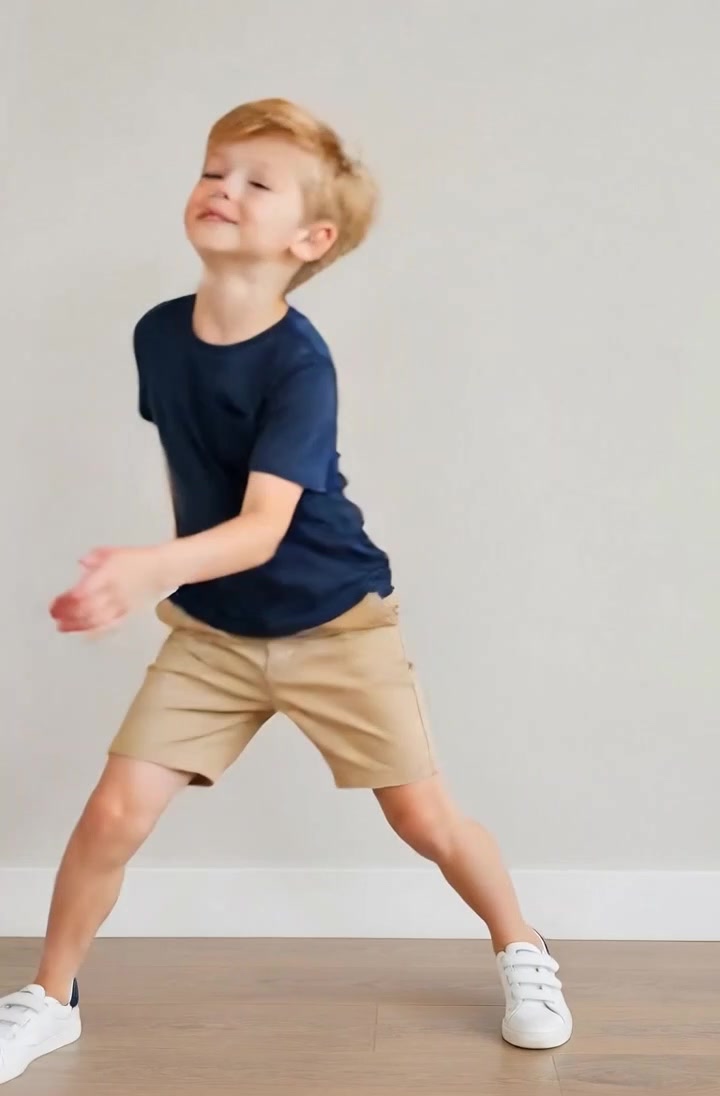
AI Prompt
Let the people in the picture start dancing to the music.

Turn One Baby Photo Into a Dancing Video
You only need one photo to get started. Upload a baby image, and Guma AI will automatically turn it into an animated dance clip—no reference dance video, keyframes, or manual motion editing required.

Create Smooth and Lively Baby Dance Motion
A funny dance works best when the movement still feels connected to the original photo. The AI baby dance generator adds lively body motion while keeping the baby's appearance recognizable, creating a playful result that feels more natural than simply moving a static image around the screen.

Create Baby Dance Videos for Sharing and Family Fun
Turn everyday baby photos into clips worth sending around. Create a dancing baby video for TikTok, Instagram Reels, YouTube Shorts, birthday greetings, family group chats, or simply for a laugh.

Start with the right photo for a better result.
You don’t need a studio-quality image, but a clear photo helps. Look for good lighting, a visible face, and enough room around the body. Full-body photos are especially useful when the template includes larger arm or leg movements, while heavily cropped or blurry images may produce less stable motion.
How to Generate a Baby Dance Video with Guma AI
Upload a Photo
Choose a clear baby photo and upload it to Guma.
Generate the Dance
Click Generate to apply the AI baby dance template.
Preview and Save
Preview the video and save your favorite result.
Explore More AI Video Tools


FAQ
What is an AI Baby Dance generator?
An AI baby dance generator is a photo to video tool that turns a still baby photo into a short dancing video. Instead of manually animating the body or editing motion frame by frame, you simply upload an image and let AI generate the dance.
How do I turn a baby photo into a dancing video?
Upload your photo to Guma and click Generate to apply the AI baby dance template. You do not need a studio portrait— a clear everyday photo can work well as long as the face and important parts of the body are easy to see.
Is the AI Baby Dance generator free?
Guma provides daily free credits after you register an account, so you can try the AI baby dance generator without immediately upgrading. Additional generations, higher usage limits, or advanced features may require a premium plan.
Can I make an AI dance video from just one photo?
Yes. The AI baby dance template is designed to create a dancing video from a single still image, so you do not need to record a dance or animate individual frames yourself. If you would like to create dance videos with more subjects, styles, or full-body images, you can further explore our AI Dance Generator for a more flexible dance-video workflow.
Can I post my AI baby dance video on TikTok, Reels, or YouTube Shorts?
Yes, you can use generated baby dance videos for short-form social content where permitted.
Is it safe to upload a baby's photo?
Only upload photos you have the right to use, especially when the subject is a child. Avoid images containing sensitive personal details and review Guma's current privacy and data-retention terms before generating your video.