
AI Inflation Video Generator
Instantly turn static photos into inflatable balloon videos.
Give flat portraits an authentic 3D expansion effect. Instead of applying basic stretching filters, watch AI generative physics puff up your image into a floating balloon animation with real-time lighting adjustments. Drop in any picture and see the realistic air-filling motion take over.
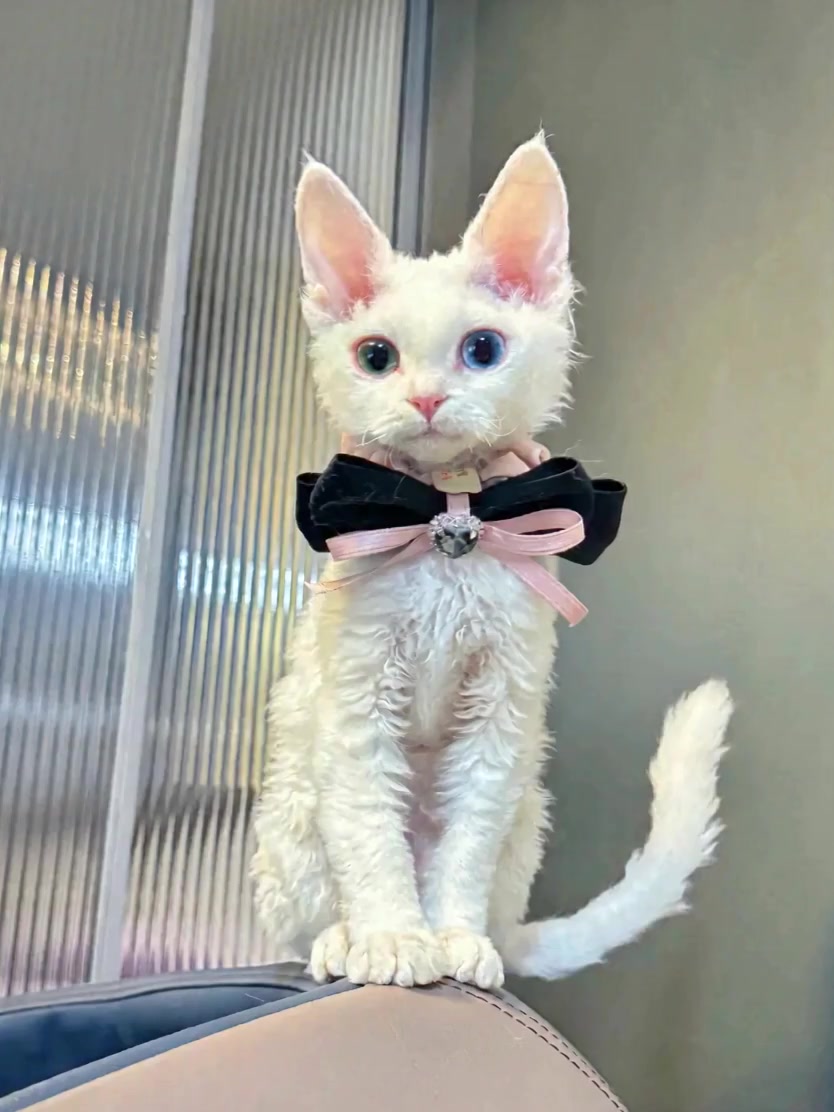
AI Prompt
Generate a hyperrealistic 5S video with 4K HD cinematic-quality realism. {Camera shooting pixel parameters: 1.6}, natural image noise level: 3.0, {Realism parameter: 1.6}. The light and shadow transitions are seamless, and the human body proportions are perfectly accurate. The protagonist’s clothing, facial features, skin tone, and hairstyle are 100% based on the reference images provided. [First Frame] The first frame remains unchanged. [Video 5S] Total duration: 5 seconds. A soothing, fantastical short video focusing on the protagonist’s soft and adorable transformation into a spherical shape that slowly floats away: 0-1s: Maintain the protagonist’s initial pose and scene setup. The protagonist’s body begins to inflate slowly and evenly from the torso upward, gradually transforming from its originally slender form into a round, plump silhouette. The limbs appear shorter but remain naturally spread out along the body’s surface. The surrounding environment is gently compressed and distorted by the expanding body. 1-2.5s: Keep the camera angle fixed; the lens slightly follows the protagonist’s ascent as it rises. The protagonist’s body continues to expand rapidly, eventually becoming a perfectly round, uniformly inflated sphere. The previously extended limbs now transform into short, stubby protrusions hanging naturally beneath the spherical body. As the body reaches its critical expansion point, it slowly detaches from the sofa and starts floating upward. The indentations left in the environment gradually rebound and smooth out as the protagonist moves away. The inflation and deformation process is fluid and natural, giving the impression of a soft, bouncy inflatable balloon. 2.5-5s (the core floating segment—highlighted): Keep the camera angle fixed; the focus smoothly tracks upward as the protagonist floats higher. The protagonist maintains its round, spherical shape and floats steadily upward at a gentle pace, gradually moving farther away from the scene’s surface. The short, stubby limbs subtly sway naturally with the floating motion. The spherical body slowly makes its way toward the top of the frame, gradually leaving the scene’s area behind. Throughout this segment, the protagonist maintains the expression from the reference image without any signs of panic—appearing instead to be fully relaxed and enjoying the sensation. As the protagonist moves away from the scene, the background remains blurred, creating an overall effect that is soft, whimsical, deeply soothing, and highly realistic. The movements flow seamlessly, the texture feels genuinely soft and tactile, and there are no exaggerated or jarring special effects.

Keep facial details intact during volumetric expansion
Most photo blow-up filters distort faces until skin features completely blur out. Smart boundary protection ensures eyes, lips, and clothing patterns expand along natural curved paths. You get a fun balloonify effect while keeping the subject instantly recognizable.

Simulate natural air density and organic movement
Real rubber objects don't just expand—they oscillate and react to air. AI motion generation gives your inflated subject a gentle wobble as it floats upward, driven by simulated weight and buoyancy. The resulting clip feels like a hand-crafted 3D animation rather than a simple graphic loop.

Auto-calculate light reflections on stretched surfaces
To make an inflatable video look believable, light must bend over rounded edges. Generative vision models analyze the primary light source in your original shot to add subtle gloss highlights, realistic rubberized sheen, and soft underside shadows across the expanded surface.

Handle portraits, pets, and product cutouts with equal precision
Image-to-balloon conversion works on far more than human faces. Animal photos, anime artwork, footwear, and brand logos all expand cleanly. AI segmentation builds smooth volumetric visuals around almost any silhouette with precise edge detection.
How it works: From a flat image to a balloon animation in seconds
Upload your favorite picture
Select a clear portrait, pet photo, or product image with sharp subject contrast to get the cleanest 3D balloon visuals.
Generate the air-filled balloon animation
Click the generate button to automatically trace subject contours and synthesize smooth 3D motion effects.
Download and share your high-definition video
Preview the generated clip directly on screen and save the crisp MP4 video to your device.
Explore more creative AI video effects


Frequently asked questions
How does a flat 2D picture turn into an air-filled video clip?
Generative AI predicts depth from flat contours, constructs a temporary 3D spatial mesh, and synthesizes frame-by-frame expansion while rendering realistic light reflections across the surface. To take these actions further, feel free to explore our image to video feature.
What type of photo creates the best inflating balloon effect?
Pictures with crisp subject boundaries and minimal background clutter perform best. AI vision models rely on clear separation to wrap inflated geometry cleanly around arms, hair, or object edges without pulling in unwanted background elements.
Does expanding the image reduce the final video quality or resolution?
No. AI image synthesis generates missing surface textures during the expansion phase instead of pixel-stretching, keeping skin grain, fabric weaves, and lighting highlights sharp across every rendered frame.
Can this process handle non-human subjects like shoes or illustrations?
Yes. Multimodal generative models process pets, products, vehicle shots, and digital artwork with ease, automatically adapting surface tension calculations to match the unique geometry of the uploaded object.