
AI Ice Sculpture Video Generator
Turn a Portrait Into a Frozen Ice Statue Video
Give a regular portrait the look of an ice statue coming to life in motion. Guma’s AI Ice Sculpture Video effect adds clear ice texture, a gradual frozen change, and a cinematic finish, so the final clip feels colder, sharper, and easier to watch.
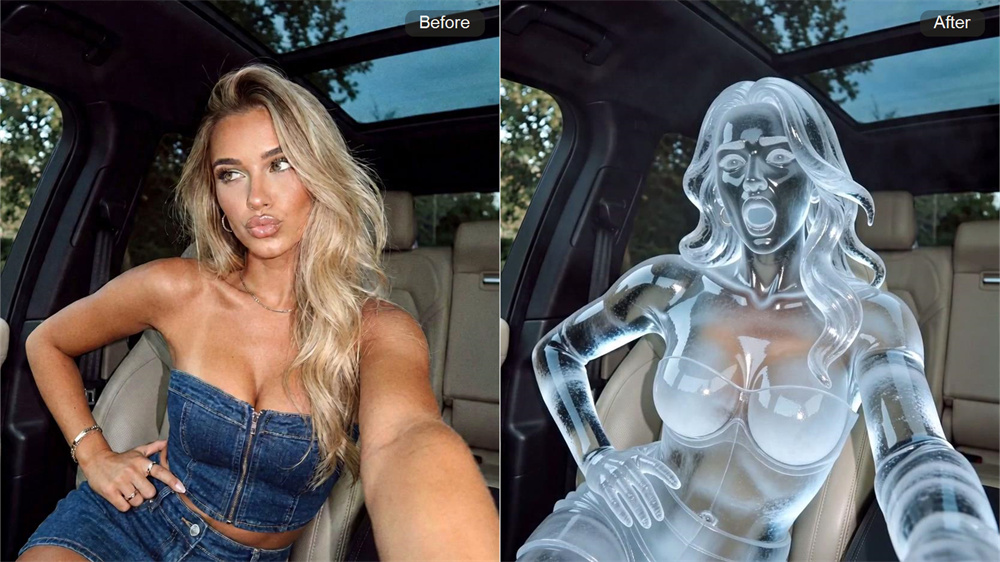
Turn Still Subjects Into Frozen Showpieces
Ice Sculpture gives a regular photo a colder, more sculpted presence. The subject takes on a firm ice-statue look, with cleaner outlines and a stronger focus on the subject that feels made for a short video scene.
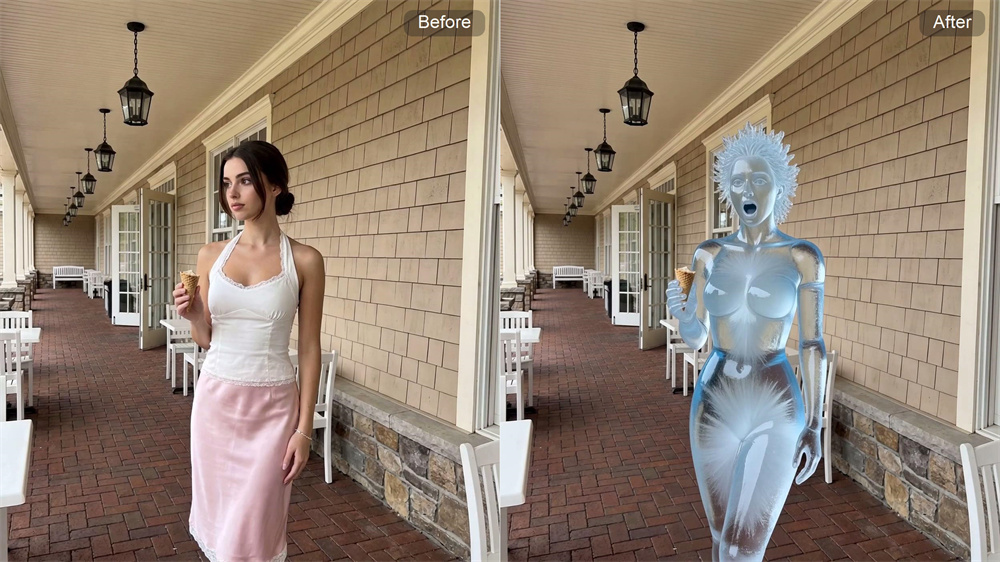
Add a Clear Ice Texture Without a Heavy Filter Look
Add a cold surface that looks clear instead of flat. The effect brings in glassy ice detail, cool highlights, and carved depth while keeping the subject easy to recognize in the final video.
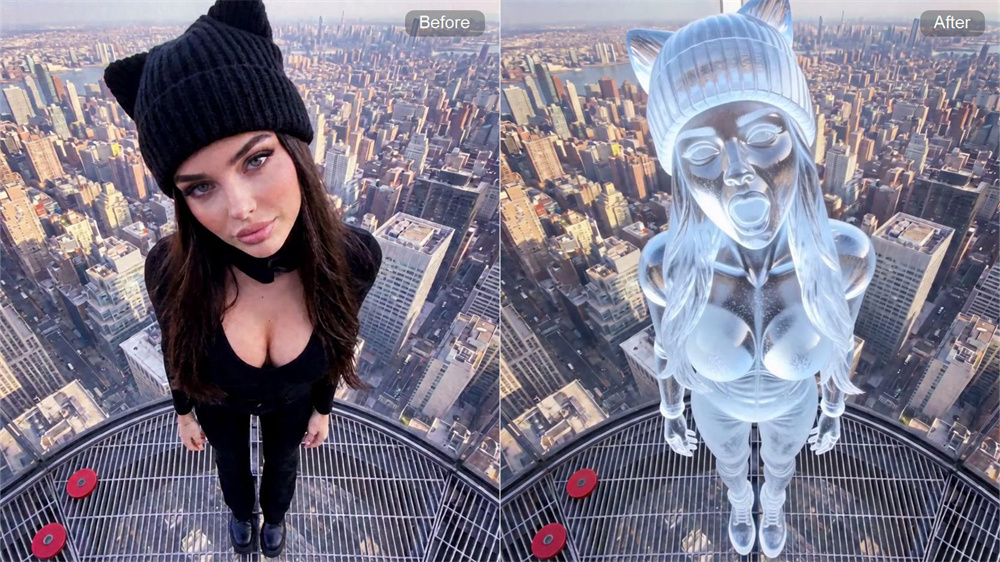
Make the Freeze Feel Like a Real Transformation
A good ice sculpture video shouldn't look like a single edited frame. Guma adds a gradual frozen change, so the scene feels like it is forming, hardening, and turning into an ice statue over time.
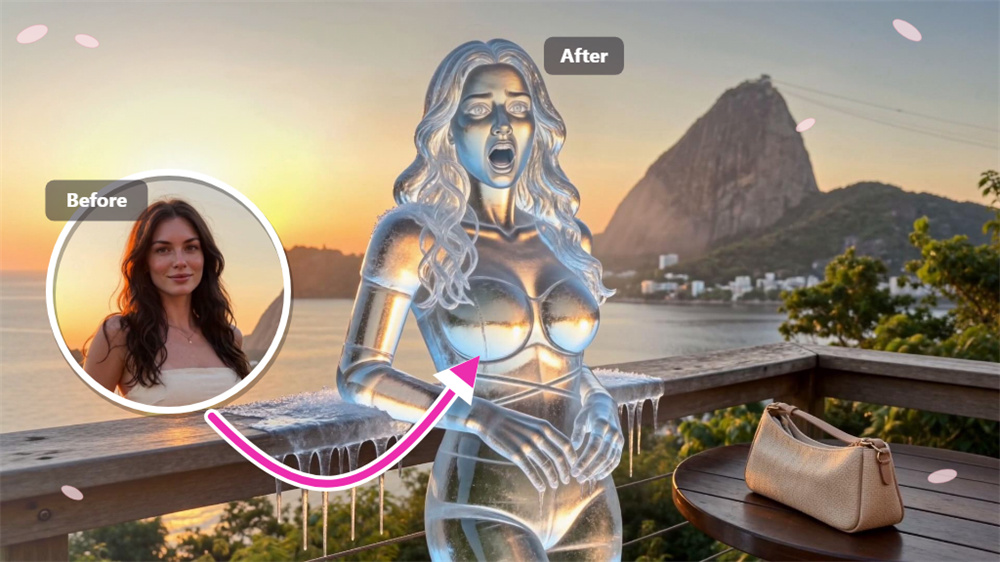
Get a Cleaner Ice Statue Video in Fewer Steps
Skip the manual masking, layering, and editing work. Guma keeps the Ice Sculpture effect focused on clear subject detail, smooth movement, and a clean frozen look without extra editing steps.
How to Generate Ice Sculpture Video With Guma AI
Upload Your Portrait
Upload a clear portrait or subject photo.
Apply the Ice Sculpture Effect
Apply the Ice Sculpture effect and generate the frozen motion.
Preview and Save
Preview the video and save the final result.
Explore More Popular Video Effects
FAQ
What is the AI Ice Sculpture Video Generator?
The AI Ice Sculpture Video Generator turns a photo into a frozen transformation video. Instead of only adding a cold filter, it builds an ice statue look with clear texture, sculpted edges, and motion that makes the subject feel like it is freezing into form.
What kind of photo works best for the Ice Sculpture effect?
A clear portrait or subject photo works best. Choose an image with a visible face or object, clean lighting, and less background clutter. Stronger subject detail helps the ice surface, frozen outline, and final video effect look sharper.
Can the Ice Sculpture effect keep the subject recognizable?
Yes, the effect is designed to keep the main subject visible while adding a frozen ice statue style. Results may vary by photo quality, but a clear image usually helps preserve facial structure, body shape, and key subject details better.
Is this only for portrait photos?
Portraits are the most suitable choice, but the Ice Sculpture effect can also work with clear subject photos. People, characters, pets, or single objects usually perform better than busy group shots or images with too many small details.
What makes an ice sculpture video different from a normal AI video?
An ice sculpture video focuses on material transformation. The subject does not just move; it appears to harden, cool down, and take on a carved ice surface. This gives the result a stronger frozen statue effect than a simple animated photo.
Do I need video editing skills to create this effect?
No manual masking, layering, or editing setup is needed. Guma handles the Ice Sculpture effect inside the generator, so the process stays simple: upload a photo, generate the frozen transformation, preview the result, and save the video.
Why use Guma for an ice sculpture video effect?
Guma focuses on fast visual transformation instead of complicated editing steps. The Ice Sculpture effect helps turn a regular image into a colder, sharper, more sculpted video result, making it easier to create a clean, cold, finished-looking clip.