
Arrest
Create Realistic AI Police Arrest Videos That Go Viral Instantly
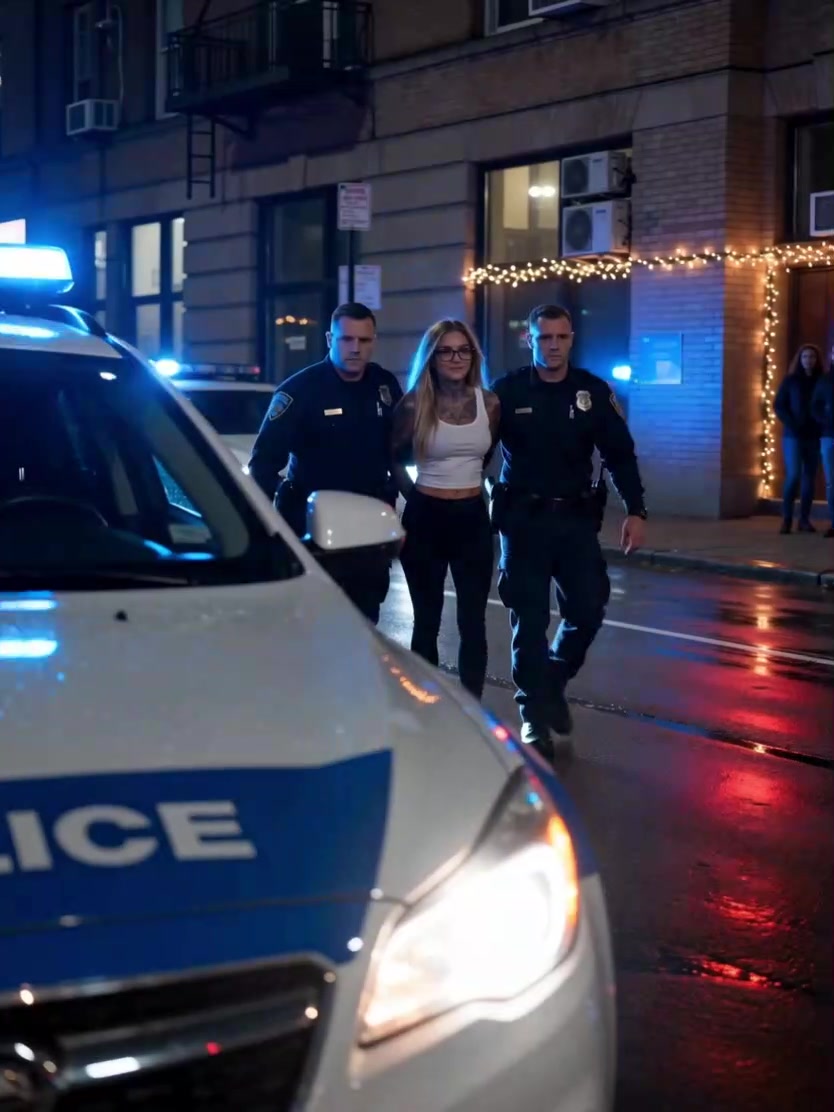
Drop in any photo and let Guma instantly render a realistic custody video clip with authentic squad-car lights, natural motion blur, and sharp background detail. Perfect for your next TikTok reaction clip, Instagram Reel, or group chat prank.
AI Prompt
Generate a 10-second hyperrealistic video with 4K HD cinematic-quality realism. {Camera shooting pixel parameters: 1.6}, natural image noise level: 3.0, {Realism parameter: 1.6}. The lighting and shadow transitions are seamless, and the human body proportions are perfectly accurate. The protagonist’s facial features, gender, temperament, hair color, hairstyle, makeup, and outfit are 100% based on the facial characteristics of the reference @image. [Video: 10 seconds] This 10-second video captures a handheld documentary-style scene set on a nighttime city street, imbued with a light-hearted, absurd, and comedic contrast: From 0 to 3 seconds: The initial shot is a medium shot, with the camera fixed on the sidewalk. In the foreground, there’s a white-and-blue striped police car parked by the curb, bearing the POLICE logo. The car’s headlights are on, and its emergency lights are flashing alternately in red and blue. Two officers, dressed in dark uniforms, flank a tattooed protagonist wearing black-framed glasses. The protagonist’s hands are cuffed behind his back. The trio is walking toward the camera. On the left, the officer raises his hand, pointing ahead to indicate the direction. The background features brick buildings with air-conditioning units hanging outside. At the building entrance, warm-colored string lights are draped decoratively. In the distance, several passersby have stopped to watch curiously. From 3 to 7 seconds: The camera simultaneously pans backward, following the trio as they approach. The shot gradually shifts from a medium shot to a close-up, allowing viewers to clearly see the protagonist’s clothing. His neck and arms are covered in tattoos. Throughout the scene, he shows no sign of panic or fear typical of someone being arrested; instead, he wears a relaxed, even smug smile, appearing calm and composed. The two officers maintain serious expressions as they steadily support the protagonist’s arms, moving forward with confidence. In the background, distant city skyscrapers, lit streetlights, and traffic signals at intersections gradually come into sharper focus. Meanwhile, the red and blue emergency lights of the police car behind them continue to sweep across the characters and the road surface. From 7 to 10 seconds: As the trio moves forward, the camera slowly shifts to a slightly angled, side-forward perspective. The group reaches the police car’s door, where the officers prepare to open the door and usher the protagonist inside. The protagonist turns his face toward the car, still wearing that calm, confident smile. Throughout the sequence, subtle handheld camera shake reinforces the documentary feel of the scene, perfectly matching the character’s demeanor—caught but completely unrepentant, even somewhat pleased with his situation.
Why Choose Guma for Your AI Arrest Video Creation
Guma brings studio-quality AI video creation straight to your browser with zero learning curve. Upload one portrait and let the generative engine turn it into a polished custody scene with coordinated subject movement, realistic handcuff placement, and cinematic composition. Create crisp, ready-to-post short-form videos without editing tools or motion design skills.
Realistic Custody Motion
Turns a still portrait into natural head, body, and facial movements while preserving recognizable features and expressions.
Vertical 9:16 Social Export
Outputs clean, full-screen vertical MP4s tailored to fit directly into TikTok feeds, Instagram Reels, and YouTube Shorts frames.
Instant Photo-to-Video Workflow
Upload a single image and let Guma build the custody scene, animate the subject, and render the final clip automatically in one streamlined workflow.
Cinematic Lighting & Scene Depth
Adds realistic police siren flashes, dark interrogation-room shadows, and dramatic depth of field to give each uploaded portrait a cinematic atmosphere.
Create Your Police Arrest Video in 3 Easy Steps
Upload a Portrait or Selfie
Select a clear, well-lit photo from your gallery so the engine can map facial contours and scene lighting accurately.
Generate Your Custody Scene
Click create to let Guma render flashing cop lights, natural custody movements, and realistic background atmosphere.
Download and Share Your Video
Grab your high-definition MP4 file instantly and share it across TikTok, Instagram, or group chats.
Explore More AI Video & Meme Generators


Frequently Asked Questions About AI Arrest Video Generator
What Is an AI Arrest Video Generator and How Does It Animate Photos?
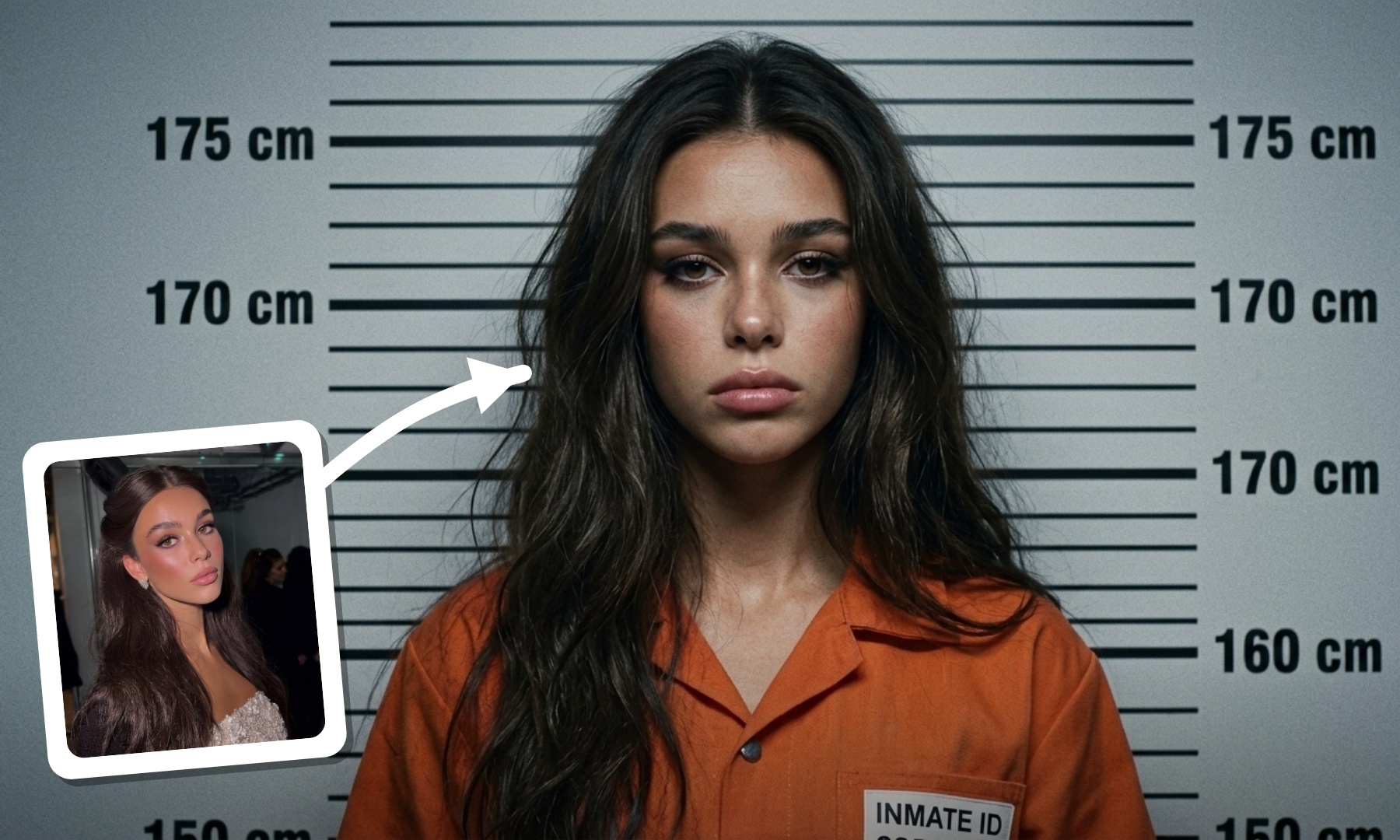
An AI Arrest Video Generator is a specialized digital tool that transforms a 2D photo into a short, dynamic video clip depicting someone in a police custody scenario. Guma analyzes facial geometry, adds ambient lighting effects like flashing police lights, and synthesizes natural movement to deliver a believable video without requiring video editing experience.
Will the Exported Police Arrest Videos Fit TikTok and Instagram Reels?
Yes. All videos export natively in a 9:16 vertical aspect ratio, maintaining sharp focus and crisp mobile playback so your prank clips look completely natural on phone screens.
Do I Need to Write Text Prompts or Adjust Video Timelines?
Not at all. The video styles, camera paths, and lighting setups are built right into the platform. You simply upload your image, and the system handles the entire creation process automatically.
What Happens to My Photo After the Video Finishes Rendering?
Uploaded source files and generated preview clips exist only to complete your request. Once your download link is ready, source images are automatically cleared from temporary server storage.
How Long Does Rendering a Police Arrest Video Clip Take?
Most video clips take between 10 and 30 seconds to render, providing a ready-to-download MP4 almost immediately.