
Burning
Give Your Shots an Action-Movie Background Blaze
Looking to elevate your social posts with a bold cinematic vibe? Guma places realistic flames, heavy smoke, and dynamic explosions directly into the background of your photos and video clips. Keep your outfit, portrait, or car completely sharp while adding intense aesthetic heat behind you.
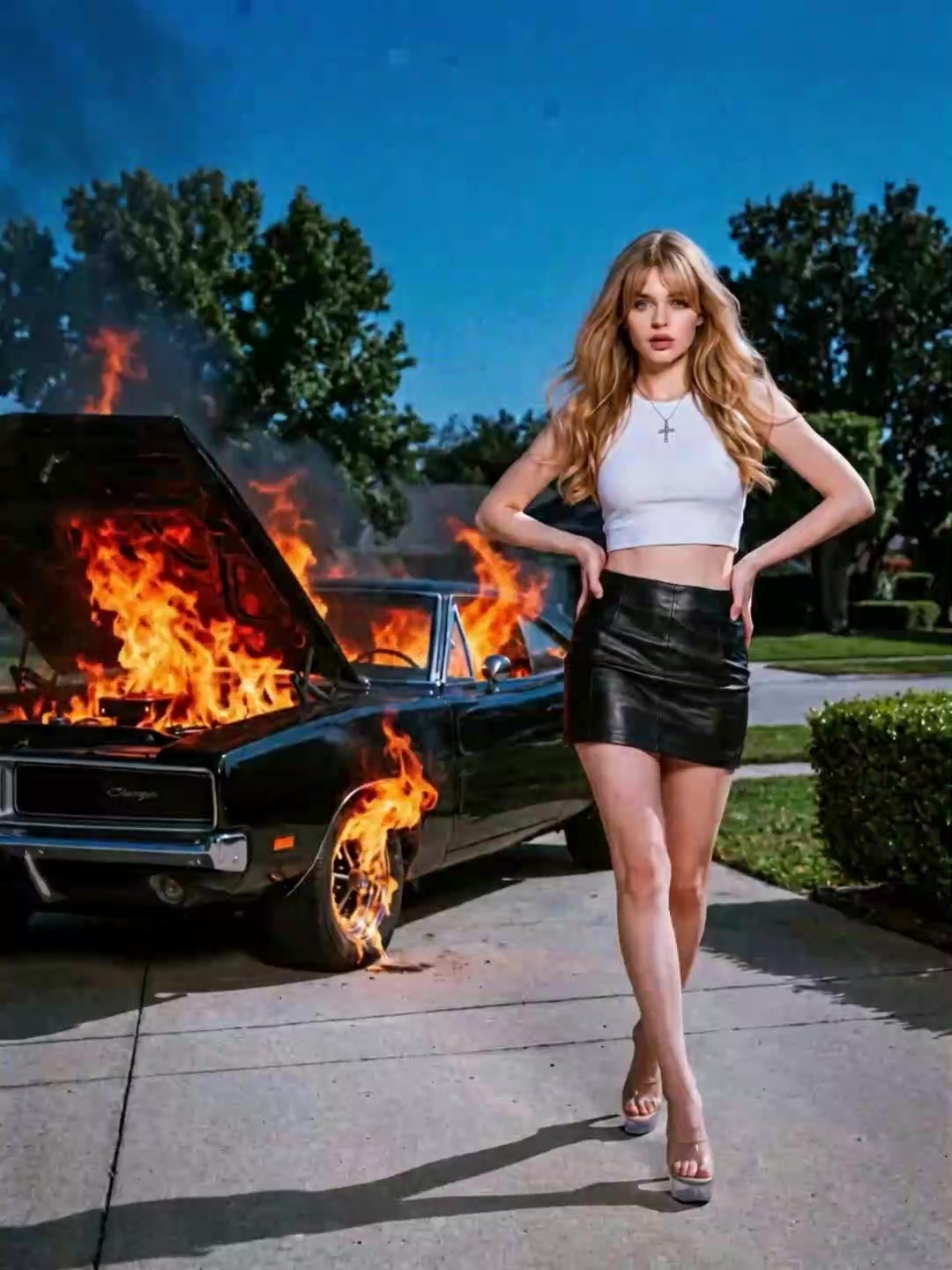
AI Prompt
Let the blaze behind the image ignite.
Why Choose Guma for Your AI Background Fire Effects
Guma helps you add cinematic flames, heavy smoke, dynamic explosions, and warm lighting behind your subject while keeping your portrait, outfit, or car clear and ready for social content.
Subject-Focused Background Effects
The effect keeps your outfit, portrait, or car in the foreground while flames, smoke, and light flares stay behind your main subject.
Cinematic Flames and Smoke
Add realistic-looking flames, heavy smoke, and dramatic explosion details to create an action-movie atmosphere for your photos and video clips.
Adjustable Blaze Intensity
Choose a subtle dark aesthetic with glowing embers or turn up the drama with full-scale explosions and stronger background fire effects.
Social-Ready Photo and Video Results
Preview your finished effect, export crisp high-resolution photos or video clips, and prepare your content for Instagram, TikTok, YouTube Shorts, and Snapchat.
How to Get the Fire Effect in 3 Quick Steps
Drop In Your Favorite Shot
Upload a photo or short clip from your phone, whether it is a street style fit check, a car showcase, or a dramatic portrait.
Add Background Blaze Instantly
Click render and let the system automatically layer burning flames, warm edge glows, and realistic smoke behind your subject.
Save and Post Everywhere
Preview the dynamic details, export your crisp high-resolution photo or video, and share it straight to Instagram, TikTok, or YouTube Shorts.
Explore More AI Visual Effects


Frequently Asked Questions About AI Background Fire Effects
Will the Fire Effect Ruin My Outfit or Car Details?
Not at all. The tool automatically detects you, your outfit, or your car and keeps the foreground sharp. The flames, light flares, and smoke clouds render strictly in the background so your main subject stands out.
Can I Adjust How Intense the Blaze Looks for My Feed?
Yes. You can easily tweak the mood before saving, choosing between subtle glowing embers for a dark aesthetic or full-scale explosions for maximum drama.
Does the Lighting Blend Naturally with My Original Photo?
Yes. Beyond adding background flames, the generator casts natural warm light reflections around your body or vehicle edges, making it look like you were captured on a real film set.
Is This Optimized for Short-Form Video Formats Like TikTok or Reels?
Definitely. You can export high-resolution PNG photos or MP4 video clips that are ready for instant sharing on Instagram, TikTok, YouTube Shorts, and Snapchat.