
Doomsday Mech Generator
Turn Your Photo Into an Armored Sci-Fi Hero
Upload one clear portrait and watch Guma reimagine it as a cinematic doomsday mech character. Your photo becomes the starting point for a dramatic sci-fi transformation with futuristic armor, a ruined-world atmosphere, and a powerful on-screen reveal. No prompt writing or editing controls are required.
See Your Photo Become a Doomsday Mech Character
Upload a portrait and Guma transforms it into a battle-ready sci-fi character, replacing the everyday setting with armor, cinematic light, and a high-stakes post-apocalyptic world.
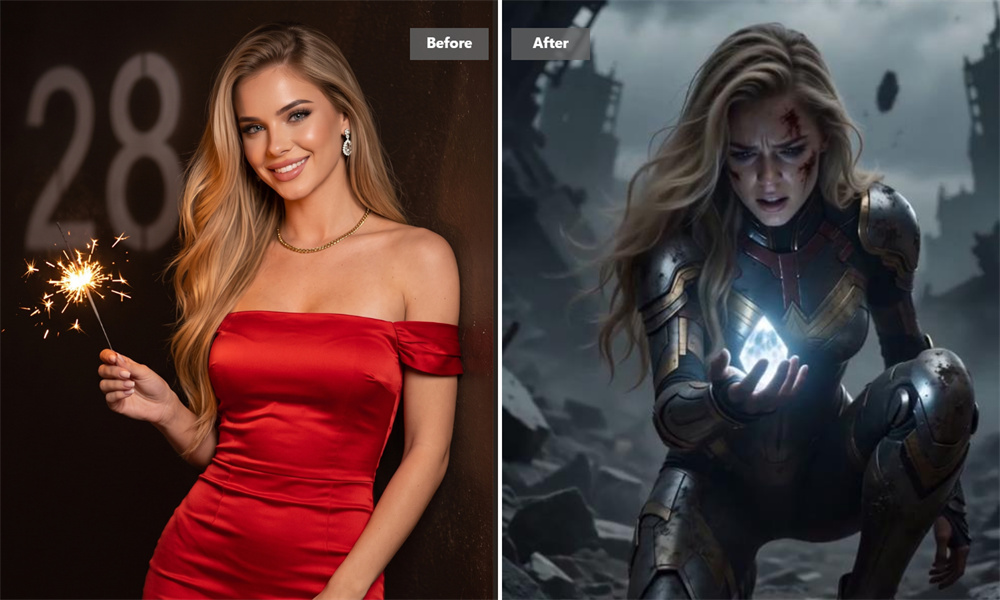
Transform a Portrait Into an Armored Survivor
A clear portrait can become a dramatic scene of an armored survivor holding a glowing artifact among shattered ruins, creating a striking before-and-after transformation video.
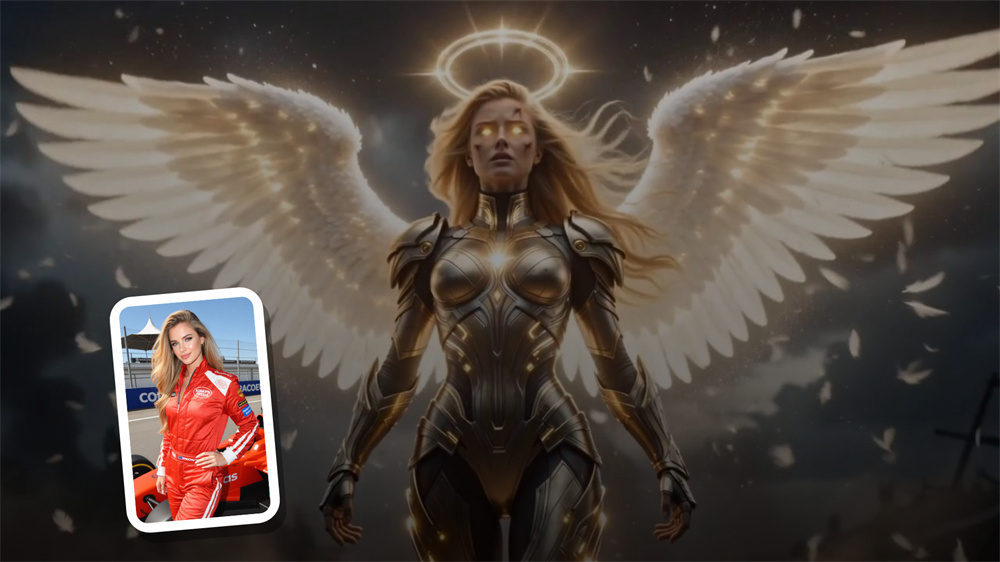
Unveil a Powerful Sci-Fi Warrior
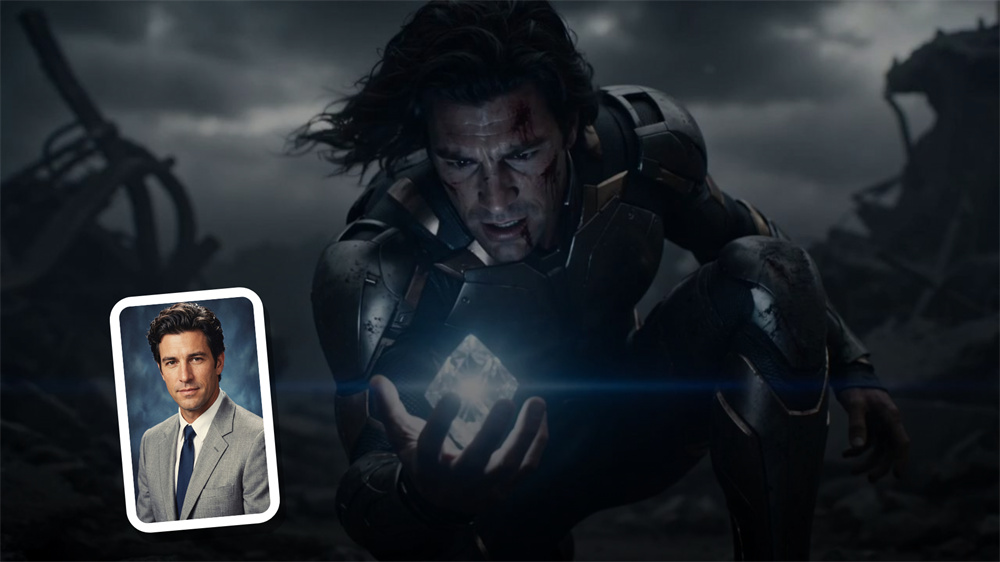
Bring Your Character Into a World After the Fall
Turn a portrait into a battle-worn doomsday character set in a dark, ruined landscape, complete with futuristic armor, stormy skies, and a glowing energy element at the center of the scene.
How to Generate Doomsday Mech Video With Guma AI
Generate the Video
Click Generate and let Guma apply the doomsday mech effect to your photo.
Preview and Download
Preview the completed video and download it when you are ready to share.
Explore More AI Video Tools
FAQ
What is a doomsday mech generator?
A doomsday mech generator is an image-to-video effect that turns a portrait photo into a short sci-fi transformation video. It reimagines the person in the image as an armored character in a dramatic post-apocalyptic setting with cinematic lighting and story-like visual details. If you would like to create other photo-based motion effects, explore our image to video tool.
Do I need to write a prompt?
No. This effect doesn’t require prompts, style selection, or scene descriptions. Upload a photo, and Guma automatically applies the built-in visual direction.
What kind of photo works best?
Use a clear, well-lit portrait where the face is visible and not heavily covered. Front-facing or lightly angled photos usually produce a cleaner result than distant shots, group photos, or blurry images.
Can I use the doomsday mech generator for free?
Yes. After creating a Guma account, you can start with daily credits and try the effect without paying upfront. If you need more generations or access to additional capabilities, you can upgrade to a paid plan.
Will the video look exactly like my original photo?
The uploaded photo guides the result, but the finished video is an AI-generated transformation rather than an exact copy. Facial details, clothing, and the background are reinterpreted to fit the armored sci-fi scene.