
Template
Glamour Christmas Portrait
MoreUpload an image to start your template-based generation.
Upload Image
Glamour Christmas Portrait
Turn Your Selfies into Photos Blowing Real Snow
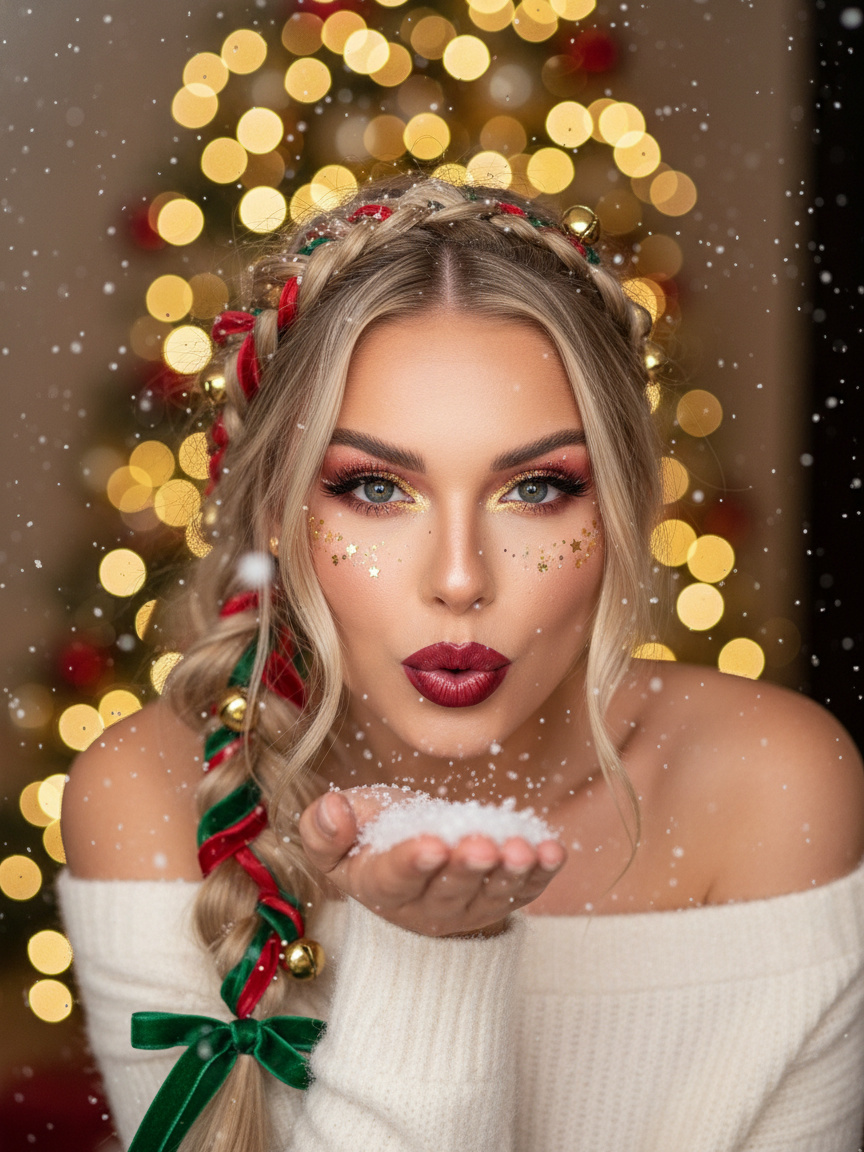
Transform any close up portrait into a stunning festive picture in seconds. Guma automatically adds glowing glitter eye makeup, red ribbons in your hair, warm twinkling backdrop lights, and a fresh dusting of snow blowing right off your hands.
AI Prompt
A close-up shot—highlighting the subject’s key features in the photo—reveals a woman with tousled hair adorned with red and green ribbons braided into it, complemented by delicate gold bells. Gazing directly at the camera, she strikes a pose as if gently blowing snow with one hand, a motion brimming with festive Christmas spirit. The backdrop depicts a charming winter scene, illuminated by warm yellow Christmas lights, while soft snowflakes drift lazily downward, crafting an ethereal, celebratory ambiance. She wears a light-colored top that perfectly aligns with the holiday theme, and her makeup is thoughtfully designed for the occasion: bold red and gold eyeshadow shimmering with glitter, paired with deep crimson lips and subtle glitter accents scattered across her face, adding a dreamy, otherworldly touch. This Christmas-inspired fashion photoshoot masterfully captures the dynamic texture of falling snow, the mesmerizing sparkle of the makeup, and the intricate details of her braided hair and accessories—all set against a warmly toned Christmas lighting scheme. The result is a series of exquisitely textured, atmospheric Christmas-themed fashion images that evoke a sense of warmth, magic, and pure holiday charm.
Bring Any Idea to Life with Guma.top
Ready to try something new beyond holiday pictures? Guma gives you a flexible creative canvas to generate stunning visual art from simple text descriptions or restyle existing images with new artistic flair. Simply describe what you want or upload a reference image to start turning your imagination into polished visual content.
How to Get Your Snow Blowing Christmas Photo in 3 Simple Steps
Upload Your Headshot
Drop in a clear selfie or portrait from your phone or device. You do not need any professional studio lighting or special background setup.
Render the Snow Blow Effect
Click generate to watch Guma add the hair ribbons, festive glitter makeup, warm lighting, and dynamic snow particles blowing off your palm.
Download Your High Resolution Picture
Save your crisp Christmas portrait to your device and share it straight to your Instagram feed, TikTok profile, or digital holiday cards.
Why People Create Their Holiday Visuals on Guma.top
Guma.top turns complex AI photo creation into a quick, fun browser experience. You get professional studio lighting and realistic festive details without typing complicated prompts or tweaking technical settings.
Keeps Your Real Face Recognizable
Your features stay genuinely yours. Guma updates your hair styling, makeup, and background while keeping your authentic smile and facial expressions completely intact.
Lifelike Textures and Lighting
Every visual detail looks intentional and soft. Enjoy glowing glitter around your eyes, vibrant ribbon braids, and the cozy blur of background Christmas tree lights.
One Tap Automated Creation
Skip hours of manual photo editing. Simply upload your photo and get a fresh, polished winter photoshoot look in just a few seconds.
Feed Ready High Quality Downloads
Export clean, sharp picture files perfectly framed for social media profile pictures, story covers, and printable greeting cards.
Check Out Other Popular AI Portrait Styles
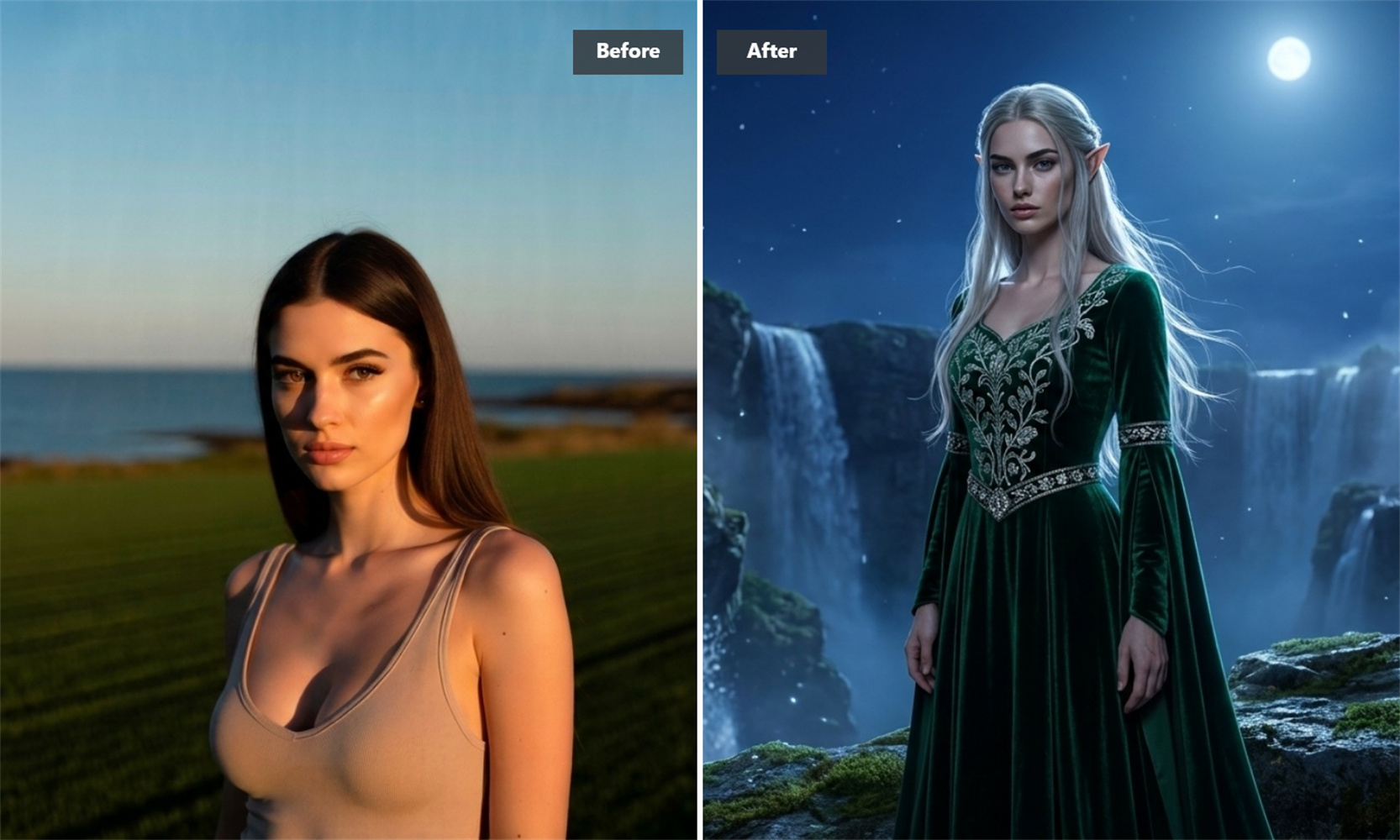
Frequently Asked Questions About the AI Glamour Christmas Portrait Generator
How does the snow blowing effect look so natural on my photo?
The AI automatically recognizes where your hands and lips are located to place the snow particles naturally. It blends the blowing motion with soft background lighting, making the snow look like an actual physical part of your photo.
Will my face look overly edited or fake?
No. Guma focuses on keeping your original facial features, skin tone, and eyes completely natural. It simply layers the festive hair accessories, glitter makeup, and snow effects over your existing picture.
Do I need to type text prompts or pick extra settings?
Everything is already set up for you. Just upload your headshot and the festive styling, warm background lights, and snow details apply automatically.
What kind of photo gives the best rendering result?
A clear, well lit headshot or selfie facing forward gives the best result. Clear lighting helps the engine render the golden eye makeup, hair accessories, and snow particles with crisp detail.