
Blue Eye Filter
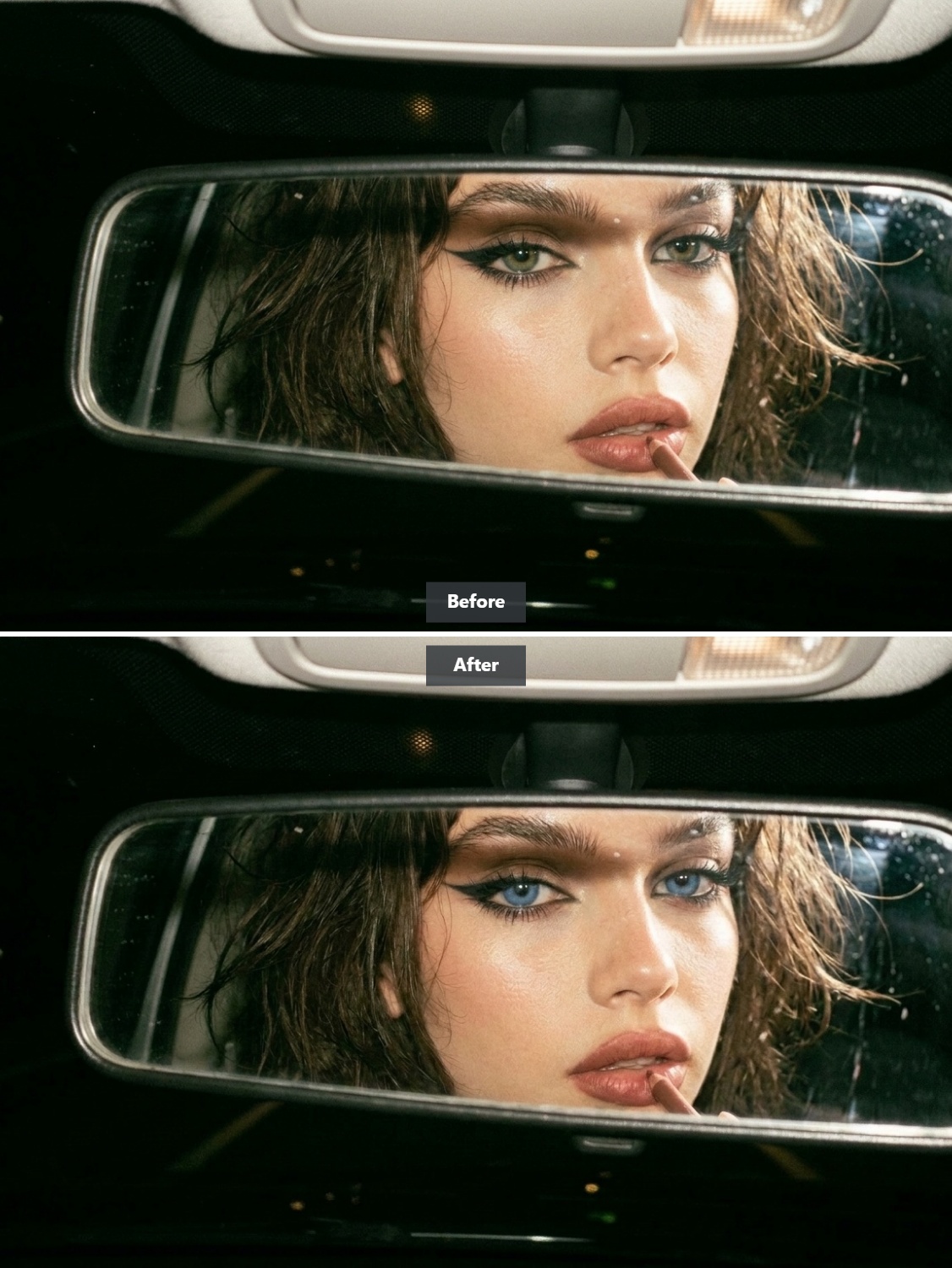
Instant blue eye filter: Switch your eye color naturally with AI
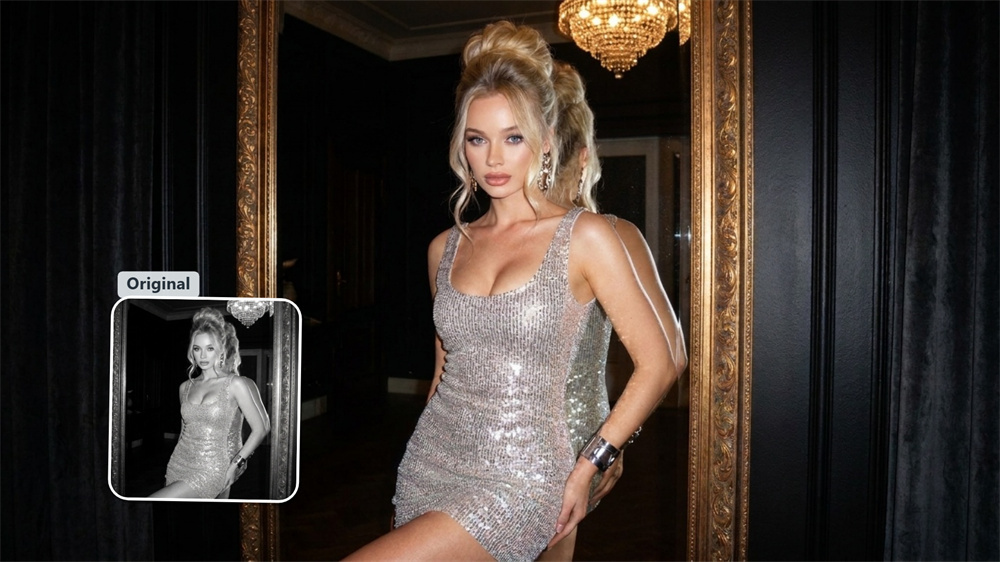
Changing your iris color shouldn't turn your headshot into a CGI caricature. Most online photo editing tools simply paste a flat blue oval over your lens, erasing natural light reflection and blurring pupil edges. We built this blue eye filter to fix that exact issue. The algorithm reads your ocular structure in real time, shifting brown, hazel, or green irises into realistic ocean tones while keeping your original eye glint, depth, and specular highlights completely untouched.
AI Prompt
Reference the identity and facial features of the original image: 1.8}, {Personality consistency: 1.8}. Perform precise local editing based on the original photo uploaded by the user: Naturally adjust only the iris color of the subject’s eyes to a clear, realistic blue, while preserving the original iris texture, pupil size, eye highlights, reflections, shadows, and lighting relationships. Apart from this, all other details—including the subject’s identity characteristics, facial features, face shape, skin tone, hairstyle, expression, gaze, posture, makeup, movements, clothing, accessories, composition, background, scene, lighting, visual style, sharpness, and every other detail—must remain completely identical to the original image. Do not enhance or redraw the face; do not alter the shape of the eyes; and do not change any other elements in the photograph. {Refer to the main facial features and gender of the protagonist in the original image}, {Realism: 1.6}
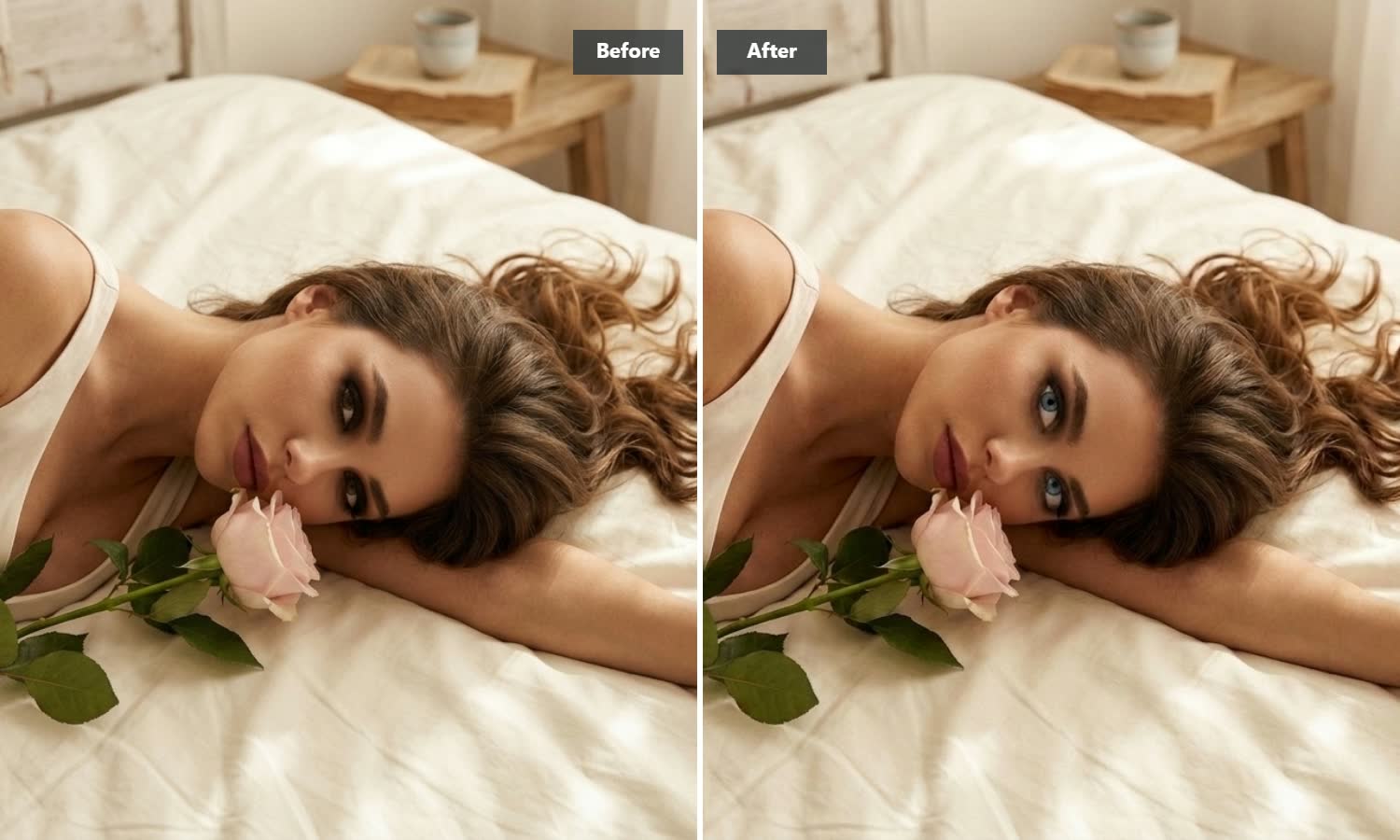
Authentic iris textures instead of flat color overlays
The easiest way to spot a cheap eye color modifier is a smooth, plastic-looking pupil. Our iris recolor tool analyzes the tiny radial patterns, ring gradients, and color specks unique to real human eyes. When tinting dark brown eyes blue or shifting hazel tones, the generator builds upon these underlying micro-details rather than painting them over. The result is a vivid blue iris transformation that looks convincing even up close.
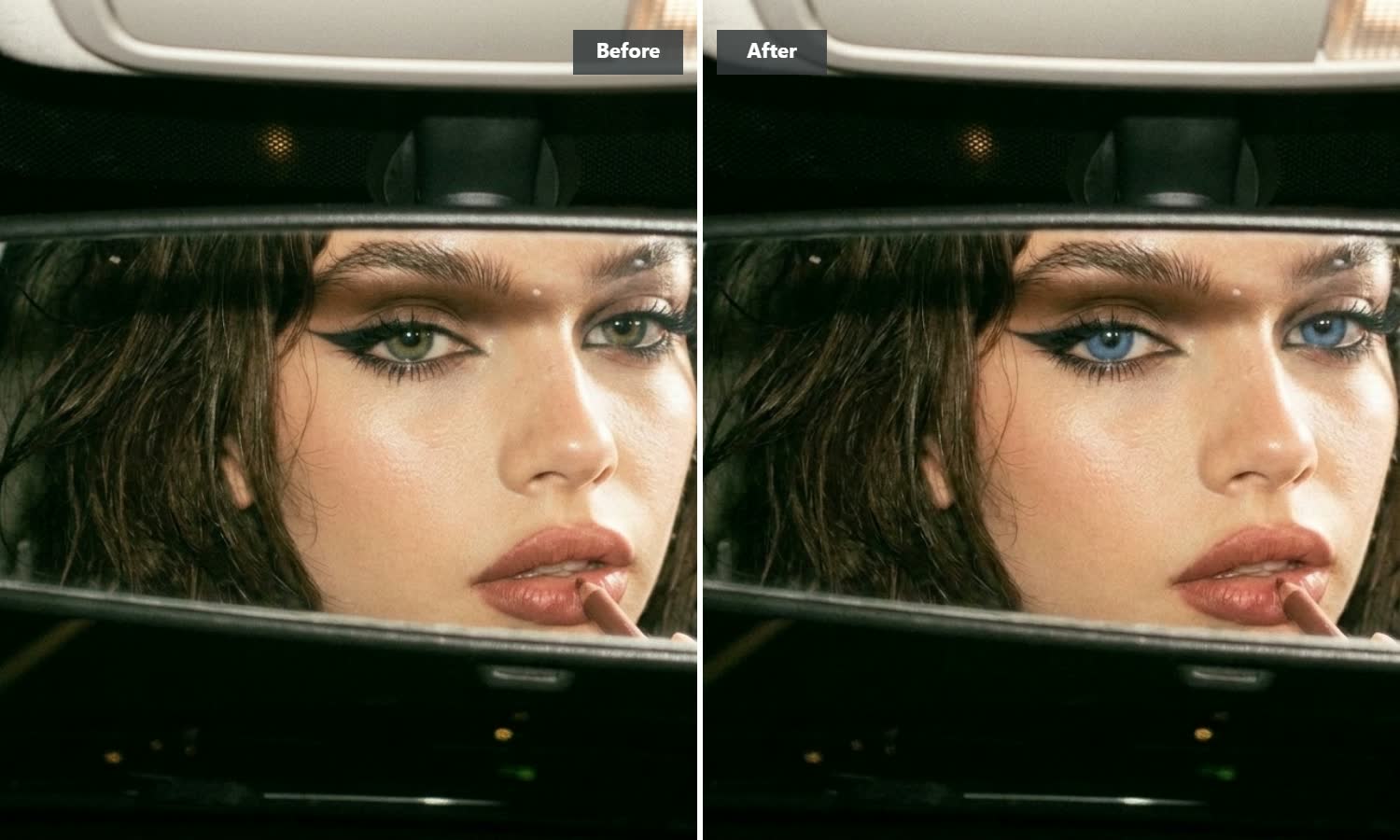
Multi-dimensional depth for natural portrait shots
Different facial features call for a perfectly balanced tone. Rather than forcing a single flat tint, the algorithm automatically adjusts color depth and saturation to complement your facial lighting. Get a seamless finish—whether you want a subtle accent for everyday profile pictures or a dramatic gaze shift for cosplay photo edits.
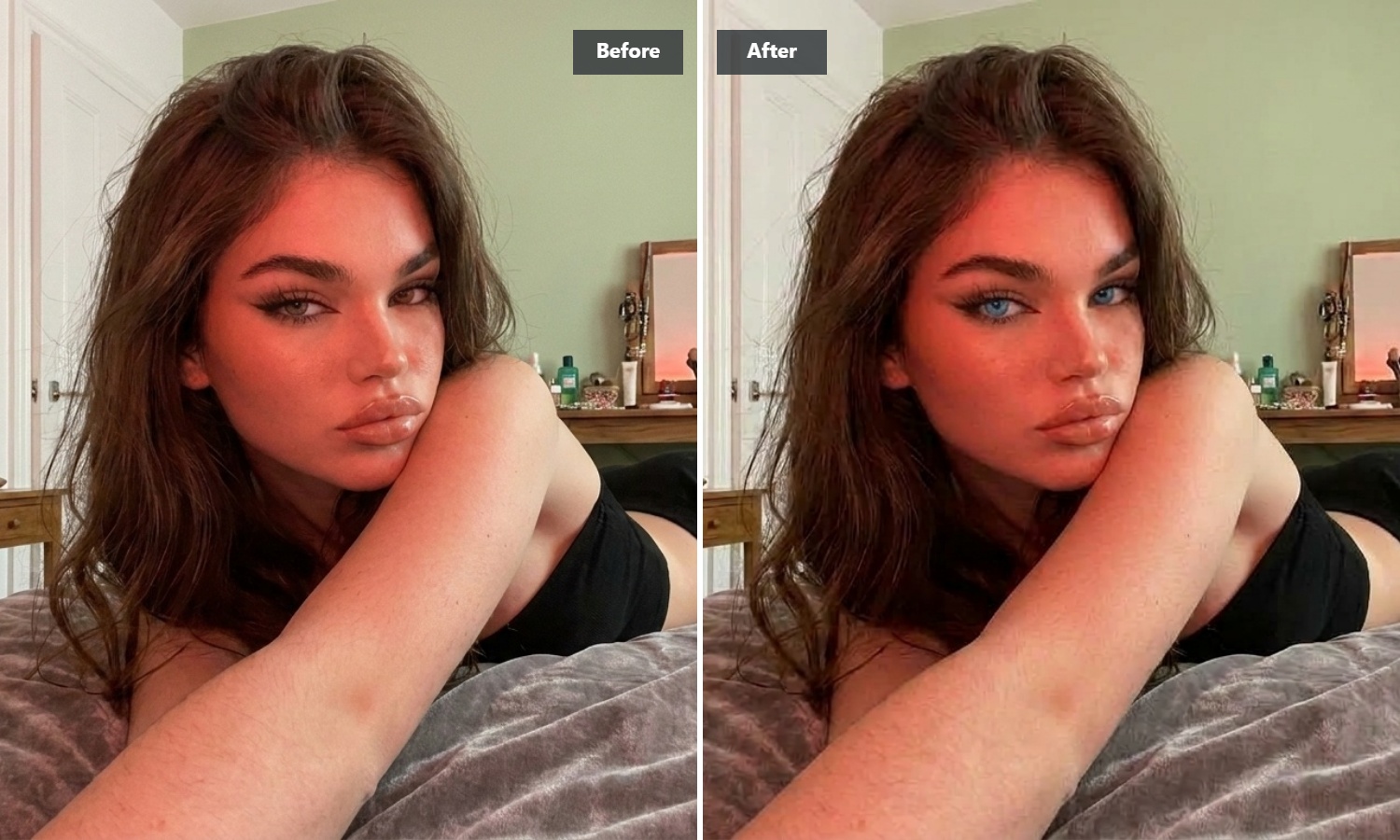
Clean boundary detection around glasses and tricky lighting
Many face editors fail the moment your subject turns sideways or wears eyeglasses. We trained our eye region recognition on thousands of real-world portraits, including indoor selfies, side angles, and low-light shots. The filter marks pupil boundaries precisely, avoiding color bleeding onto your eyelashes, eyelids, or spectacle frames.
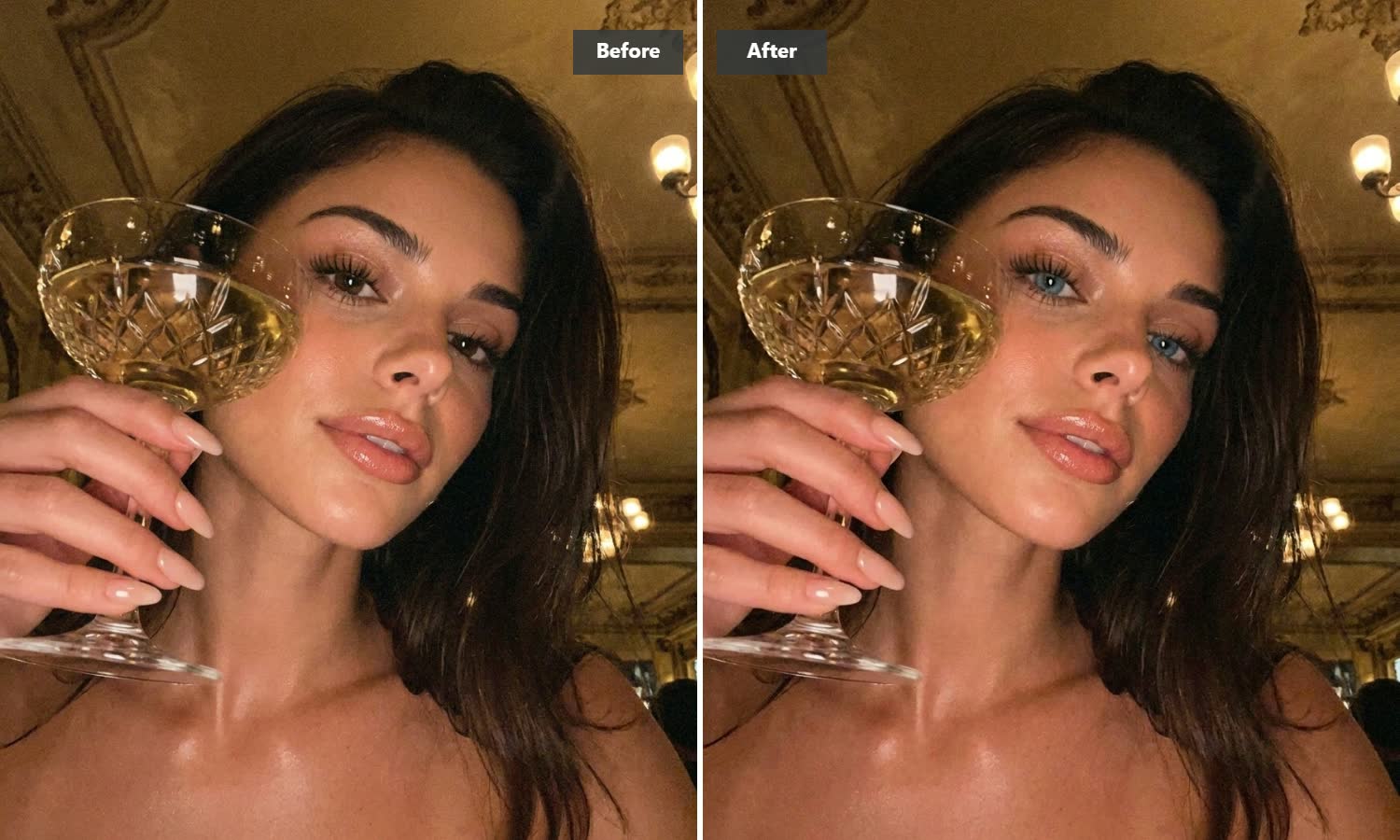
Virtual contact lens test before you buy
Curious how sapphire or ice-blue contact lenses would look on you? Testing them digitally saves you from spending money on physical lenses that clash with your hair color or skin tone. Use this as your personal beauty preview tool to see how realistic blue eyes pair with your face before making any purchase or permanent photo edit.
How to change your eye color to blue in 3 steps
Upload your portrait photo
Drop in any portrait or selfie where your eyes are visible.
Apply the blue eye filter
Let the AI automatically transform your irises in seconds.
Save your high-resolution image
Save your updated high-resolution portrait directly to your device.
Explore more portrait photo editing tools
Frequently asked questions about blue eye editing
Will this blue eye filter work on dark brown or near-black eyes without looking cloudy?
Dark brown eyes are actually the main reason we built this tool. Basic photo filters try to paint bright blue over dark pupils, which turns into a muddy grey tint. Our tool separates your original iris background from ambient light, applying translucent blue shades that blend directly with your native eye color. That gives you a rich, deep blue look instead of a milky layer over your pupil. If you want to refine other parts of your portrait after updating your eyes, you can explore our Image to Image feature.
Can the tool detect my eyes if I am wearing glasses or looking away from the camera?
In most cases, yes. The detection model learns from angled headshots, side profiles, and photos with spectacle glare. As long as your irises are not completely hidden behind heavy hair or thick frame reflection, the filter isolates the eye area cleanly.
Does changing eye color reduce the original photo resolution?
No. Processing occurs strictly on the isolated eye coordinates without altering the rest of your canvas. Your photo retains its original pixel resolution, sharp background details, and natural lighting.
How is this different from standard social media face filters?
Social media filters use rigid, two-dimensional overlays that stick to your face, often drifting out of place when you tilt your head. This editor looks at the lighting angle and pupil structure in your photo, adjusting highlights and shadows inside the iris so the blue tint looks like it belongs there naturally.