
Template
Niu Lai AI Generator
Upload an image to start your template-based generation.
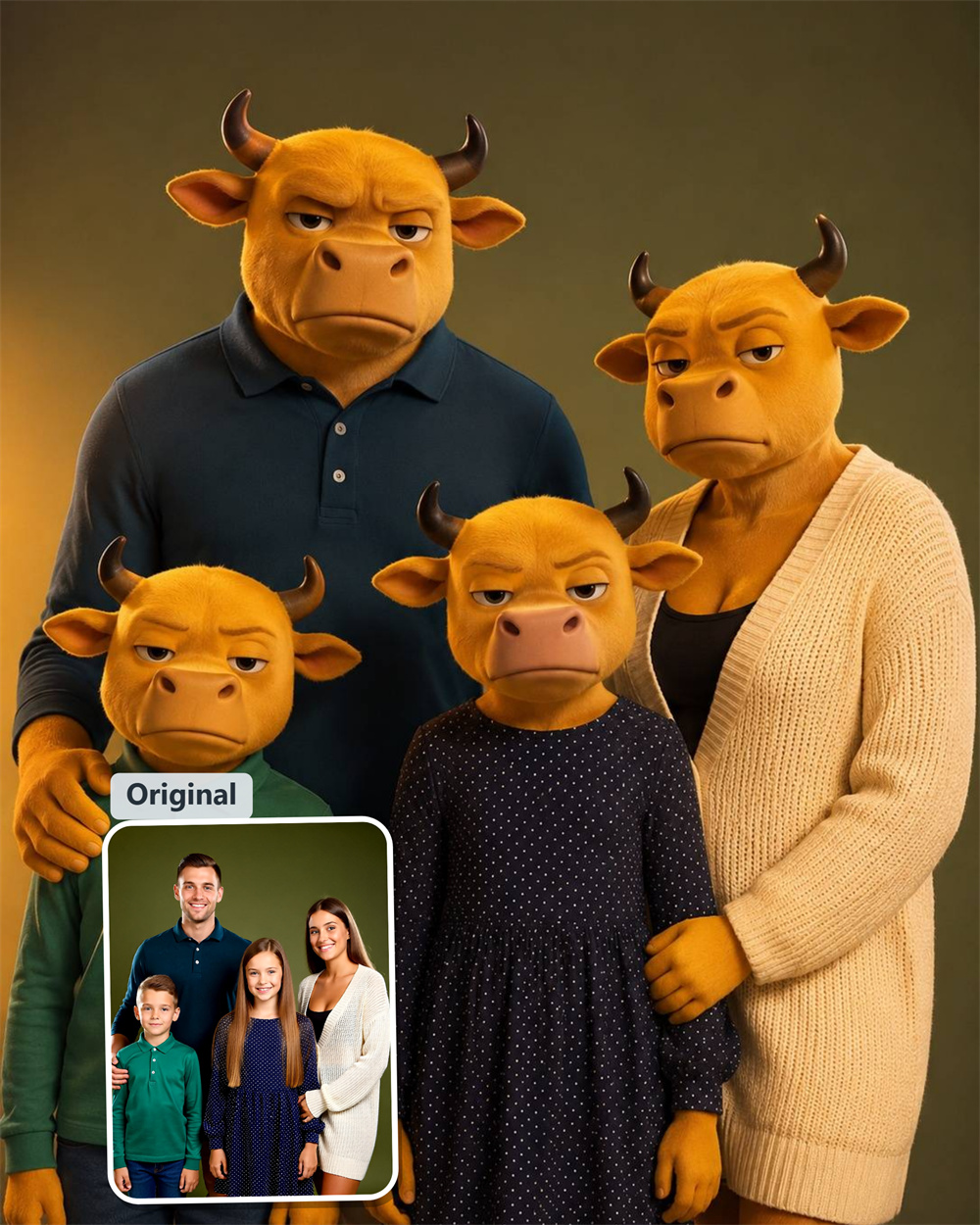
Upload Image
Niu Lai AI Generator
Turn Any Photo into the Viral Niu Lai 3D Low-Poly Anime Look
Skip the generic beauty filters. Drop your photo into Guma to instantly re-imagine your everyday selfies, pet pictures, and group shots with the iconic retro 3D cartoon style that is taking over social feeds.
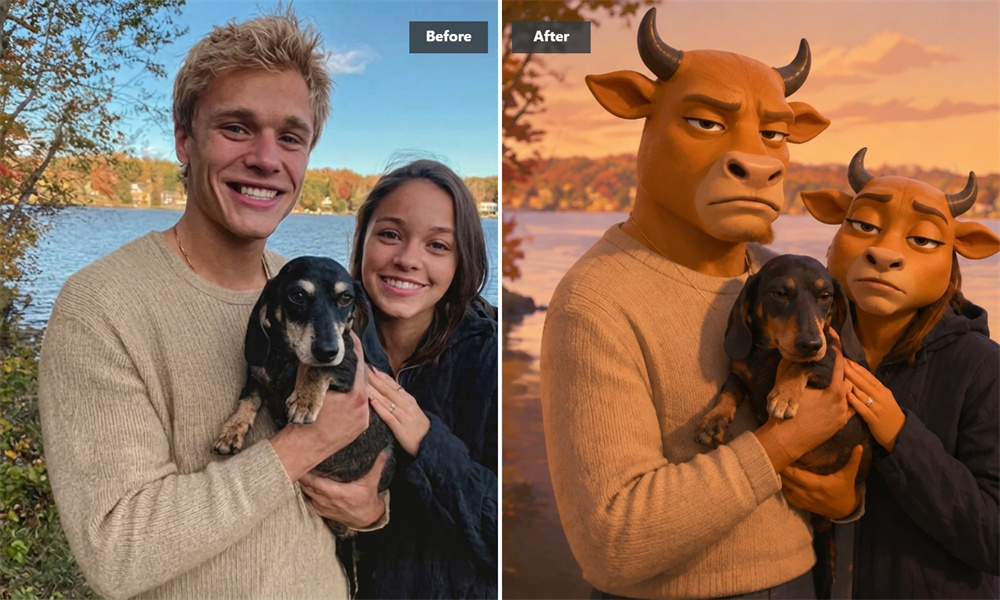
Keep Your Real Expression Inside a Blocky 3D Character
Most funny face filters completely warp facial features until the subject becomes completely unrecognizable. Guma isolates the underlying geometry of your natural smile, eye shape, and jawline before building the stylized overlay. You get that recognizable vintage CGI character aesthetic while keeping your unique identity front and center—making the output immediately personal and ready to use as a custom Discord or TikTok profile picture.
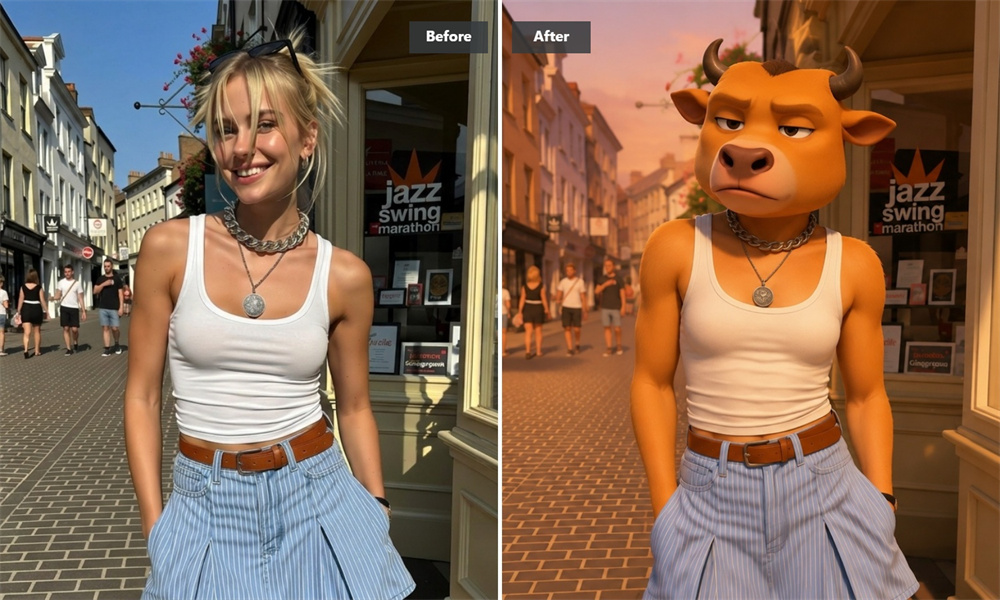
Authentic Low-Poly Aesthetics Made for Meme Lovers
Ultra-polished studio renders are rarely what make viral internet memes entertaining. The real cultural appeal comes from the chunky geometry, simple pixel textures, and intentionally raw CGI feel reminiscent of early 3D animation software. Our style model accurately recreates that exact nostalgic rendering style, ensuring your output pictures blend seamlessly into trending meme formats across online communities.
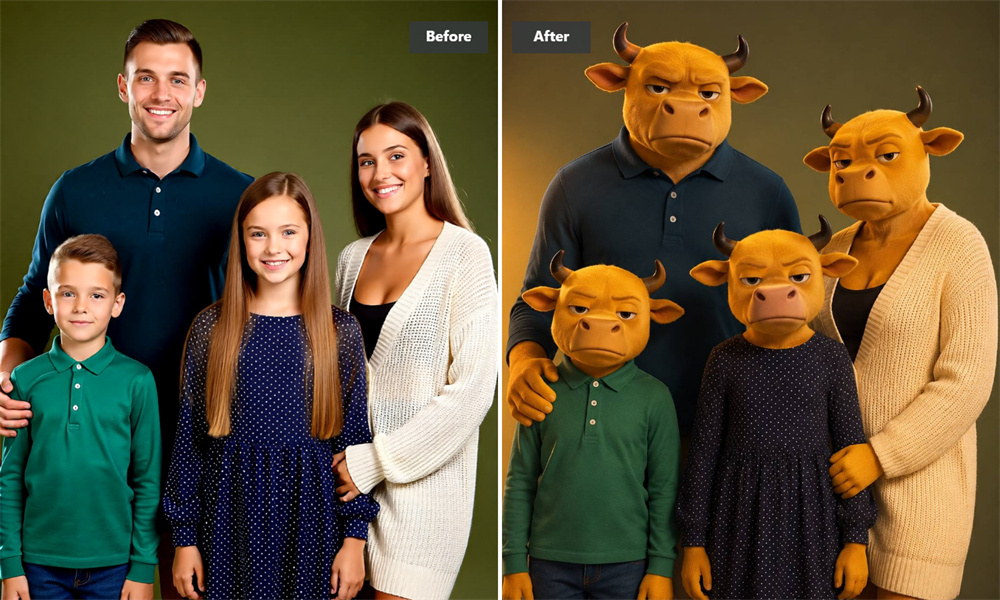
One-Tap Conversion with No Setup Required
Traditional AI generation often demands wrestling with complex parameter sliders, text prompt tuning, or negative weight settings just to get a consistent visual result. Guma integrates the retro 3D anime styling directly into a streamlined processing engine. The visual rendering rules apply automatically the moment you upload, allowing you to bypass setup friction and jump straight to the finished visual output.

Secure Photo Processing with Automatic Deletion
Personal pictures should always remain under your complete control. Every snapshot submitted to the system passes through encrypted connections strictly to render the requested 3D cartoon style. Your private photos are never fed into public model training datasets, and all uploaded files along with generated preview caches are automatically purged from our servers once rendering completes.
How to Create Your Niu Lai Style 3D Photo
Upload Your Image
Choose a clear photo from your camera roll—front-facing selfies, pets, or portraits work best.
Generate the 3D Anime Style
Tap Generate to automatically apply the retro low-poly cartoon look to your image.
Save and Download
Export your newly rendered low-poly picture directly to your device.
Explore More Trending AI Photo Filters & Generators
Frequently Asked Questions About Niu Lai AI Filter
What is the Niu Lai style and why are people making memes with it?
Niu Lai originated as a 3D animated film that blew up online because of its quirky, blocky CGI characters and funny expressions. Creators love converting their pictures into this retro low-poly cartoon look to make funny reaction images, custom avatars, and viral meme posts. For more image transformation options, explore our Image to Image feature.
Is Guma free to use for generating Niu Lai-style photos?
After registration, you automatically receive free credits and can start experiencing AI image generation. Upgrade to a premium subscription for advanced features and additional generation credits.
Do I need to type text prompts or adjust settings to get the effect?
No. This tool functions as an automatic image filter. The retro 3D geometry and low-poly anime textures are pre-configured into the system, so you only need to upload your image to achieve the exact look.
What kind of picture works best for this retro CGI transformation?
Photos with good lighting and clear subjects—such as close-up selfies, single portraits, or pet photos—give the best results. Clear facial outlines help the tool map the blocky 3D geometry cleanly over your features.
Can I transform group photos or pictures of my pets into this 3D cartoon look?
Yes. While single-subject portraits yield the sharpest character mapping, you can upload snapshots of pets, couple photos, or casual group shots. The tool will apply the chunky 3D low-poly style across all recognizable subjects in the picture.
Are my uploaded pictures kept private and deleted afterward?
Yes, your uploads are fully protected. Your pictures are strictly used to process your requested image transformation and are automatically purged from our temporary storage shortly after rendering. We never sell your personal data or store your private uploads.