
Template
AI Album Cover Generator
MoreUpload an image to start your template-based generation.
Upload Image
AI Album Cover Generator
Turn Any Photo into Cover Art for Your Next Single or Album
Got a striking photo saved on your phone or computer? Upload it here and watch Guma transform it into a clean, professional square cover that fits your track's vibe. It takes just a few seconds to get high resolution artwork ready for streaming platforms and online releases.
AI Prompt
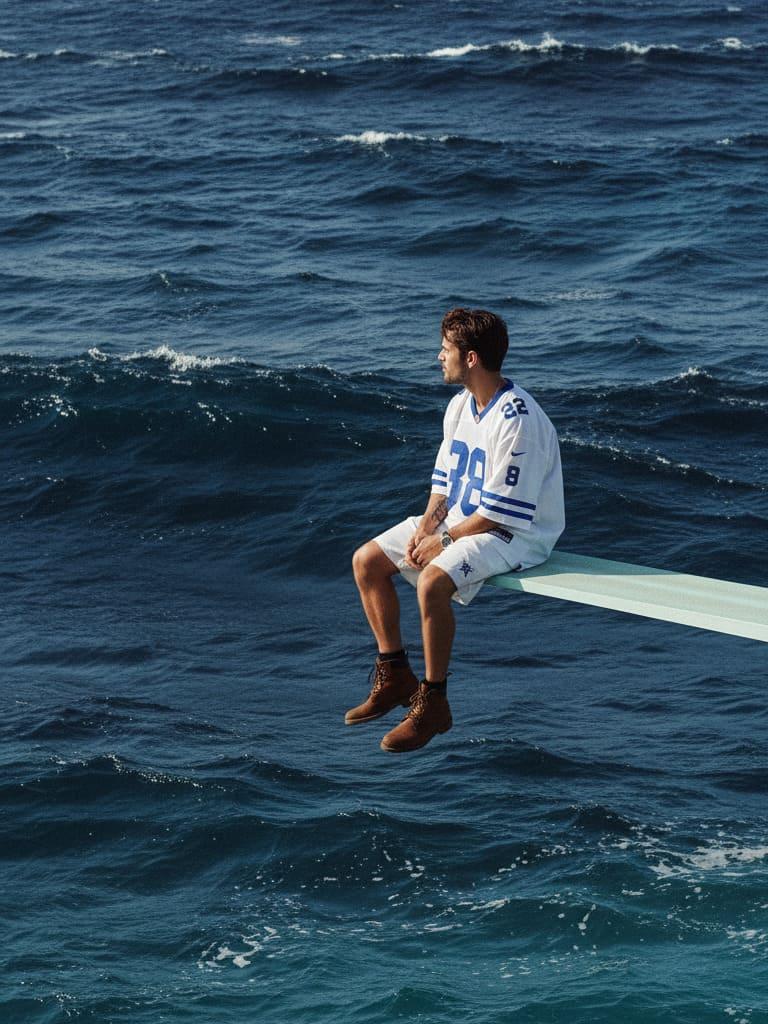
A square-format album cover features a lone Subject—personified in the image—seated in a relaxed profile pose on the very edge of a white spring diving board that extends diagonally from the right side of the frame, hovering above an expansive ocean. There’s no horizon or land in sight; instead, the frame is filled entirely with layered, choppy waves that stretch endlessly outward. The Subject wears an oversized white-and-blue athletic jersey, paired with white shorts and brown boots. The composition is meticulously balanced: the Subject is positioned precisely along the right third of the frame, with the camera at eye level, capturing a three-quarter profile shot facing leftward. The subject’s chin is slightly lifted, while their legs dangle freely, and their hands rest gently on their knees. The diving board itself forms a clean, nearly horizontal leading line that guides the viewer’s gaze. Dominating the scene are the sea’s cool, evocative color tones: a deep indigo base is complemented by mid-tones of Prussian blue, with teal-cyan highlights shimmering atop the wave crests. Cool slate-blue shadows deepen into the troughs, while near-black shadows add subtle, silvery specular glints—a cool, moody palette reminiscent of a tranquil late-day blue hour. Lighting is soft and diffused, mimicking the gentle warmth of late afternoon, with a graceful falloff that enhances the scene’s serene atmosphere. To further enhance the film-like aesthetic, fine grain has been subtly added, along with faint halation effects, a slight vignette, and a restrained matte curve for a natural, vintage feel. The shot was captured using a 35mm film look, achieved through a 135mm telephoto-equivalent lens set at f/4, with a shutter speed of 1/500th of a second and ISO 400. This combination ensures crisp focus on both the Subject and the diving board, while maintaining a medium-deep depth of field that keeps the intricate texture of the waves clearly visible. Finally, tucked discreetly into the bottom-right corner is a small "Parental Advisory: Explicit Content" label, adhering to standard conventions seen in commercial album art designs.
Explore Endless Visual Possibilities with Guma's Image Tools
Guma goes far beyond basic photo adjustments by turning your ideas into fresh visual artwork. Whether you want to generate entirely new pictures from simple ideas or transform existing images into fresh styles, our tools help you create clean visual content for any creative project.
Three Quick Steps from Personal Photo to Finished Cover Art
Step 1 Upload Your Favorite Photo
Drop your picture straight into the studio to begin creating your track artwork.
Step 2 Convert Your Photo into a Square Cover
Watch as Guma centers your subject and formats the image into a balanced square layout.
Step 3 Download Your High Resolution Artwork
Save the final picture directly to your device and upload it straight to your music distributor.
A Fast and Easy Online Workspace Built for Creators
Guma.top focuses on taking the hassle out of online image editing. We build clean, fast tools that run smoothly in your browser, giving you a quiet workspace to build crisp graphics and update your visual assets whenever you need them.
Quick Browser Based Processing
Open the page and start editing right away without installing extra software or waiting for slow downloads.
Crisp Resolution Outputs
Keep your exported graphics clear and sharp so your artwork looks great across streaming platforms and social media feeds.
Simple Layout with Minimal Distractions
Work in a clean editing space that helps you finish your visual projects in just a few minutes.
Fast and Reliable Server Processing
Background updates keep file conversions quick so you can download your artwork without frustrating delays.
Discover More Useful Image Tools on Guma.top
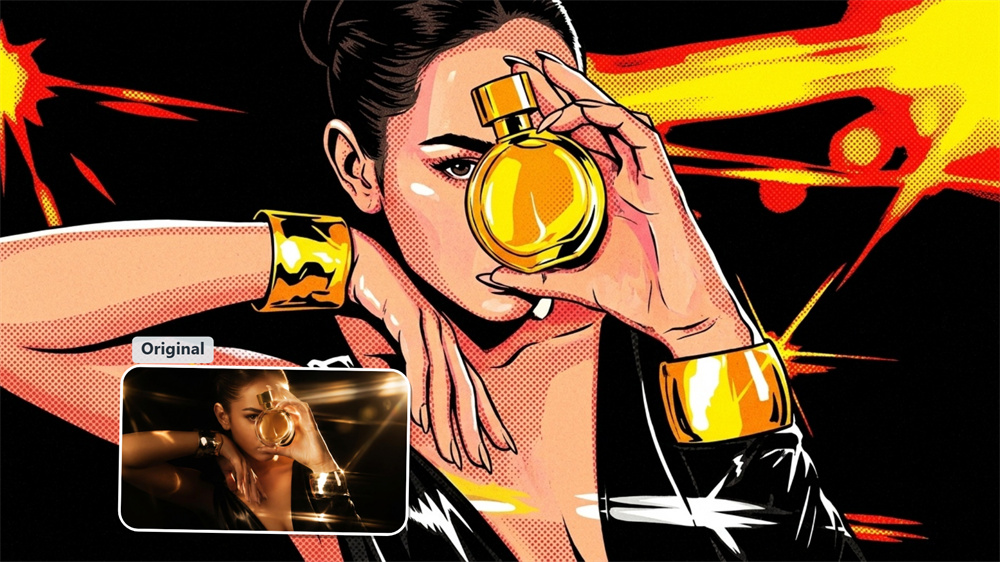
Frequently Asked Questions About the AI Album Cover Generator
What photo sizes or formats work best for uploading?
Standard JPG and PNG files work great. For the best result, pick a clear picture where your main subject is well lit and placed near the center.
Will the exported artwork fit Spotify and Apple Music requirements?
Yes, the artwork exports as a balanced square image at high resolution, meeting standard submission guidelines for major streaming services and digital music distributors.
Can I create covers for EPs, mixtapes, or podcast episodes?
Absolutely, you can convert photos into artwork for single tracks, full length albums, mixtapes, podcast channels, or online playlists.
How can I make sure my photo subject stays centered in the square cover?
If your subject sits off to the side, try cropping your original picture roughly into a square before uploading. That helps the generator align your subject right in the middle of the frame.