
AI Braces Filter
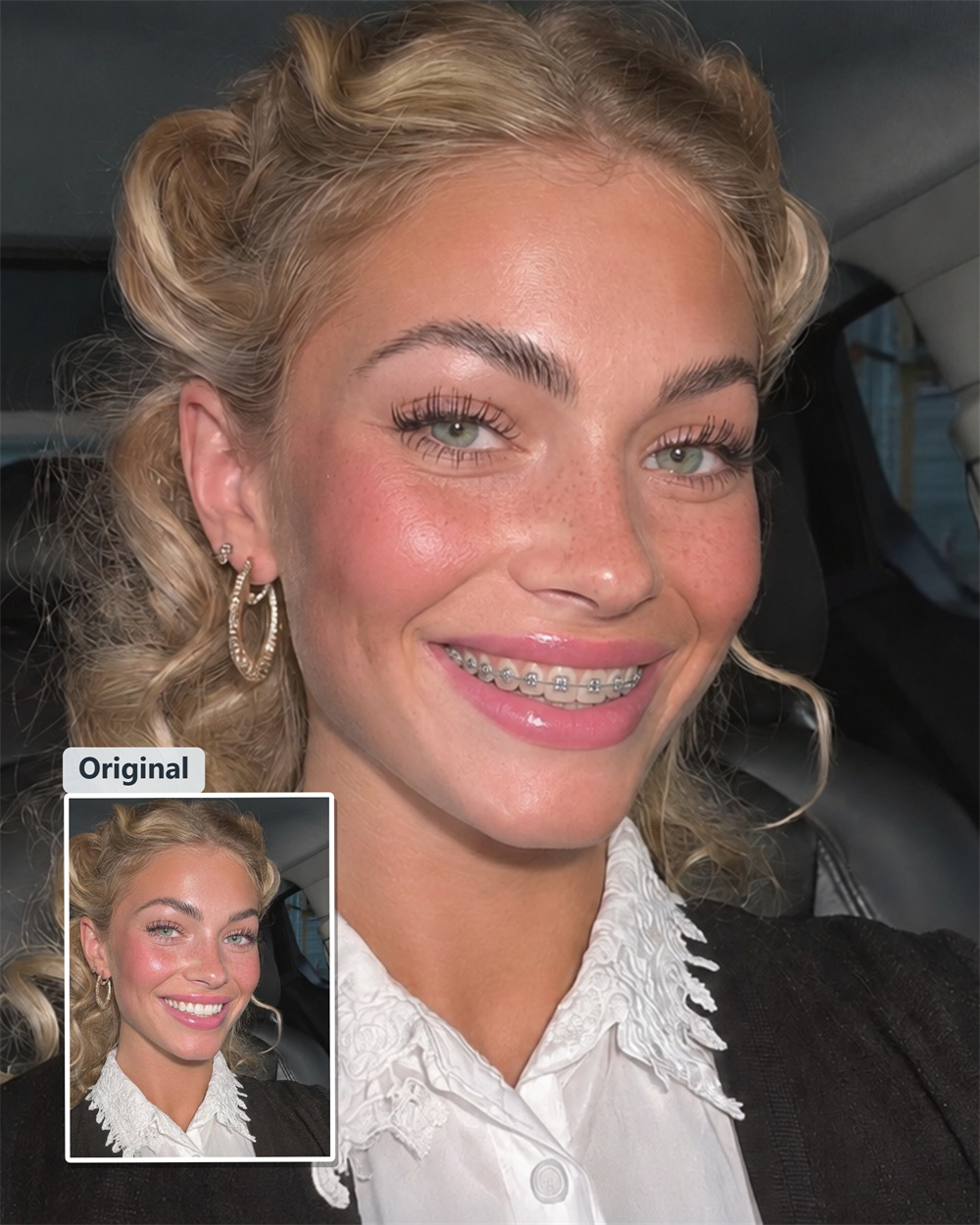
What Would You Look Like With Braces?
Upload a clear smile selfie to preview a realistic braces look on your teeth in seconds with Guma AI.
AI Prompt
“Reference the original image’s character identity and facial features: 1.8}, {Character consistency: 1.8}. Using the user-uploaded original image as the sole reference, modify only the oral cavity and dental areas to naturally add realistic, exquisite orthodontic braces that precisely match the shape of the teeth. The braces can be either metal brackets with fine metal archwires or discreet, transparent aligners. The brackets are neatly arranged in alignment with the natural tooth structure, and the archwires make appropriate contact with the tooth surfaces, accurately rendering realistic reflections, shadows, and material details. The brace appearance is naturally rendered according to the original image’s lip shape and expression, ensuring that the character’s original style and authenticity are fully preserved. With the exception of the teeth, braces, and any necessary local oral enhancements, strictly maintain the original image unchanged: The character’s identity, facial shape, facial features, skin tone, hairstyle, expression, posture, glasses, beard, earrings, clothing, background, composition, viewpoint, lighting, color palette, sharpness, and image dimensions must all remain unaltered. Do not alter the lip contours, do not change the tooth alignment, do not apply beauty filters, do not smooth the skin, do not reshape the face, and do not add or remove any objects. The overall effect should appear natural, realistic, and free of any obvious signs of editing. “Refer to the protagonist’s key facial features and gender from the original image,” {Realism: 1.6}.
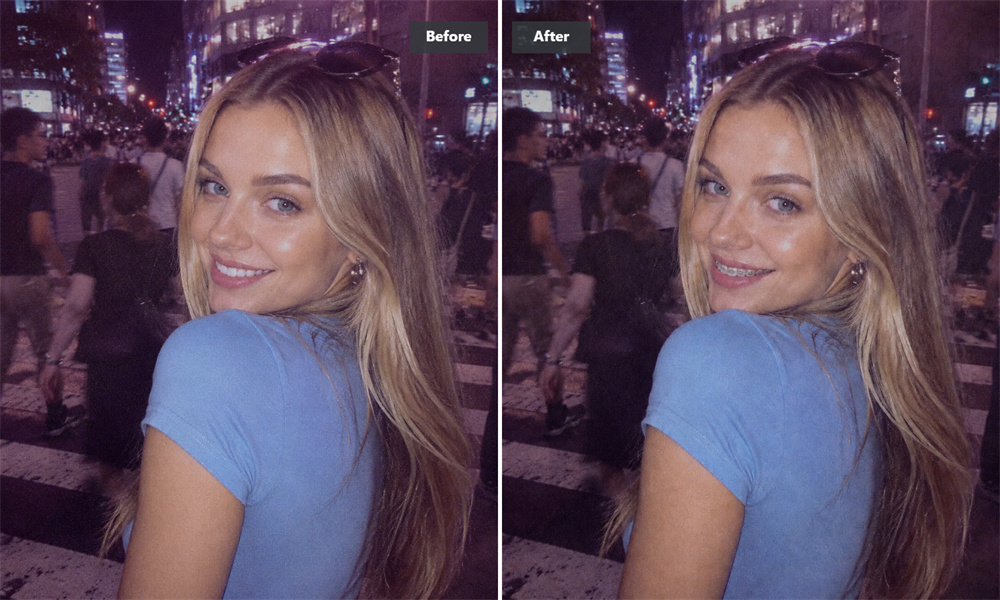
Braces That Follow Your Visible Smile
Guma AI identifies the visible tooth outlines in your photo and adjusts the braces effect according to the shape and angle of your smile. Even if your teeth are naturally uneven or gapped, AI delivers a natural, well-fitted look as long as your smile is clearly visible.
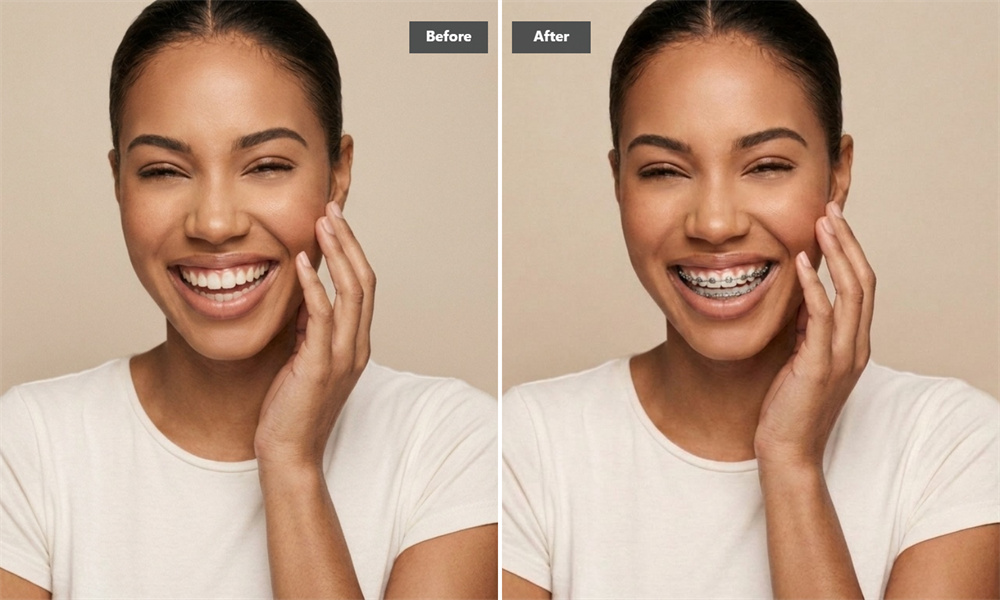
Lighting That Matches Your Original Photo
Guma’s AI uses the light, shadows, and highlights already present around your teeth and lips to help the braces effect blend with the original image.
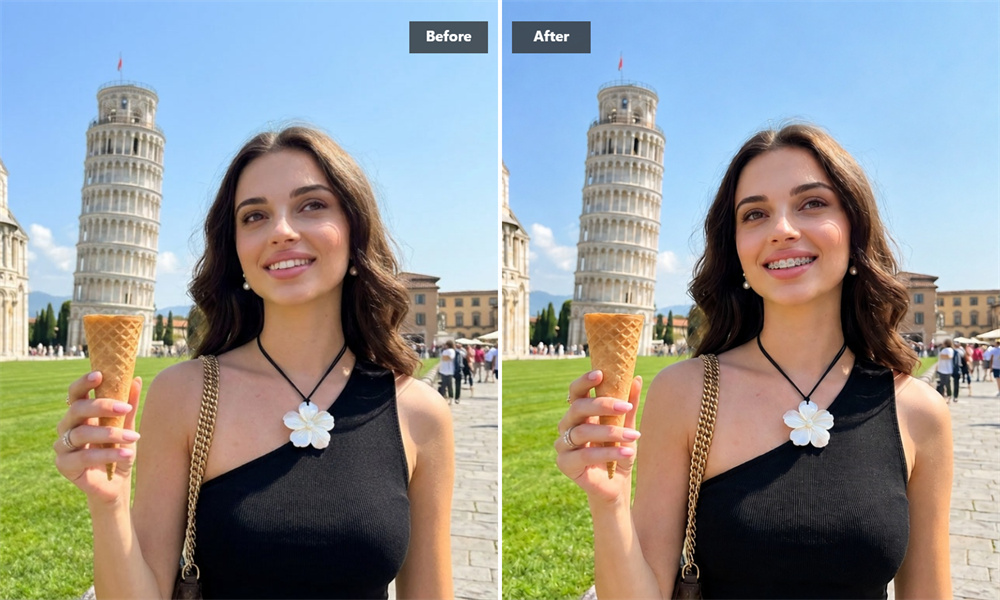
Preview a New Smile Look Before Your Appointment
An AI braces preview can help you become familiar with a different smile look and give you a visual starting point for a conversation about orthodontic preferences.
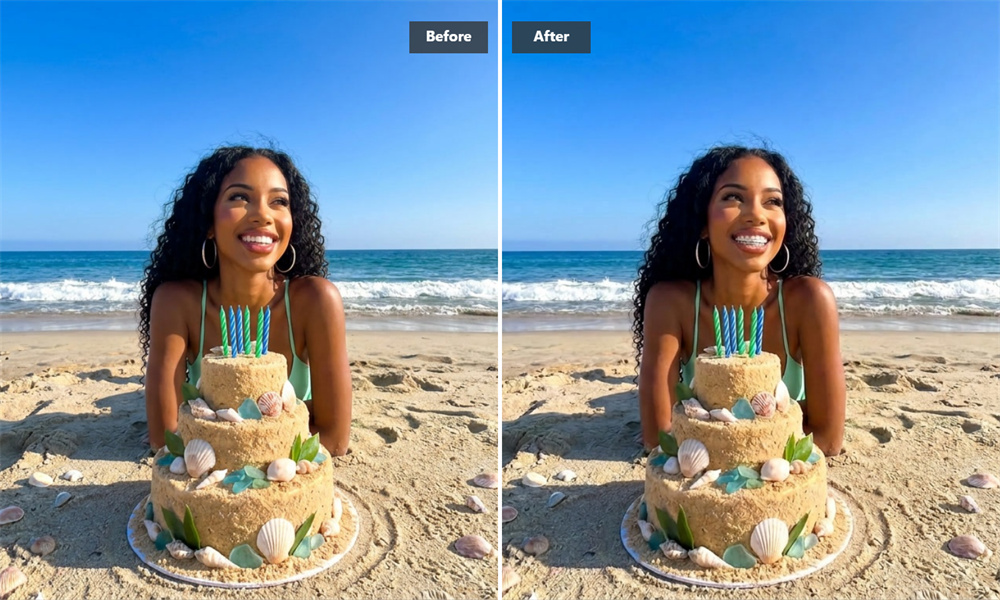
Create a Share-Ready Braces Photo
Braces looks are popular on TikTok and Instagram. Whether you want to share a playful transformation, pull off a quick prank in your group chat, or simply try a new look, you can create and save your braces photo in seconds.
See Yourself With Braces in Three Steps
Upload a Clear Smile Photo
Choose a sharp, front-facing photo with your teeth clearly visible and enough natural or even lighting for AI to read your smile.
Let AI Create the Braces Effect
Guma’s AI analyzes your visible smile and generates a braces look that follows the apparent tooth line, photo angle, and lighting in your image.
Preview and Save Your Result
Review the original and edited images, choose the version you prefer, download it, and share your new braces look.
Explore More AI Smile and Portrait Experiences

Questions About the Braces Filter
How Does the AI Braces Filter Fit the Effect to My Teeth?
The AI analyzes the visible smile area, including the apparent tooth line, photo angle, and surrounding light, then generates a braces effect that follows the teeth shown in your photo rather than applying the same fixed graphic to every image.
Will It Work if My Teeth Are Crooked, Overlapping, or Gapped?
It can work with different natural tooth arrangements because the effect is generated around the visible smile in your photo. For the clearest result, use a front-facing image where the edges of your teeth are easy to see.
What Kind of Photo Should I Upload?
Use a clear, front-facing photo with visible teeth, even lighting, minimal blur, no objects covering your mouth, and no heavy filters or extreme shadows. A closed-mouth portrait may not provide enough visible tooth detail for a reliable braces preview.
Is This an Orthodontic Simulator?
No. It is an AI visual preview for photos, not a medical simulation or treatment plan. It shows how a braces effect may look on your current smile, but it does not simulate tooth movement, bite correction, treatment duration, or final orthodontic results.
Is the Result Suitable for Social Media?
Yes. You can use the generated braces photo for a transformation post, profile picture, group chat, or other personal sharing. Review the final image before posting, especially if the original photo contains other people or private information.
Can I Show the Preview to My Orthodontist?
You can use it as a visual conversation starter, but it should not be treated as a recommendation for a specific braces style or treatment. A qualified orthodontic professional can explain which options may be appropriate for your teeth.
How Is My Uploaded Photo Handled?
Review Guma’s Privacy Policy for current details about image processing, storage, retention, and deletion. Avoid uploading photos that contain sensitive background information you do not want included in the processed image.