
Dreadlocks Filter
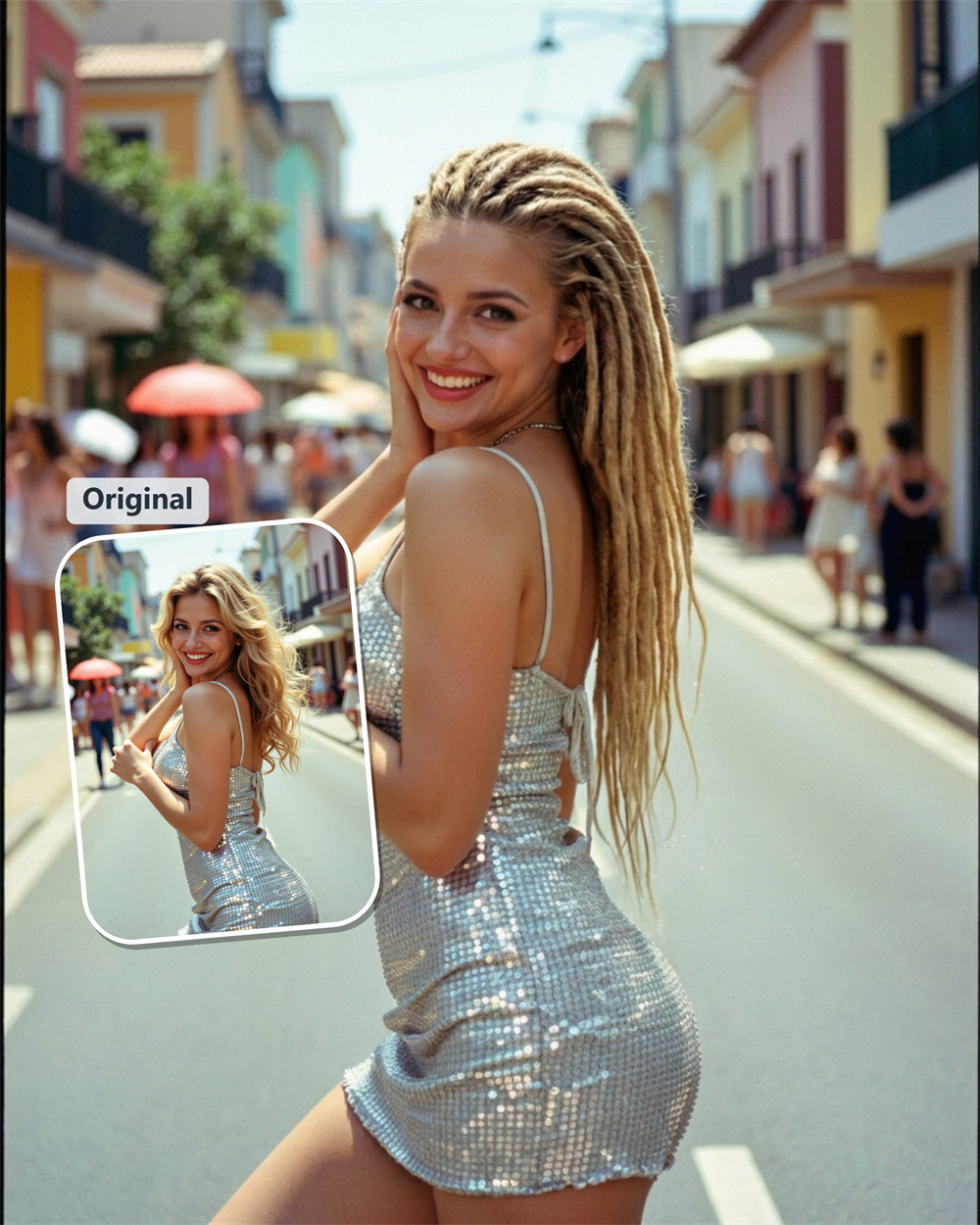
AI Dreadlock Filter for Your Next Look
Want to know how you would look with dreads? Upload a photo to Guma and generate a new dreadlocks hairstyle online. See a dreadlocks look on your own portrait in just a few clicks.
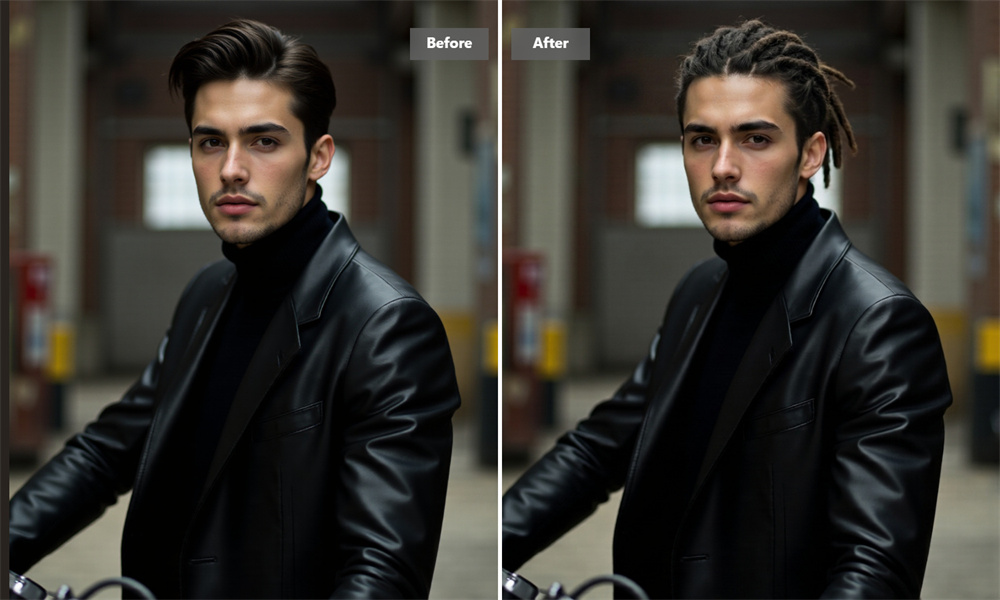
Add Dreadlocks to Your Photo in Seconds
A good hair filter should do more than place a hairstyle over your head. Guma creates a new image from your portrait, so the dreads sit naturally with your face, pose, and photo lighting. Start with one clear selfie and get a look you can save straight away.
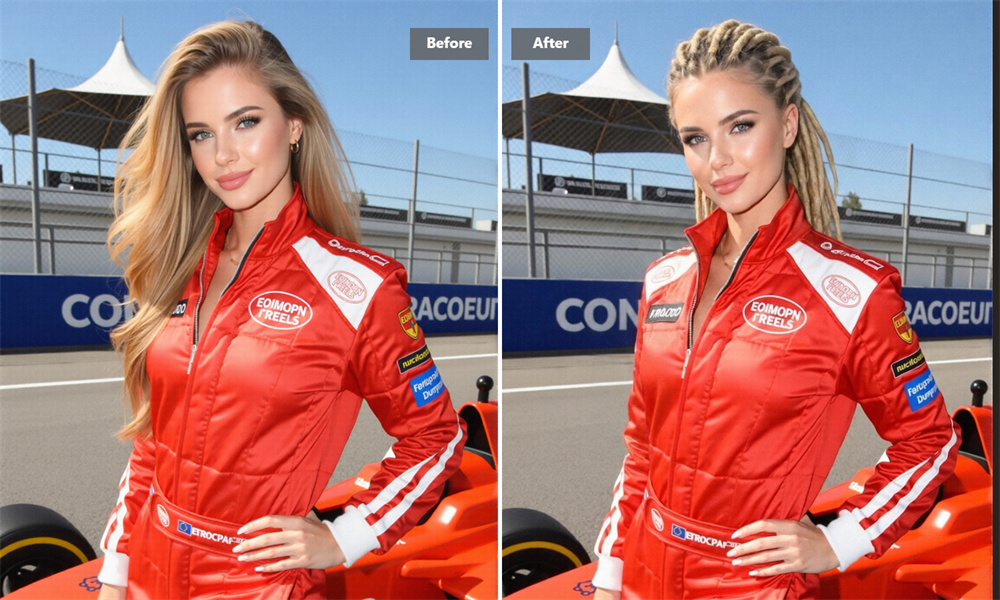
See How Dreadlocks Change Your Overall Look
Dreadlocks can make a noticeable difference to the balance of your face and the feel of a portrait. Guma lets you see that change on your own photo instead of relying on someone else’s reference image. Upload a selfie, generate the result, and decide whether this look feels like you.
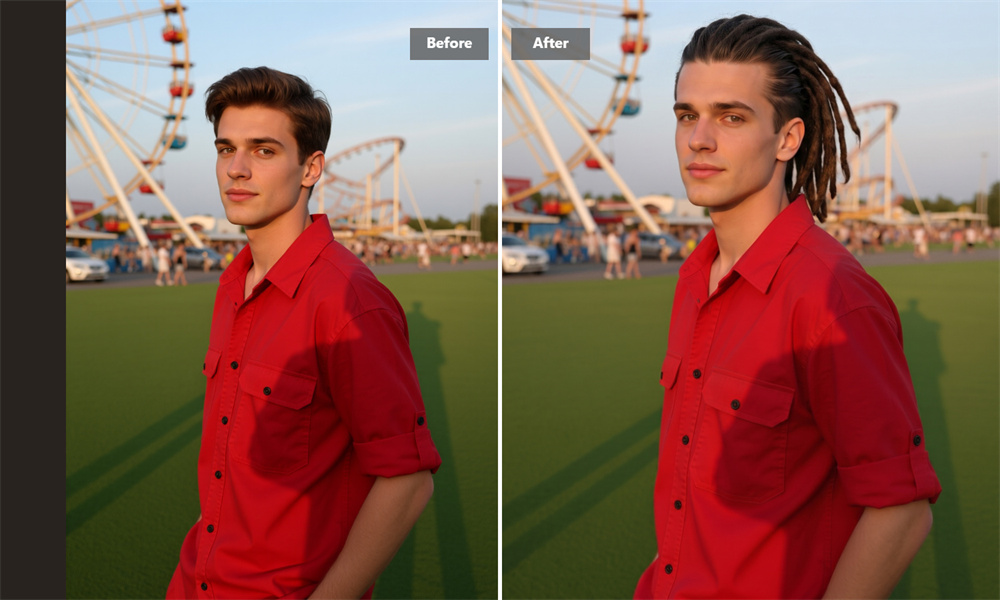
Made for Different Faces and Starting Hairstyles
You don’t need to already have a specific haircut to explore a new look. Upload a recent photo and let the AI create a dreadlock hairstyle preview that complements your current appearance. It works well for anyone looking for hair inspiration before a new season, an upcoming event, or a salon visit.
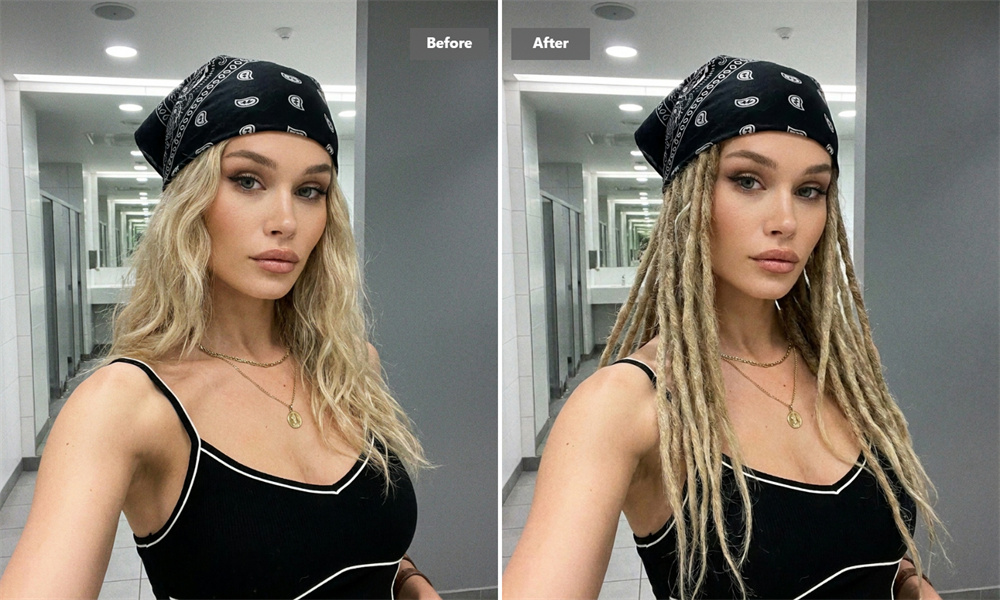
Create a Polished Dreadlocks Portrait
A dreadlocks portrait can serve more than just as a hairstyle preview. Use Guma to create a clean, polished image for a profile update, creative project, event concept, or personal mood board. The tool keeps the focus on your portrait while adding a clear dreadlocks look, giving you a ready-to-use image without the need for a photoshoot.
How to Use the Dreadlocks Filter
Upload
Choose a clear portrait photo with your face visible.
Generate
Create your AI dreadlocks image online.
Download
Save your result when you find a look you like.
Explore More AI Effects
Questions About the AI Dreadlocks Filter
What Is an AI Dreadlocks Filter?
An AI dreadlocks filter creates a new version of your photo with a dreadlocks hairstyle. Upload a portrait, generate the image, and use the result to explore how dreads may look on you. For a different haircut or hair length, you can also explore our Image to Image.
Is Guma’s Dreadlocks Filter Free?
Yes. After creating an account, you receive daily free credits to try AI image generation. If you generate often or need additional credits, you can choose a subscription plan with more capacity.
Which Photo Should I Use?
A clear, front-facing photo works best. Try to use even lighting and keep your face uncovered. Sunglasses, hats, strong beauty filters, and blurry images can make the final image less convincing.
Can I Use the Filter to Try a Dreadlocks Look?
Yes. Use the dreadlocks filter to see how a dreadlocks hairstyle may look with your face, current hair, and portrait. The generated image gives you a quick visual reference before you make a real styling decision.
Does the Result Work for Men and Women?
Yes. The tool is designed for portraits of different people, hair lengths, and personal styles. Your original photo has the biggest impact on the result, so choose one that looks like you on an ordinary day.
Can I Bring the Image to My Stylist?
Absolutely. A generated image is a simple way to show the length, volume, and overall mood you like. Your stylist can then help translate that reference into a style that works with your hair and preferred level of upkeep.