
Template
Mount Rushmore Generator
MoreUpload an image to start your template-based generation.
Upload Image
Mount Rushmore Generator
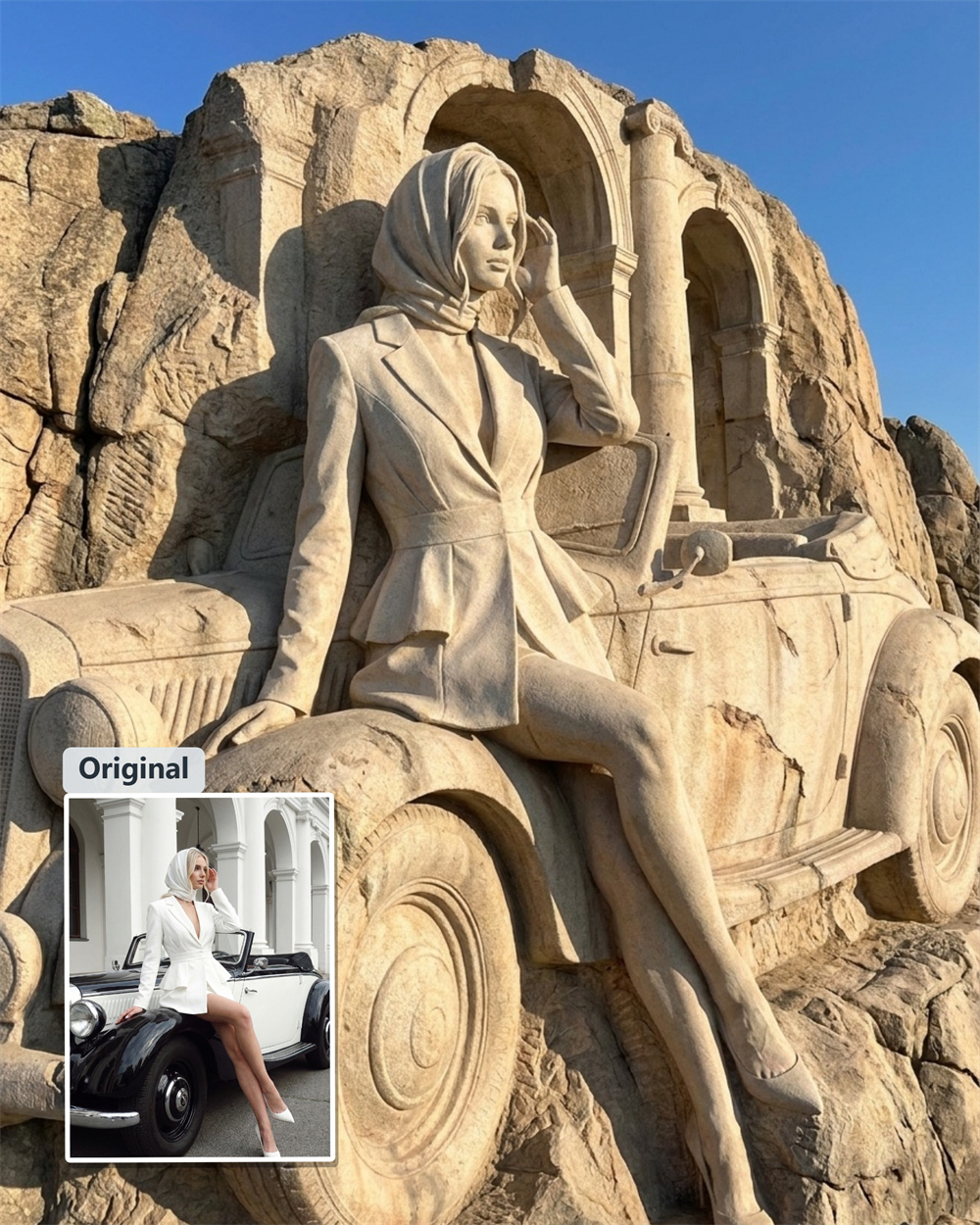
Turn Your Photos into a Mount Rushmore-Inspired Monument
Upload a clear portrait, group photo, pet picture, or illustrated character. The Mount Rushmore Generator transforms visible features into a carved granite relief, then brings the composition together with weathered stone details, cliffside scale, and natural-looking light.
AI Prompt
“Reference the original image’s character identity and facial features: 1.8}, {Character consistency: 1.8}. Fully preserve all elements and details of the original image—its styling, character poses, and overall composition—without altering any aspect of their form or relative positions. Transform the entire scene into an epic-scale, colossal cliff relief sculpture in the style of stone carving or stonework, maximizing the grandeur and awe-inspiring impact of the figures etched onto the massive rock mountain: Enhanced perspective and scale: Adopt a distant, upward-looking viewpoint from the base of the mountain, mimicking the classic vantage point for gazing at mountains. Through long-distance perspective, magnify the sense of grandeur: The entire sculpture stands tens of meters high, seamlessly blending into the towering, continuous natural granite peak without any sense of isolation or separation from the surrounding landscape. Texture of rock and sculpture: The overall material is coarse-grained granite with a light beige-gray hue, marked by natural, light-brown weathering traces. The rock surface retains natural rock joints, naturally cracked fissures, and the rugged, uneven texture formed over millennia by weathering. The sculpted areas retain the rough chisel marks left by large-scale mountain engineering excavations. The sculpture boasts a weighty, authentic three-dimensional undulation; the folds of clothing and hair details of the figures remain clearly visible even at this gigantic scale. On clear, sunny days, low-angle, harsh sunlight strikes from the side, casting vast, sharply defined, deep shadows into the recesses of the sculpture, further accentuating its three-dimensionality and majestic texture. Environmental atmosphere: The backdrop is a bright, cloudless blue sky at high altitude, offering an unobstructed, expansive view. The overall atmosphere is solemn and awe-inspiring, delivering the profound, monumental, and震撼 visual impact characteristic of a national-level giant commemorative sculpture—far removed from the close-up, intimate texture of small garden stone carvings. “Refer to the protagonist’s primary facial features and gender from the original image,” {Realism: 1.6}.
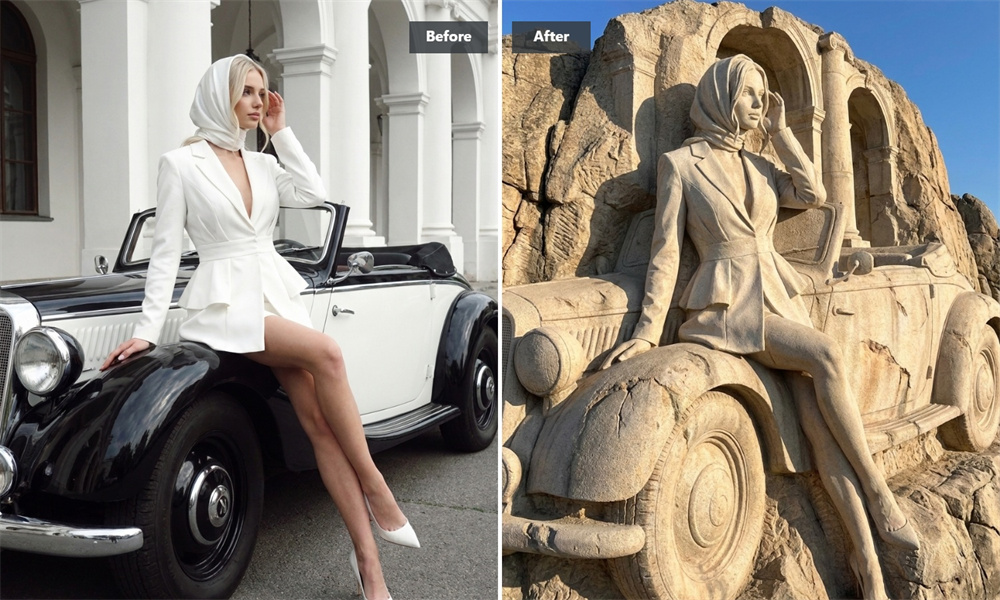
Give Every Face a Place in the Monument
Turn a solo portrait, family photo, or group picture into a shared stone portrait. The generator analyzes visible facial contours and blends each subject into the cliffside composition while preserving recognizable features and expressions as closely as the source image allows.
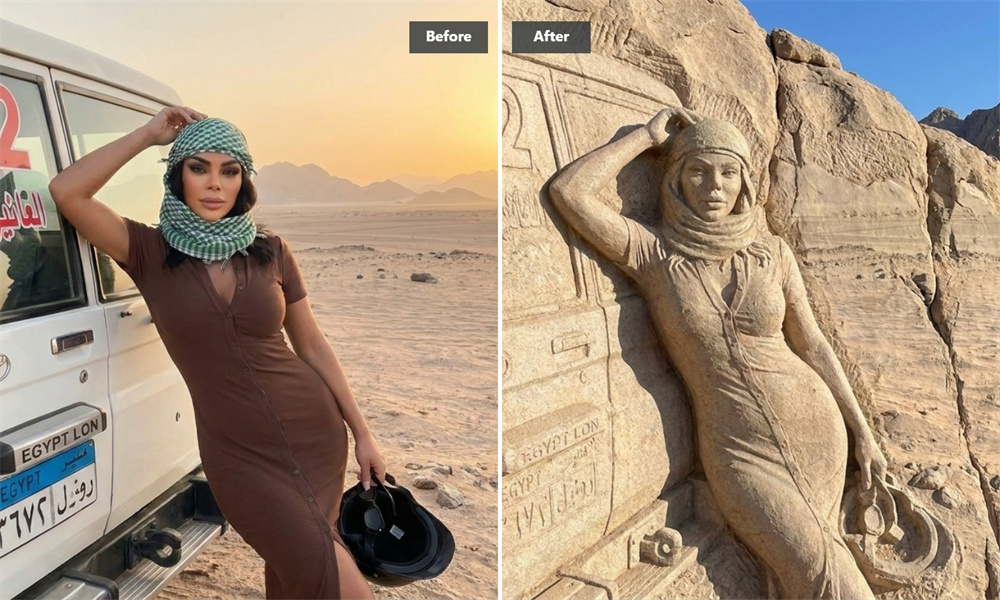
Bring Your Photo into the Granite
The signature Mount Rushmore look comes from more than a gray color effect. The generator combines carved contours, rough granite grain, weathered surface details, and natural cast shadows to create a convincing stone-relief finish.
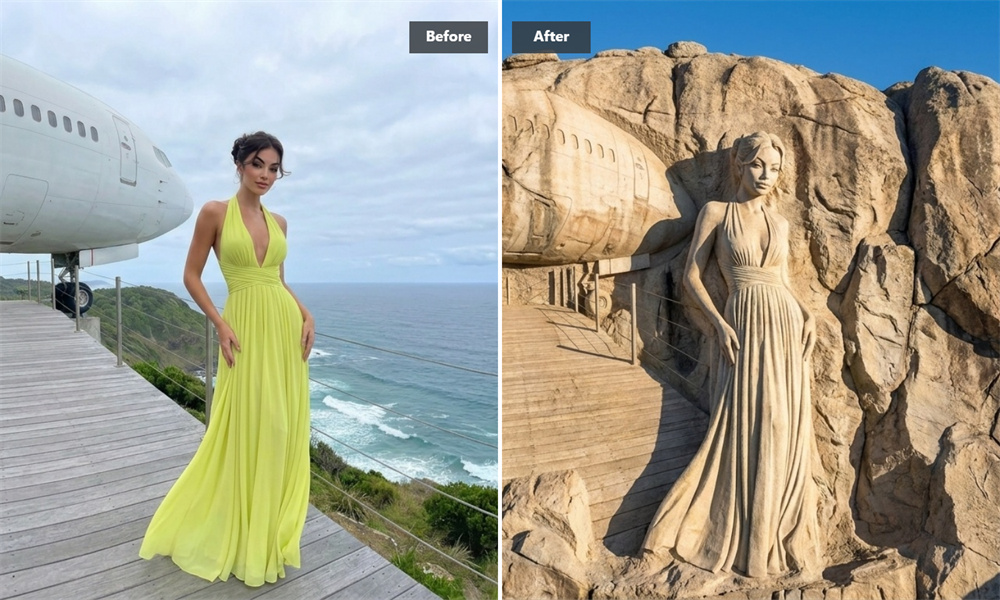
Explore Artistic Styles and Creative Mashups
Go beyond a traditional stone portrait. Combine your image with illustrated, fantasy-inspired, or pop-culture-style treatments while keeping the carved-rock composition at the center. The generator adapts the lighting and facial contours of your source image to create a distinctive granite artwork.
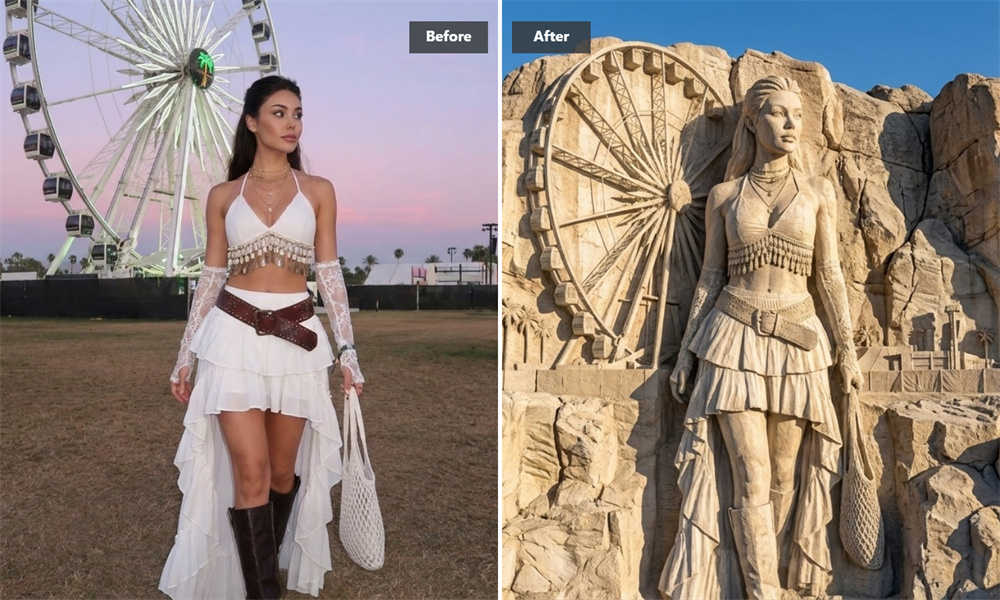
Create a Historic-Style Portrait Beside Iconic Figures
Imagine your face as part of a famous cliffside monument. Add a portrait to a Mount Rushmore-inspired composition and create a playful historic-style image for social sharing, personal projects, group memories, or creative experiments.
How to Create Your Mount Rushmore Artwork
Upload a clear source photo
Choose a well-lit portrait, group photo, pet image, or stylized picture. Photos with visible facial contours and limited obstruction usually produce more recognizable results.
Let the Generator Create the Stone Effect
The generator analyzes the visible subjects in your image and blends them into a granite relief. It applies carved edges, rock textures, weathering, lighting, and shadows to create a cohesive cliffside composition.
Review and Download Your Artwork
Check the completed image, then save the high-resolution result to your device.
Related AI Image Generators
Frequently Asked Questions
How Does the Mount Rushmore Generator Turn Photos into Stone?
The generator analyzes the visible facial contours and main features in your image, then blends them into a Mount Rushmore-inspired granite relief. It adds carved edges, rough stone textures, weathered details, and natural-looking cast shadows to create the monument effect.
Can I Use Pictures with Multiple People?
Yes. You can use a clear group photo with friends, family members, teammates, or colleagues. The generator can blend multiple visible faces into the cliffside composition, giving each person a distinct carved-stone treatment.
For more consistent results, choose a photo where faces are well lit, unobstructed, and not too small in the frame.
What Kind of Photos Work Best for the Stone-Carving Effect?
Front-facing, well-lit photos generally work best. Clear facial contours, good image resolution, and minimal obstruction help the generator create more recognizable features, defined carved lines, and richer granite details.
Side profiles, heavily shadowed faces, blurry images, or faces covered by accessories may produce less precise results.
Can I Use Photos of Pets or Cartoon Characters?
Yes. You can upload pictures of dogs, cats, cartoon characters, or other stylized subjects. The generator applies the carved-granite treatment and cliffside lighting to the main shapes and features in the image.
Results may vary depending on the subject’s pose, detail level, and how clearly it stands out from the background.