
Sketch to Image
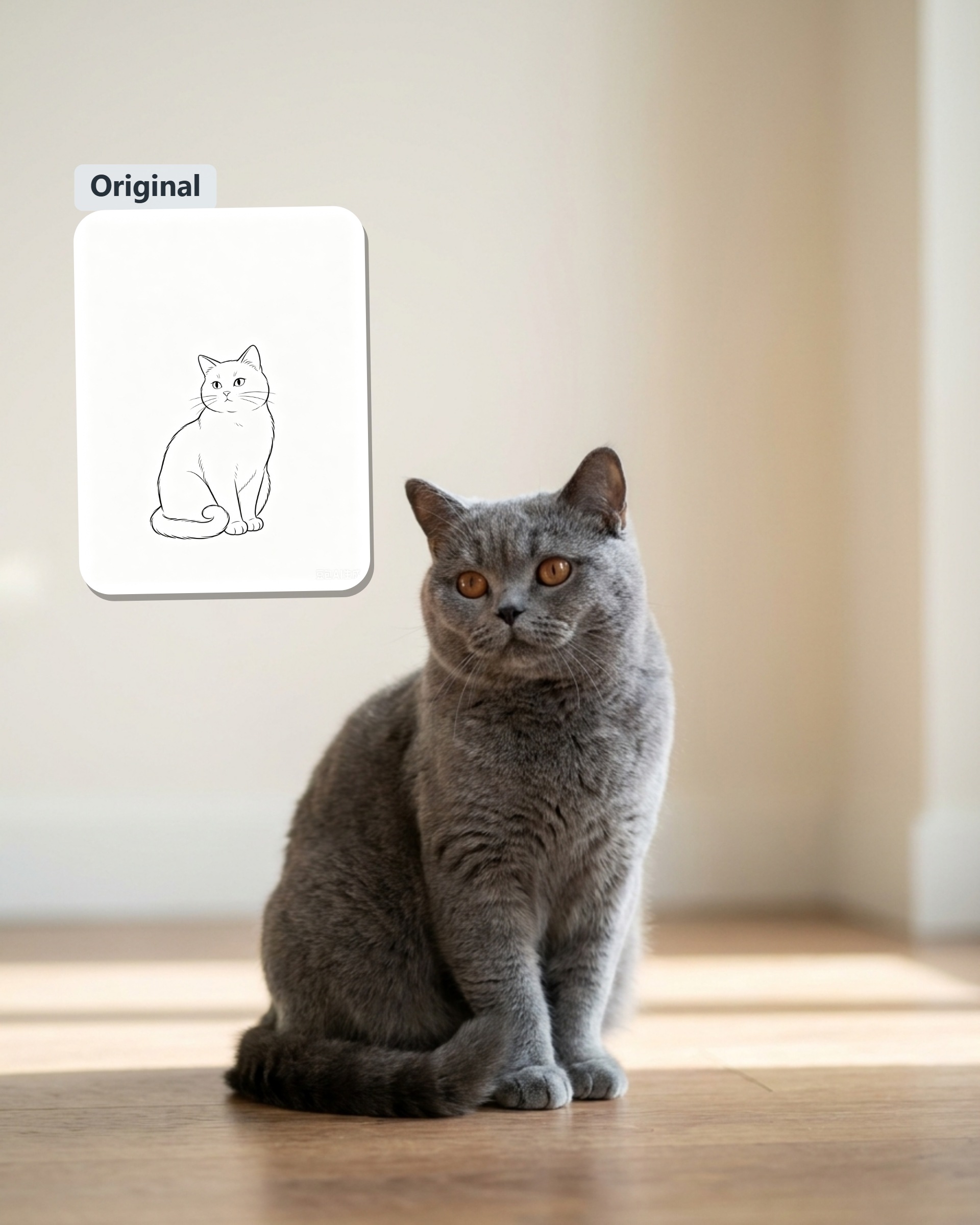
Turn Rough Pencil Sketches into Realistic Full-Color Photos
Hand sketches quickly capture raw concepts, but turning monochrome lines into finished color visuals often requires hours of manual digital painting. Instead of starting from scratch, drop your graphite drawings, ink scribbles, or scanned line art directly into the viewport and watch them transform into full-color renders with natural lighting in seconds.
AI Prompt
Convert user-provided sketches or line drawings into realistic photographic images. Strictly preserve the original image’s key elements, including object categories, quantities, outlines, poses, orientations, proportions, positions, occlusion relationships, viewpoints, negative space, cropping, and aspect ratios, ensuring that the main subject in the final image closely corresponds to the primary lines in the original sketch. Based on the real-world attributes of the subject, reasonably complete and accurately depict anatomical structures, three-dimensional volumes, colors, materials, textures, and fine details. For any unspecified areas, exercise restraint in adding details—do not alter the composition, redesign the main subject, or introduce irrelevant elements. Reconstruct the environment based on clues from the line drawing; if no background is provided, use a simple, natural, and authentic setting that matches the subject. Match the original image’s camera position and shooting angle, employing natural lighting, correct perspective, realistic shadows, accurate exposure, and appropriate depth of field. Use professional-grade cameras with ultra-high resolution and high pixel counts to ensure that the subject is sharply focused, materials appear true-to-life, the image looks natural, and the scene is entirely photographically viable in reality. Do not retain any lines, drafts, or white backgrounds. Do not apply cartoon, anime, illustration, painting, 3D rendering, plastic-texture effects, incorrect anatomical depictions, extra limbs, repeated subjects, distorted perspectives, complex backgrounds, exaggerated colors, text, watermarks, logos, or borders.
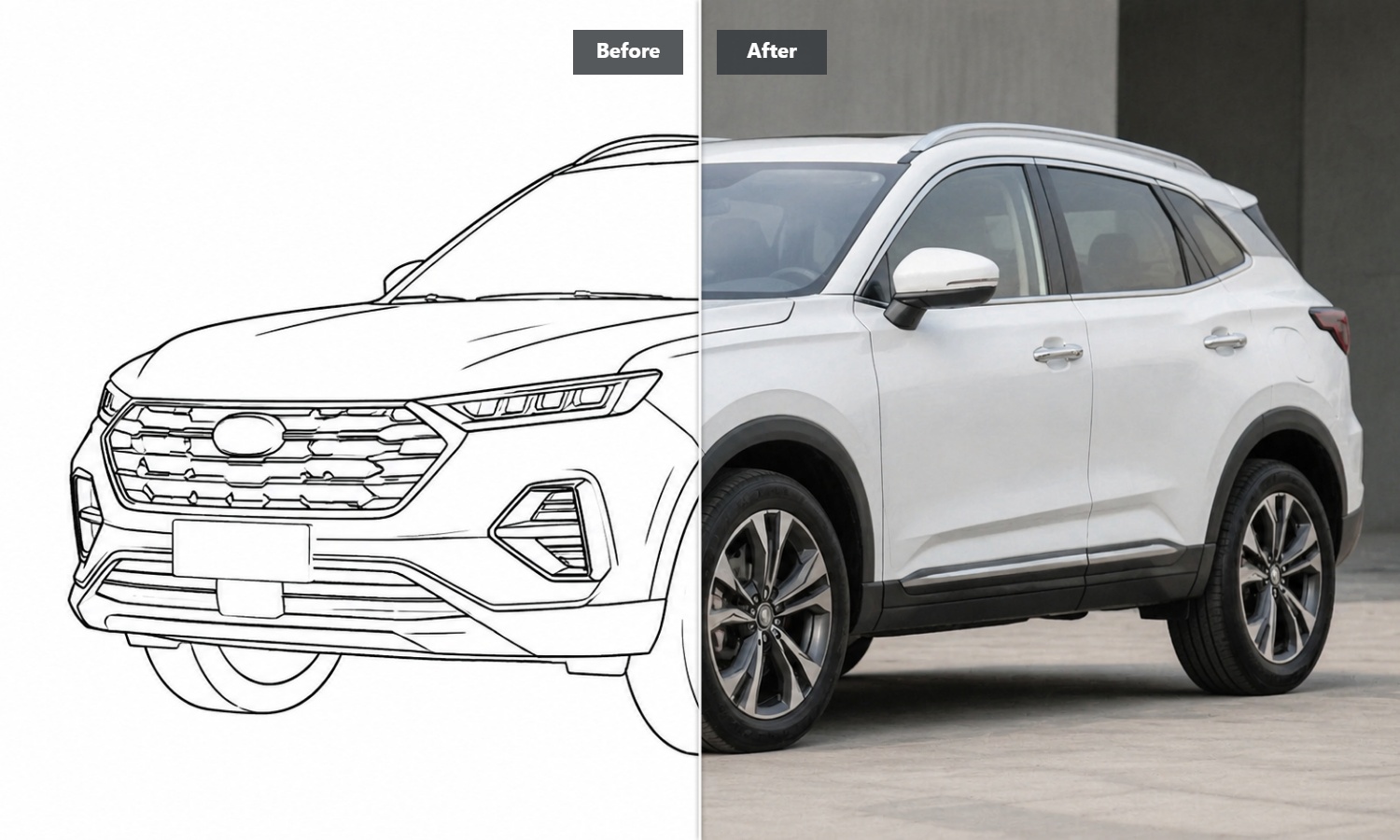
From Simple Black Lines to Rich, Natural Lighting
When you upload a pencil sketch, our smart color system looks closely at your line weight and dark areas to figure out where light and shadow should fall. Instead of flat color fills, you get a full-color picture with smooth skin tones, realistic surfaces, and natural depth that looks like an authentic snapshot rather than a flat digital render.
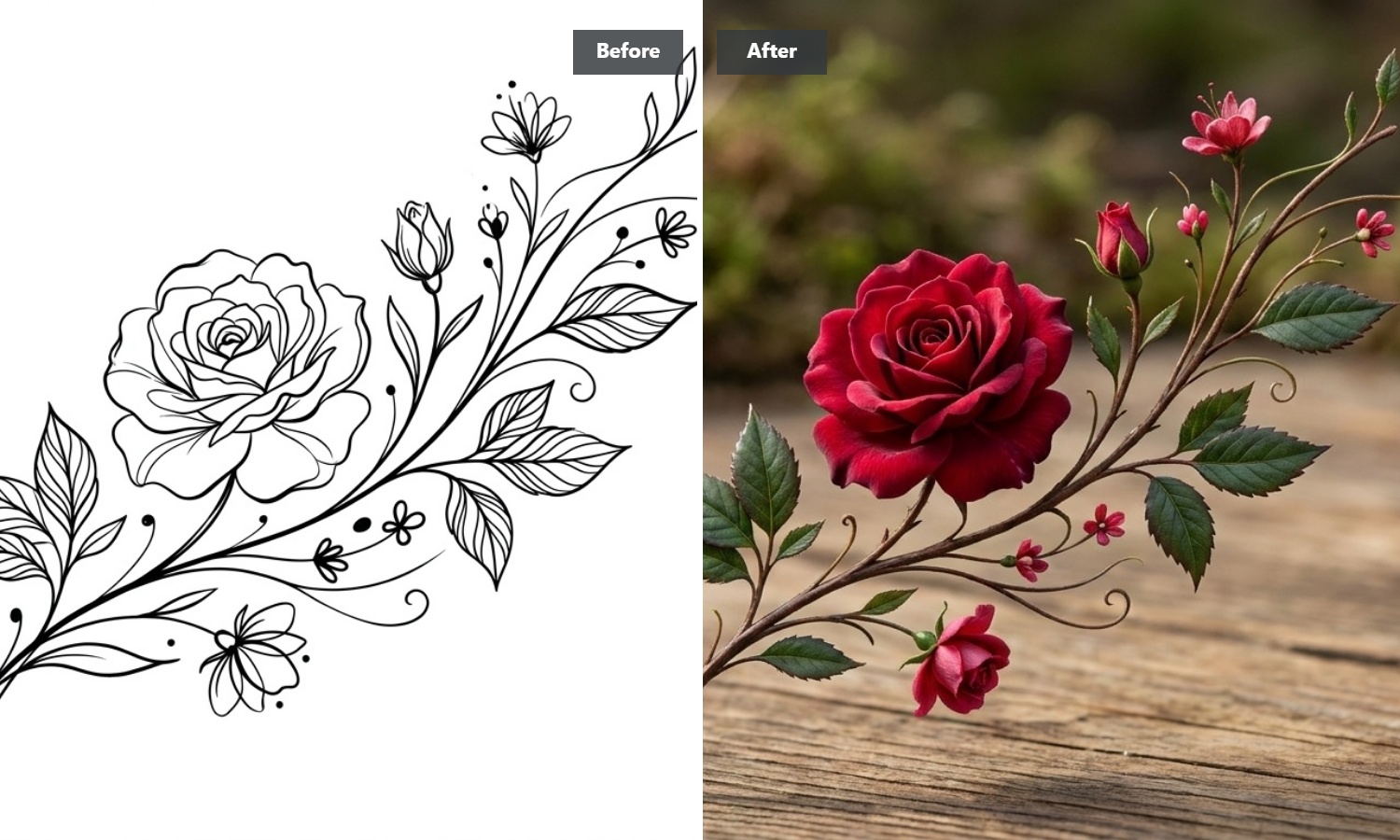
Streamlined Processing with Zero Parameter Hassle
Fiddling with dozens of sliders and complex render settings drags down your creative momentum. Our streamlined rendering pipeline reads your sketch layout immediately upon upload. It automatically balances color palette, lighting exposure, and contrast in one pass, letting you turn rough drafts into presentation-ready visuals without endless trial and error.
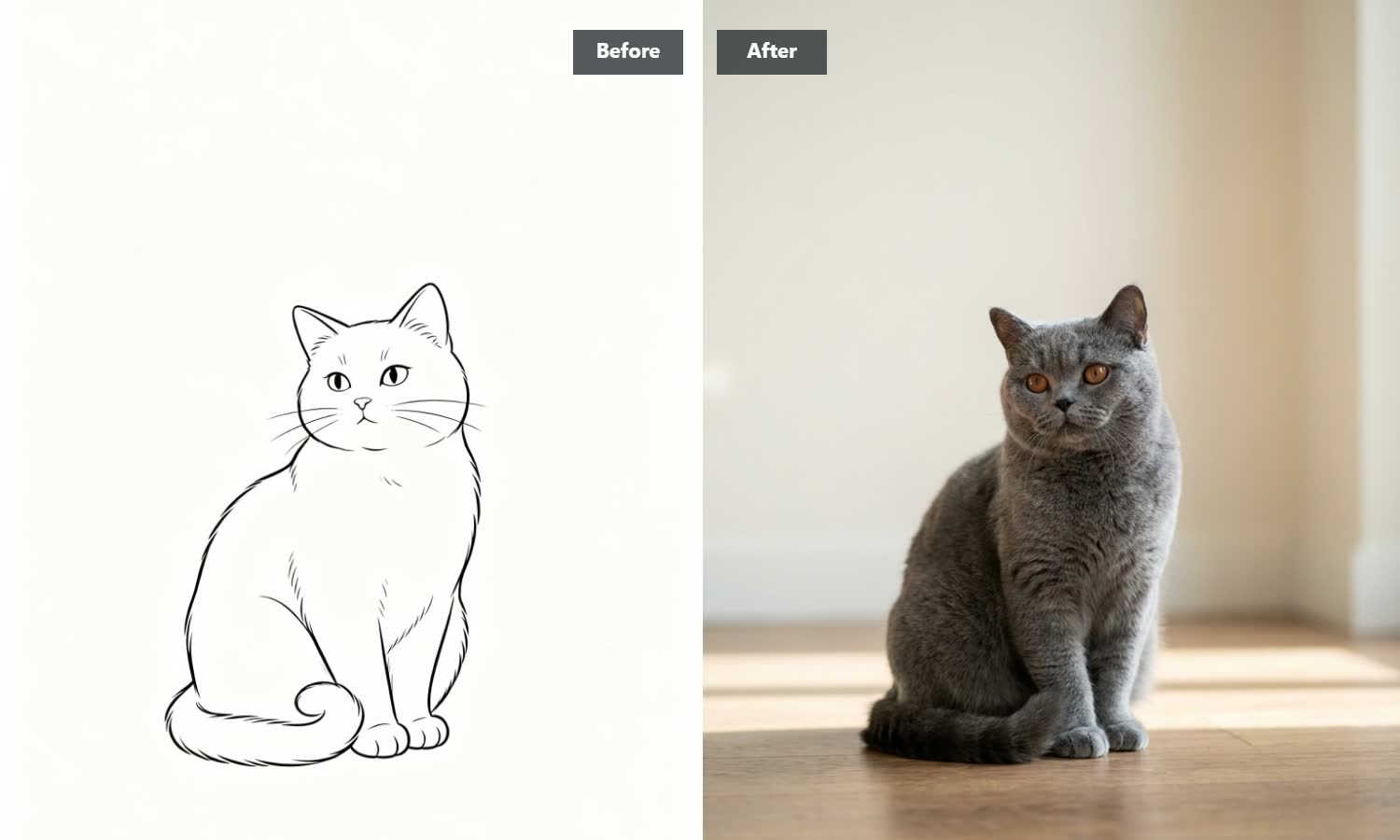
Keeps Your Original Lines Exactly Where You Want Them
Standard AI picture generators often ignore your original drawing and make up completely new backgrounds you never asked for. Our precise line-tracking stays locked onto your actual sketch structure. It respects your proportions, angles, and object shapes while turning plain pencil strokes into a crisp, high-resolution photo.

Sharp Color Visuals Ready for Client Meetings and Presentation Decks
Quick sketching is often the first step when planning products, spaces, or story characters. Instead of showing rough black-and-white notebook pages to teammates or clients, convert your pencil ideas into full-color photos. These clear renders fit naturally into pitch decks, mood boards, and project previews.
3 Simple Steps to Colorize Your Line Art and Sketches
Import Your Pencil Drawing or Line Art
Drag and drop your black-and-white sketch file, scan a physical notebook doodle, or draw directly on our online pad.
Auto-Process Color Photo Conversion
Click generate—our smart line reader senses your sketch shape and automatically adds realistic lighting, textures, and color.
Save Your Rendered High-Definition Photo
Check out your new full-color image, review the lighting and color balance, and save the high-resolution file to your device.
Explore More AI Visual Tools
Frequently Asked Questions
How does this tool turn black-and-white pencil drawings into colored photos?
Our system is trained to recognize how hand-drawn lines connect with real-world light and shadow. Rather than guessing colors at random, it reads the outlines and shading in your pencil drawing to figure out spatial shapes. It then fills those shapes with natural textures and realistic color while keeping your original sketch layout intact. If you want to create pictures from text instead of line drawings, check out our AI Image Generator for more ways to create.
Do I need to write text prompts or adjust complicated settings?
No complex setup is required. We designed this tool to work directly out of the box—just upload your sketch, and the system automatically takes care of color matching, shadow placement, and texture blending for you.
What kinds of drawings work best for converting into photos?
Clear pencil sketches, black ink line art, dark marker outlines, and digital line drafts yield the best photo results. High-contrast lines help the tool see clear borders, but soft charcoal shading and light pencil marks also work wonderfully, adding soft shadows and natural depth to the final image.
Are my uploaded drawings and finished photos kept private?
Yes, your uploads and finished pictures stay completely private to your session. Everything you send over passes through secure encrypted connections. Your private sketches and generated photos are never shown publicly or used for training.
What file formats work for uploading sketches and saving photos?
You can upload drawings in PNG, JPG, and WebP picture formats. Once your line drawing transforms into a full-color photo, you can download the final high-resolution file as a PNG or JPG, ready for presentations or print.