
Red Rose Dress
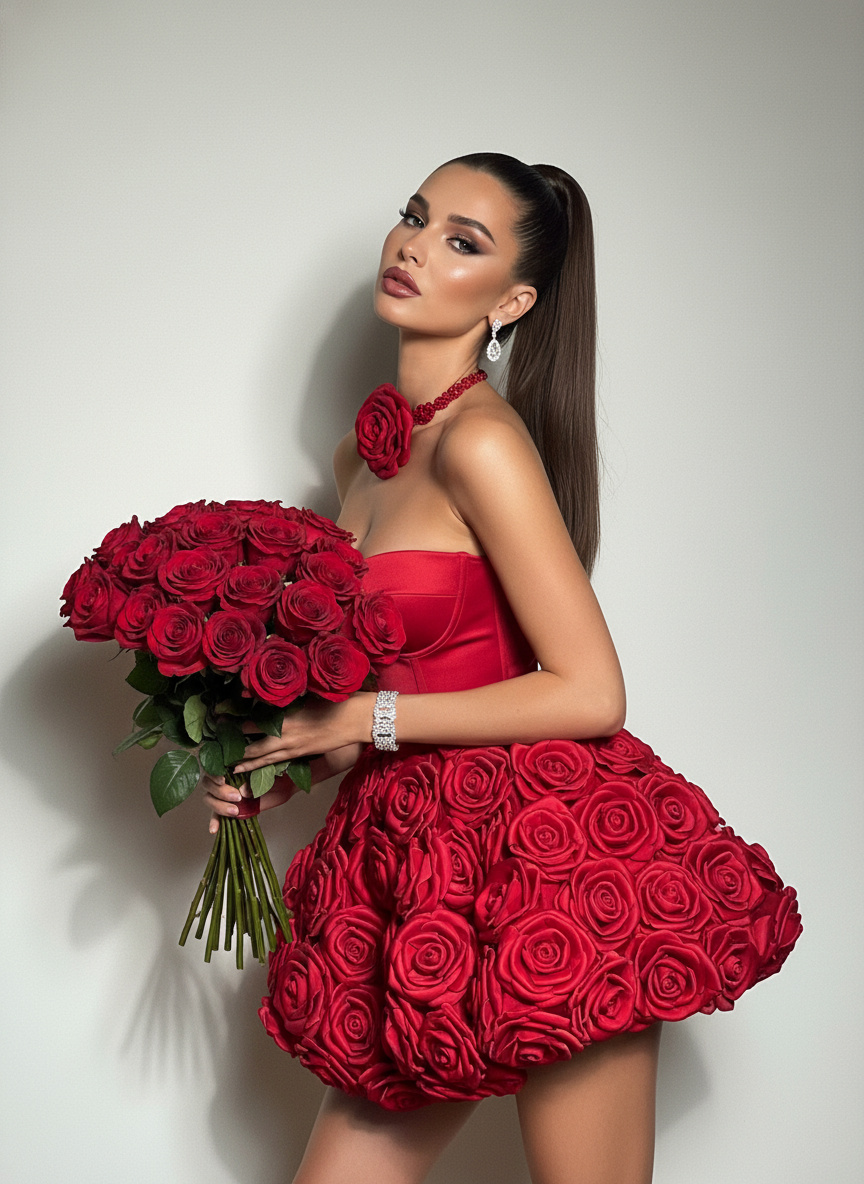
Transform Your Selfie into a Red Rose Fashion Editorial
Drop in your favorite photo and watch Guma wrap you in a high-fashion red rose gown with studio-quality lighting. You get the rich aesthetic of a professional photoshoot while your real face, skin tone, and features stay totally natural.
AI Prompt
(Referring to the main features of the protagonist in the photo: 1.6) Generate a protagonist, a woman with long hair in a high ponytail, posing with a large range of motion, holding a bouquet of red roses in one hand and tilting her head elegantly; leaning against a minimalist off-white background, the minimalist style highlighting the subject; wearing a red strapless top, a short puffy skirt covered with three-dimensional red flowers, and a large red rose-shaped necklace around her neck, the tailored cut accentuating her curves; her makeup is heavy and dramatic, with delicate and deep eye makeup and a deep red, full lip color; accessories include a diamond bracelet, earrings, a red rose necklace, and a bouquet of red roses; warm lighting clearly captures the three-dimensional texture of the roses and the texture of the clothing, presenting an overall luxurious and visually impactful fashion effect, a set of distinctive fashion photos. The main features of the protagonist in the photo remain unchanged: a hot figure, elegant pose, cool, and playful poses.
Turn Your Ideas into Photos and Motion
The red rose outfit is just your starting point. Guma gives you a complete visual studio where you can turn pictures into new artistic looks, turn simple text into visuals, or bring static photos to life with dynamic motion and video. Everything runs smoothly in your browser without complex editing tools.
How to Get Your Red Rose Dress Photo
Upload a Clear Photo
Select a well lit portrait or selfie from your device where your face is front facing and clear.
Apply the Red Rose Outfit
Click generate to let the magic happen. The tool fits the 3D floral rose dress onto your photo while keeping your natural face identical.
Download Your High-Resolution Portrait
Preview your finished fashion image, download the crisp full definition file, and share it anywhere you like.
Why People Love Creating Fashion Photos on Guma
Guma brings studio-grade fashion transformations straight to your screen, combining ultra-clean visual details with fast web processing so you can produce magazine-quality portraits in moments.
Keeps Your Real Identity
The tool recognizes your facial structure and expression so your final photo always looks like the real you instead of an artificial avatar.
Rich 3D Floral Details
Every red rose petal and dress fold renders with realistic depth, vivid colors, and natural studio shadows that pop off the screen.
Fast Web Processing
Everything happens right inside your web browser in seconds without downloading extra software or using heavy hardware.
Ready for Every Social Platform
Your generated fashion photos export in clear high definition, perfect for fresh profile pictures, social feeds, and personal creative projects.
Frequently Asked Questions About Red Rose Dress AI Generator
Will the Red Rose Generator Change My Original Face?
Your facial features, eye shape, and skin tone stay completely untouched. The tool only updates the dress, background, and studio lighting around you.
What Kind of Photo Works Best for the Rose Dress Tool?
A clear front facing portrait with good lighting works best. Try to avoid photos where hands, heavy shadows, or big sunglasses cover your face.
Can I Share and Use My Generated Fashion Photos Anywhere?
Yes. Every photo you create on Guma belongs to you, so you can download and post your images across social channels, personal websites, or promotional campaigns.
How Fast Will My Red Rose Photo Render?
Your new fashion portrait usually finishes rendering in under ten seconds after you click the generate button.