
AI Bullet Dodge Video Generator
Step Into the Spotlight With Bullet Dodge Video Effects
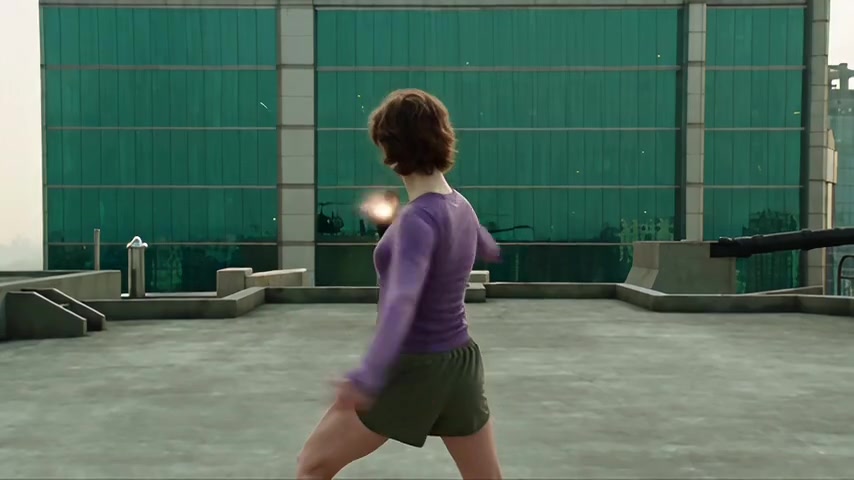
Turn any plain photo into a high-octane action moment. Drop your photo into Guma and watch the camera circle around you in dynamic slow motion while dramatic trajectory effects zoom past.
AI Prompt
"Use @video1 as the primary motion reference. Preserve the original body movements, timing, rhythm, pacing and camera movement as faithfully as possible. Replace the central performer with @image1 Keep his face, identity, body proportions and appearance consistent throughout, Photorealistic cinematic music-video look. Preserve the original camera movement and framing. Prioritize the original synchronized dance choreography above all other changes. No face morphing, identity drift, distorted bodies, extra limbs, floating feet or random movements."
Bring Every Idea to Life With Guma AI
The magic does not stop at bullet time. Transform text ideas or single photos into breathtaking artwork, realistic scenes, and full dynamic video clips with just a few clicks.
Three Quick Steps to Create Your Bullet Dodge Video
Upload Your Photo
Pick a clear snapshot of yourself or any character you want to star in the scene.
Generate the Slow Motion
Let the tool rebuild the scene and spin the camera around your dodge.
Download Your Clip
Save your high-definition video instantly and post it straight to your social feeds.
Why Creators Love Making Videos on Guma
You do not need expensive camera gear, green screens, or video editing experience to create epic shots. Guma takes care of all the complicated work right inside your web browser so you can focus on being creative.
No Fancy Cameras Needed
Get dramatic circular camera sweeps and movie style action from just one ordinary photo.
Your Face Stays Real
Our smart features keep your exact face and expression looking sharp and true to life throughout the fast movement.
Super Fast Creation
No long rendering waits because your clip finishes in seconds and is ready to watch immediately.
Made for Social Media
Export clean and crisp videos formatted to look amazing on TikTok, Instagram, and YouTube Shorts.
More Popular Visual Effects You Might Like
Frequently Asked Questions About the Bullet Dodge Video Generator
What photo works best for the bullet dodge effect?
Clear photos with good lighting work best. When your face and body show clearly, the generator can easily craft the surrounding action.
Will my face look distorted when the camera moves?
No, the tool carefully locks your facial features in place so you look like yourself even during intense motion.
Do I need to install any heavy software on my computer?
Everything runs online inside your browser, so you can make videos from your laptop or mobile phone without installing anything.
Can I share my generated videos directly to social media?
Yes, you can download your finished clip as a high-quality video file and post it anywhere you like right away.