
Template
AI Snow Scene Generator
MoreUpload an image to start your template-based generation.
Upload Image
AI Snow Scene Generator
Let It Snow in Your Photo
Transform a portrait into a snowy winter scene with falling snow, cool seasonal light, and a natural cold weather atmosphere. Upload your photo and turn an everyday image into a winter portrait for profile pictures, social posts, or seasonal memories.
AI Prompt
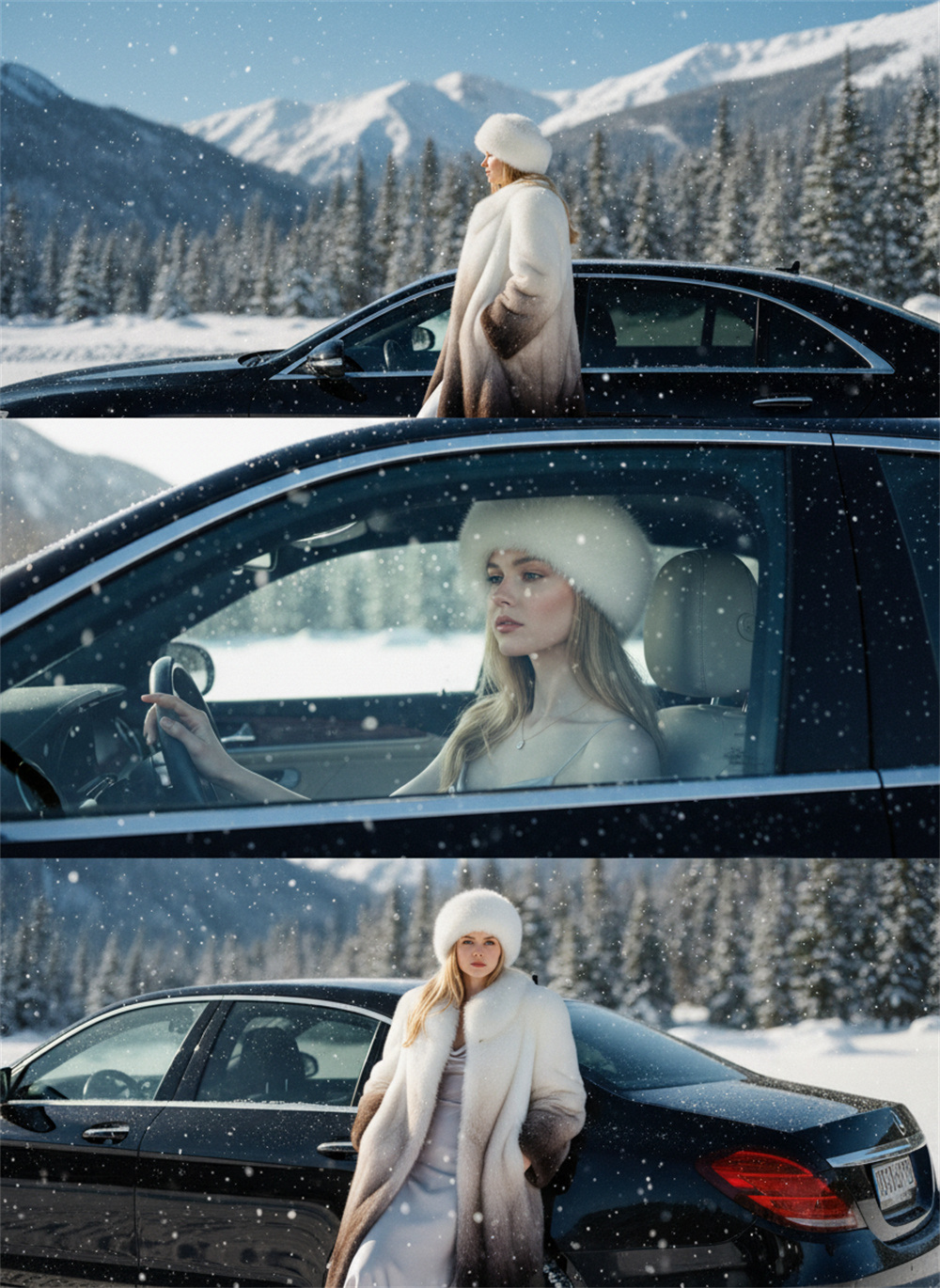
(Film tone: 1.2), noise, daytime, snow-capped mountains, evergreen forests, blue sky, sunlight and starlight, snowfall, winter wonderland, heavy snowfall, black car. This work is composed of three low-resolution photographs vertically collaged, collaged from top to bottom, and (referencing the main facial features of the figures in the original images: 1.6). Keywords: The figure is presented in three different poses, all in equal proportions—the first is a medium shot, standing sideways with their back turned, looking into the distance. The car is in front of the subject, with a blurred background depicting the Alps and blue sky; the second is a close-up, taken from the inside rear of the car, sitting in the driver's seat, turned to the side, looking out the window, with their hand on the armrest; the third is a medium shot, leaning against the rear of the car, hands in pockets, looking directly at the camera. The model wears a gradient long fur coat, a white fur hat, and a long dress underneath, luxurious and fashionable. The makeup is light and natural: full lips, a light and sheer foundation, and delicate eye makeup, showcasing a relaxed and natural temperament. The accessory is a simple, understated yet exquisite pendant necklace. The three photos, stitched together, perfectly showcase different interactive poses, clothing details, and the snowy scenery and car interior environment. (Main facial features and hair color are consistent with the original image: 1.6), and the proportions are accurate.
How to Create an AI Snow Scene in 3 Steps
Upload a Clear Portrait Photo
Choose a well lit selfie, couple photo, profile picture, or full body portrait where the main subject is easy to see.
Generate Your Winter Snow Scene
Start the generation and let AI transform the uploaded photo with snowfall, winter lighting, and a snowy atmosphere.
Download Your Finished Snow Portrait
Review the generated image, download the result you like, and use it for social posts, profile updates, holiday greetings, or personal projects.
Why Use the AI Snow Scene Generator on Guma?
Guma keeps the creative process focused: start with one photo, generate the winter result, and save the image when it looks right. The workspace makes it easy to explore visual ideas without turning a simple photo edit into a complicated production task.
A Clear Photo First Workflow
Each project begins with a single image, so every stage is easy to follow from the initial upload to the finished result.
Portrait Details Stay at the Center
The composition keeps attention on the person, helping facial features, hair, clothing, snowfall, and the surrounding winter scene feel visually connected.
Made for Everyday Portraits
Create winter versions of selfies, couple photos, profile pictures, travel portraits, family images, and other personal photos.
More Ways to Continue Creating
After completing a snowy portrait, continue developing the idea through other image and video creation workflows in the same workspace.
Start With One Photo and Explore More Ways to Create
Use the same creative workspace when an idea needs to move beyond a single snow portrait. Continue shaping an image or develop a visual concept into motion while keeping the creative process connected.

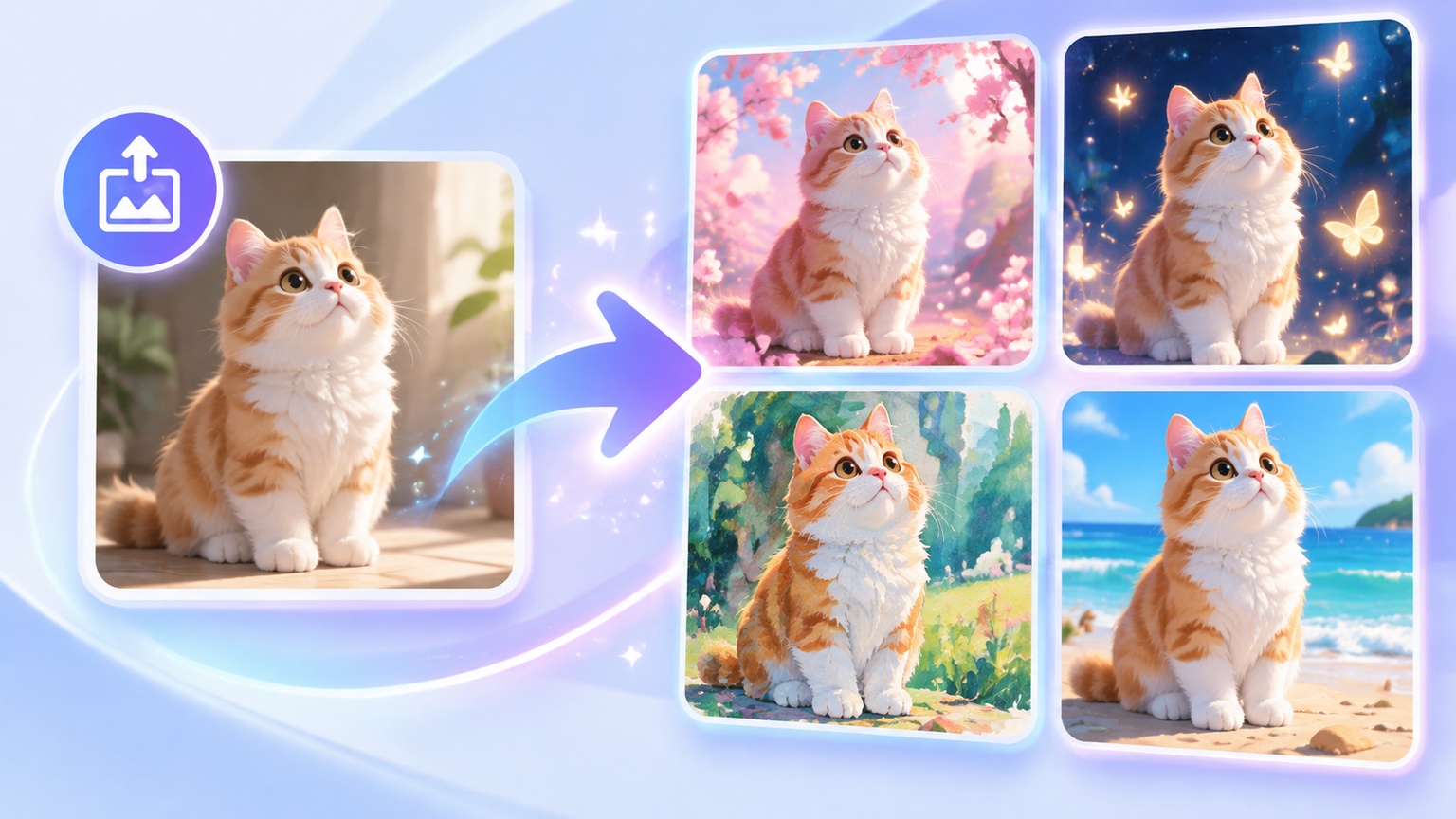


Explore More AI Photo Effects
Frequently Asked Questions About the AI Snow Scene Generator
What Is an AI Snow Scene Generator?
An AI snow scene generator turns an uploaded photo into a winter image by adding visual cues such as falling snow, cool lighting, a frosted atmosphere, and a snowy setting while keeping the original subject recognizable.
What Kind of Photo Works Best for a Snow Scene?
A sharp portrait with balanced lighting and a clearly visible subject usually produces a more coherent winter transformation. Photos with heavy blur, strong shadows, or covered facial features may produce less consistent details.
Can I Use a Selfie or a Full Body Photo?
Yes. A selfie places more attention on facial details, while a full body photo gives the generator more space to build the surrounding snowy environment. Couple portraits and group photos can also work when each person is clearly visible.
Will the Generated Person Look Like the Original Photo?
The uploaded photo is used as the visual reference, but small generated details may vary. A clear image with visible facial features, natural lighting, and minimal motion blur helps the snow portrait stay closer to the original subject.
Can I Use the Snow Effect for Holiday and Social Media Photos?
Yes. The generated winter portrait can be used for seasonal profile pictures, Christmas posts, holiday greetings, winter themed content, digital cards, and personal photo projects.
How Can I Get a Better Winter Portrait Result?
Start with a well focused image where the face, hair, shoulders, and clothing are easy to distinguish. A simple background and balanced lighting give the AI snow photo effect clearer visual information to work with.