
Hairstyle Changer
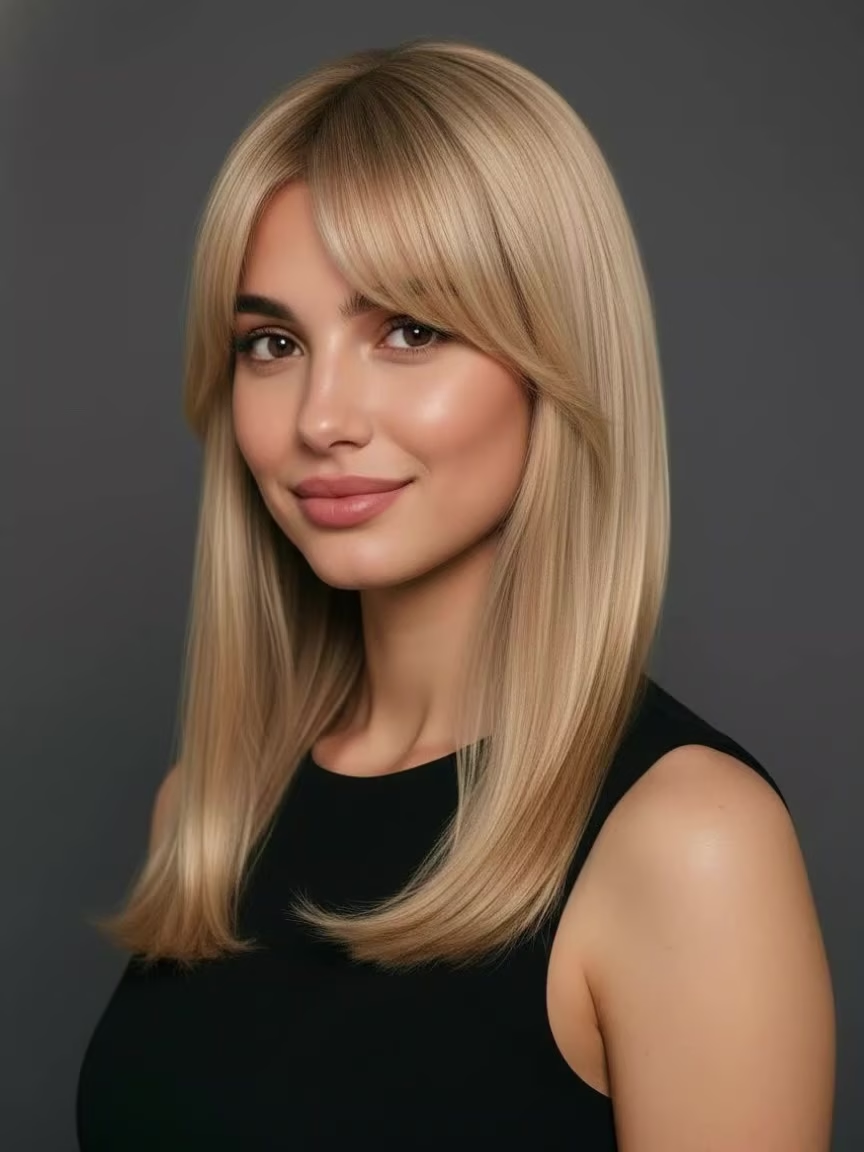
See a Hairstyle You Love on Your Own Photo
Found a short cut, long hairstyle, curls, bangs, or layered look you want to try? Upload a hairstyle reference image, then add a clear photo of the person whose hair you want to change. The generator uses the visible length, shape, bangs, and texture from the reference to create a new look on the person. Preview the change before a salon appointment, narrow down what you like, or share the image with your hairstylist.
AI Prompt
"{Reference the main facial features of the protagonist in Original Image 1: 1.6}, {Character consistency: 1.8}. Using Image 1 as the sole source of content, refer only to the hairstyle in Image 2. Naturally replace the original hairstyle of the figure in Image 1 with the one from Image 2, accurately preserving the overall silhouette, length, parting, bangs, whether the hair is curled or straight, layering, volume, shape of the ends, and texture of the strands. Based on the head pose, facial orientation, perspective, light direction, and occlusion relationships in Image 1, realistically reconstruct the hairstyle so that the hair naturally conforms to the head and scalp, with the hairline, roots, shadows, highlights, and stray strands all matching real‑world photographic effects. Strictly maintain the character’s identity, facial features, face shape, expression, skin tone, makeup, body proportions, pose, hand gestures, clothing, accessories, background, composition, camera angle, depth of field, lighting, and overall color tone as depicted in Image 1. Aside from the hairstyle, do not alter any other details. The final result should appear as if the subject in the original image had always sported the hairstyle shown in Image 2—natural, realistic, high‑definition, and free of obvious editing marks. {Reference the protagonist’s primary facial features and gender in the original image}, {Realism: 1.6}"
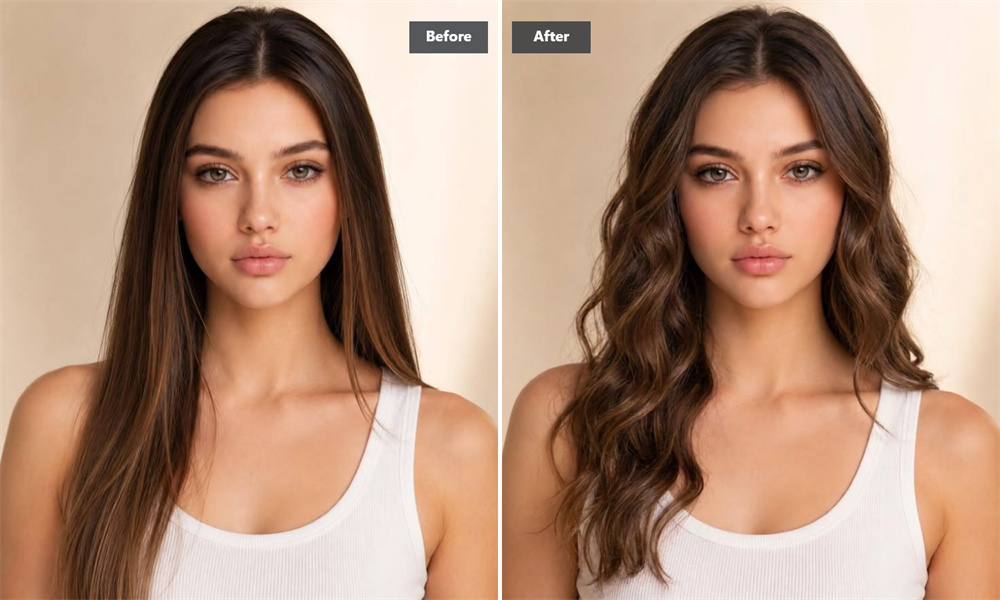
Start With a Clear Hairstyle Reference
The reference image shows the generator which hairstyle you want to try. Choose a photo where the length, bangs, top shape, part, and ends are easy to see. Avoid hats, heavy shadows, large obstructions, blurry hair, and photo collages with multiple styles.
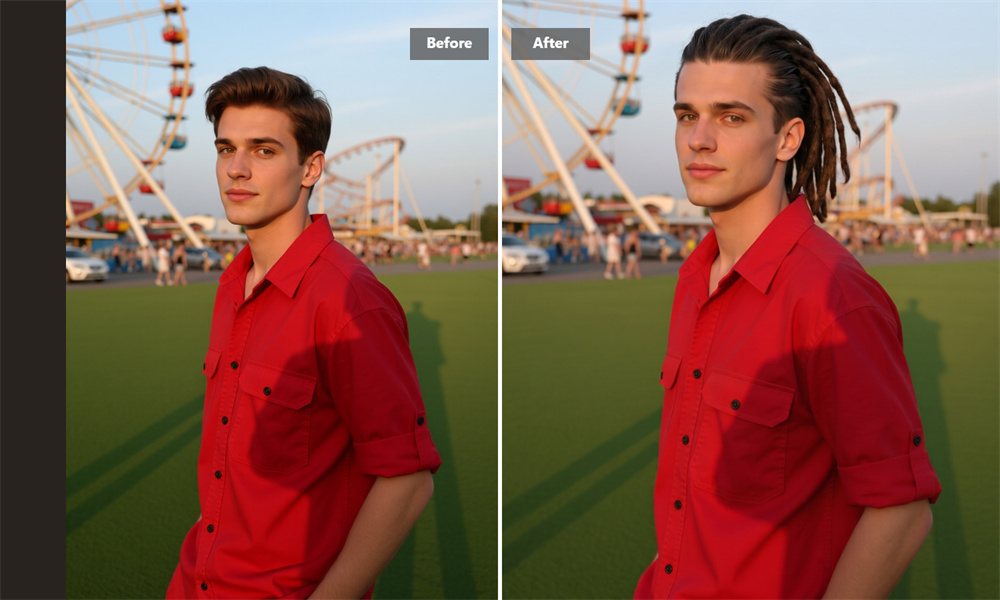
See How the Hairstyle Frames Your Face
The same haircut can look different depending on a person's forehead, cheekbones, jawline, and overall face shape. Placing the hairstyle on your own photo makes it easier to see how the length and outline frame your features.
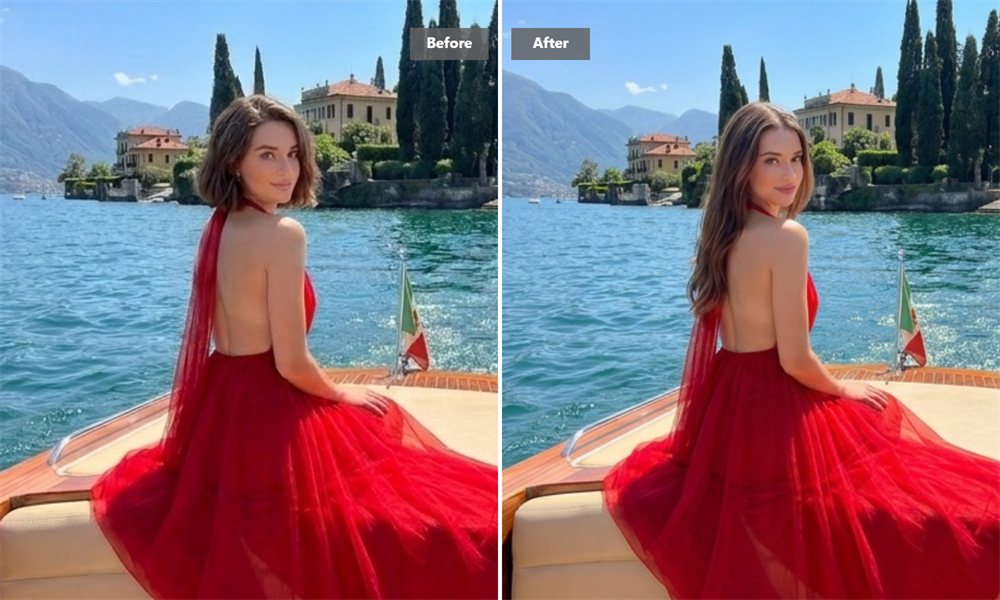
Preview a Change Before Touching Your Hair
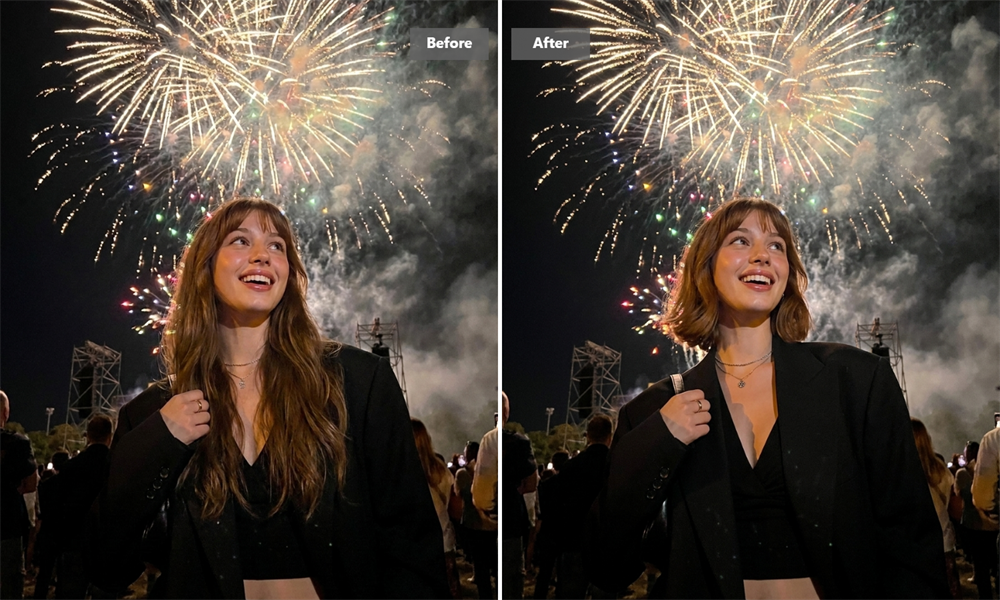
Hair length, bangs, volume, and layers can change the overall feel of a portrait. A virtual hairstyle try on gives you a clear starting point before you commit to a haircut or a major styling change.
Make Salon Conversations More Visual
Requests such as “shorter,” “more layers,” or “bangs like this” can be interpreted in different ways. A generated image helps you point to the length, part, texture, and outline you like, giving your hairstylist a clearer reference for the conversation.
How to Change a Hairstyle With AI Hairstyle Changer
Upload Both Images
Upload the hairstyle reference image, then add the photo of the person whose hair you want to change.
Generate the New Hairstyle
Start generating and let the tool apply the reference hairstyle to the person in your photo.
Download the Result
Review the completed image, then download and save the hairstyle result.
Why Create With Guma?
Guma brings image and video creation into a clear, connected workflow. Start with text or existing media, choose an entry point that matches your project, and move from your original material to a downloadable result without working through a complicated editing interface.
Clear Input Requirements
Each page explains what type of material to add, so you know whether to prepare text, an image, or a video before you begin.
A Simple Creation Flow
The process follows a clear path from adding your material to generating and saving the result. You can get started without learning professional editing software.
Flexible Ways to Begin
Start with an idea you want to visualize or continue creating from media you already have. Choose the path that fits what you are currently making.
Results You Can Download
View the completed result directly on the page, then download it for personal projects, social content, idea development, or additional editing.
Turn One Idea Into More Visual Content
Continue working with text, photos, or video after creating your hairstyle image. Choose a creative starting point based on what you want to make, then develop your idea into a new image or moving scene.


Explore More AI Style and Portrait Ideas
Frequently Asked Questions About AI Hairstyle Changer
Why do I need to upload two images?
The hairstyle reference image provides the look you want to try. The person photo shows who should receive the new hairstyle. Each image has a different purpose, so upload the reference hairstyle first and the person photo second.
What makes a good hairstyle reference image?
Choose an image with a complete and clearly visible hairstyle. The bangs, crown, sides, and ends should be easy to identify. Avoid images with hats, strong shadows, motion blur, large obstructions, or several hairstyles combined in one collage.
What kind of person photo should I upload?
Use a sharp, well lit photo that clearly shows the face, hairline, and head shape. A front facing or slightly angled portrait usually makes the hairstyle change easier to review. Keep one main person in the frame and reduce anything covering the hair.
Do I need to write a hairstyle prompt?
No. The hairstyle direction comes from the reference image you upload. Add the person photo and start generating without writing a hairstyle name or a separate description.
Does the reference image need to match the person's pose?
An exact pose match is not required. A reference image with a similar head angle can make it easier to compare the hairstyle shape, especially when the style includes visible bangs, a side part, or a distinct profile.
Will the result copy the reference hairstyle exactly?
The generated image uses the reference as visual guidance rather than making an exact copy. Differences in head angle, original hair, lighting, image quality, and visible obstructions can affect how the hairstyle appears.
Can other parts of the photo change?
Yes. Although the main goal is to change the hairstyle, facial details, clothing, lighting, hair color, or the background may also look different after generation. Review the complete image before downloading it.
Why does the hairstyle look different from what I expected?
The reference hairstyle may be unclear, the two images may use very different angles, or parts of the hair may be covered. Try images with clear outlines, natural lighting, visible hair, and closer head angles when you want a more useful comparison.
Can I show the generated image to my hairstylist?
Yes. Use the image to communicate the length, bangs, part, texture, or overall shape you like. Your hairstylist can then consider your natural hair texture, density, growth pattern, and styling routine when discussing the final cut.
Can a virtual hairstyle try on predict my actual haircut?
A virtual try on helps you explore the visual direction of a hairstyle. The actual result can vary based on your hair texture, density, current length, head shape, styling method, and maintenance routine.
How do I save the hairstyle image?
Review the completed image, make sure it works for your intended use, then select the download option on the page to save it to your device.