
Template
AI Flower Bouquet Design Generator
MoreUpload an image to start your template-based generation.
Upload Image
AI Flower Bouquet Design Generator
Create Custom AI Flower Bouquets Driven by Your Photos
Transform your uploaded reference photos into stunning rose bouquet art instantly. Simply upload a picture to see rich red roses, soft pink petals, and bright yellow blooms come together in soft natural lighting, rendering a detailed and vibrant rose bouquet tailored to your image.
AI Prompt
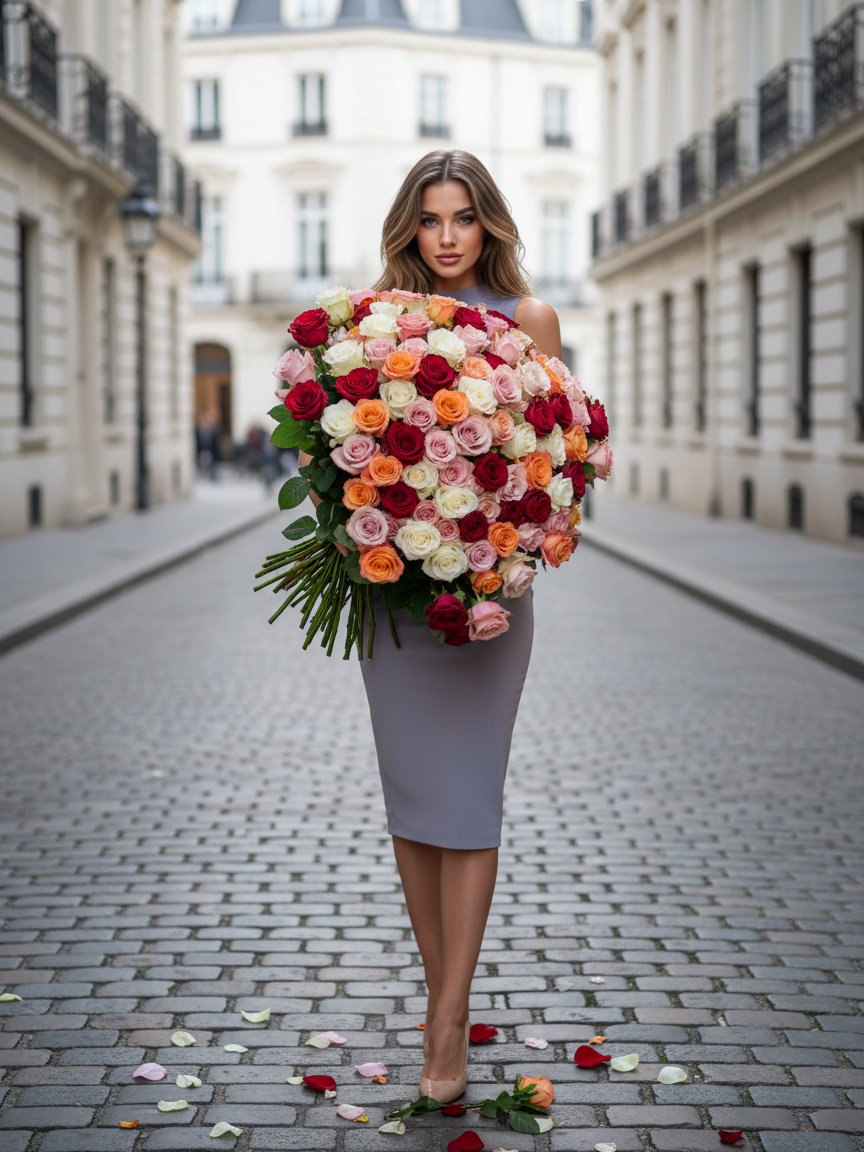
A full-body shot (highlighting the subject’s key features in the photo: 1.6) captures a female character gracefully holding a massive bouquet of roses positioned elegantly in front of her chest. The bouquet is composed of countless vividly colored roses, arranged in a strikingly frontal pose that exudes poise and sophistication. The oversized bouquet faces directly forward, drawing attention to its lush, romantic allure. In the background, European-style white buildings stand out against a stone-paved road, where a few scattered rose petals add a touch of whimsy, enhancing the overall urban ambiance with a sense of timeless charm and romance. She’s dressed in a simple yet figure-flattering gown, while her makeup strikes a delicate, everyday elegance—think natural lip tones that perfectly complement her serene expression. The scene is bathed in bright, natural light, which beautifully illuminates the intricate layers of the rose bouquet, the architectural details of the surroundings, and even the subtle nuances of the character’s demeanor. The result is an exquisite visual composition that feels fresh, stylish, and deeply evocative—a set of photos that effortlessly blend elegance, romance, and artistry into a single, captivating moment.
Bring All Your Ideas to Life with the Guma Creative Suite
Your imagination does not stop at floral art, and neither does Guma. Our creative suite gives you a complete space to explore visual storytelling in every medium. You can upload your photos to reshape them into new creative styles, generate original visuals, or turn static pictures into lively short videos that catch attention on every feed.
Three Simple Steps to Create Your Custom Rose Bouquet
Upload Your Photo
Select and upload your favorite image so the AI engine captures your preferred composition, color distribution, and overall aesthetic.
Generate Your Rose Art
Press generate and let the engine automatically combine colorful rose blooms, realistic stems, and elegant packaging into a full bouquet artwork.
Download Your High-Res Renders
Get your finished flower graphics in clean image formats ready for social posts, personal greeting e-cards, or event presentations.
Why Creators and Event Planners Love Guma
Guma makes visual creation simple and fun for everyone. Built for creators, couples planning events, and small business owners who want beautiful graphics without spending hours learning complex design software, our platform delivers stunning results so you can focus on sharing your creativity.
Reliable Output Quality
Get clear publication ready graphics easily so your creative flow stays smooth without long waiting times.
Friendly Image-to-Image Workflow
No complicated settings or technical steps required because basic photo uploads bring back great outcomes every time.
Complete Visual Workspace
Move smoothly from generating still images to creating fun motion clips and stylized portraits inside one unified web home.
High Quality Downloads
Save clean high definition image files that look bright and sharp on phone screens, social channels, or printed paper cards.
Explore More Creative AI Tools
Frequently Asked Questions About the AI Flower Bouquet Design Generator
How does the AI flower bouquet design generator work?
The generator reads your uploaded photo, recognizes the colors and layout, and automatically creates a new picture featuring a full bouquet of vibrant, multi-colored roses based on your image.
What kind of reference photo gives the best results?
Uploading images with clear colors and distinct subjects, such as photo swatches, room aesthetics, or natural lighting shots, helps the generator capture fine details accurately.
Can I generate a bouquet without uploading a reference image?
This generator operates specifically on an image to image process, so you will need to upload a reference photo as the starting point for your design.
Where can I use the bouquet graphics I create on Guma?
You can use your downloaded rose pictures anywhere you like, including digital greeting cards, social media posts, website banners, or party invitation cards.
What file formats do I get when I save my finished flower design?
You can download your floral graphics as high resolution JPG or PNG files that look clear and sharp on any screen or printed card.