
Template
Photo to Painting Converter
MoreUpload an image to start your template-based generation.

Upload Image
Photo to Painting Converter
Turn Photos into Artistic Oil Paintings on Canvas
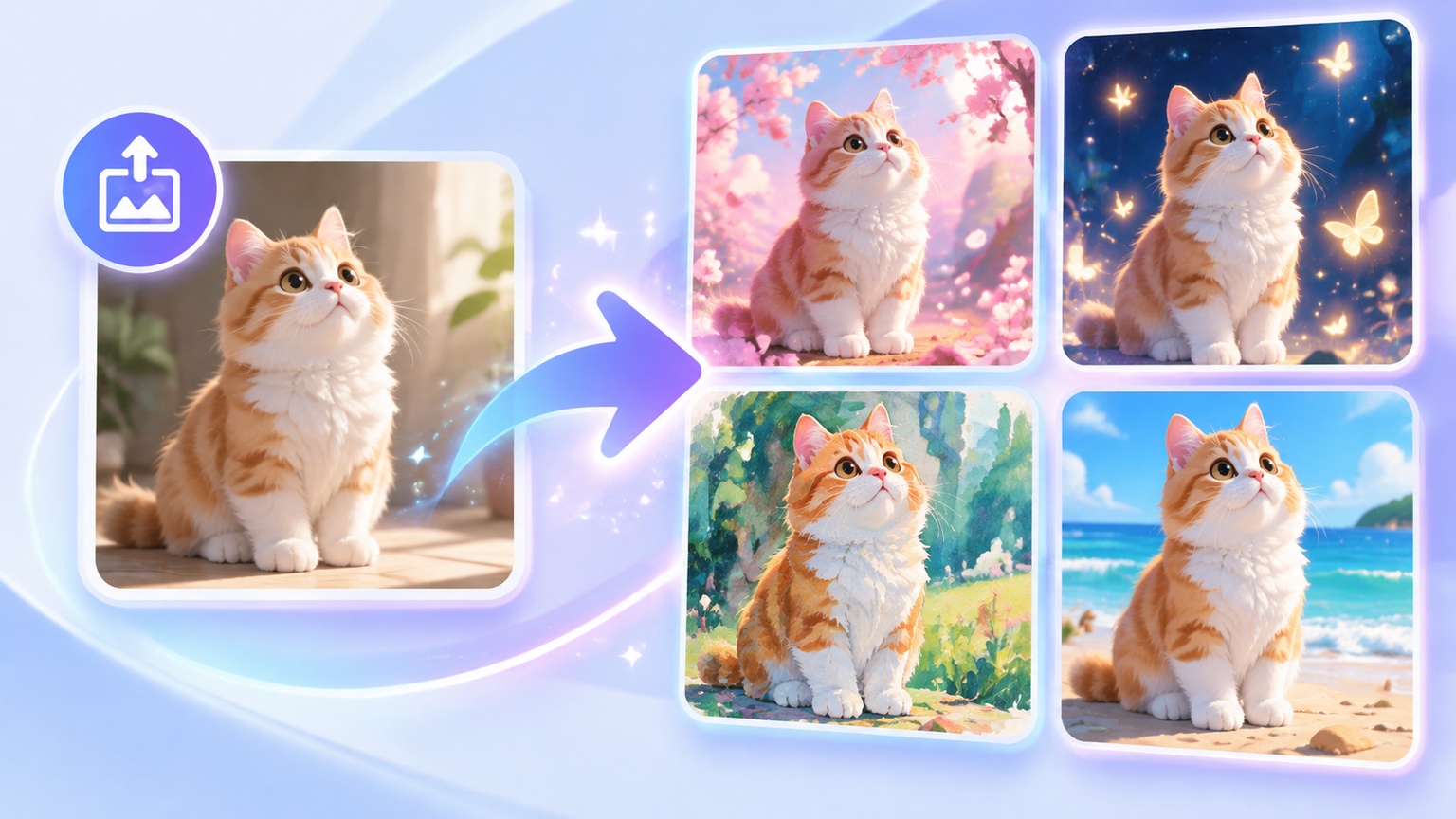
Selfies, photos with your pets, or travel landscapes from your photo album can now be transformed directly into framed works of art. Place a photo in the rendering area, and AI will automatically identify the lines, light, and shadows in the image, creating an oil painting with distinctive brushstrokes and rich impasto textures. Artistic brushwork and delicate details can all be brought to life with a single click.
AI Prompt
The figures in the reference photograph were transformed into a Van Gogh-style painting. By altering only the overall style—without modifying the figures' features or the surrounding environment—the viewer's attention was naturally drawn in. The background remained unchanged, the style was rendered in a realistic manner, and the aspect ratio was 3:4.
Three Simple Steps to Turn a Photo into an Artistic Portrait
No complicated operations are required. Simply upload a photo to see a work of art created exclusively for you.
Select and Upload the Source Photo
Choose a clear portrait, landscape, or pet photo. The algorithm will automatically extract the subject’s outline and the distribution of light and shadow in the image.
Generate an Artistic Painting with One Click
Click the Generate button, and the engine will automatically complete a pixel-level repainting process, transforming the real-life image into an artwork with hand-painted textures and the rich appearance of an oil painting.
Download the High-Definition Painting
Preview the image details and export a clear, high-resolution image.
Why People Love Creating Visual Art with Guma
We are committed to turning complex image algorithms into a natural and intuitive experience, allowing everyone to enjoy the pleasure of artistic creation with ease.
Ready to Use, Simple and Intuitive
The interface is clean and straightforward. You do not need to learn how to write complicated prompts—simply upload your photo to quickly see outstanding visual results.
Clearly Preserves Facial Features
While reconstructing the image with artistic brushstrokes, the system accurately preserves facial features and contours, ensuring that the artistic portrait has the quality of a masterpiece while remaining highly recognizable.
Suitable for a Wide Range of Everyday Scenarios
Whether you want to create a personalized artistic avatar for social media, produce a commemorative family portrait, or make a unique visual artwork as a gift for a friend, you can quickly bring your ideas to life.
Stable, High-Quality Download Experience
The generation process is smooth, and exported paintings remain high-definition, clean, and free of watermarks, making them easy to save or print for display in a physical frame.
Explore the Creative Inspiration Workshop
On our platform, artistic expression can be remarkably simple. In addition to transforming ordinary photos into paintings with the style of a master artist, we also provide a complete suite of image and visual generation tools. Whether you want to create an image directly from a text prompt, retouch or partially repaint an existing image, or turn a static photo into a dynamic artistic video, you can freely explore here and quickly transform the ideas in your mind into stunning visual creations.


Recommended Related Creative Tools
Frequently Asked Questions About Turning Photos into Paintings with AI
How does AI turn an ordinary photo into a painting?
It thoroughly analyzes the distribution of colors and the direction of lines in the photo, simulates the way a painter applies brushstrokes to a canvas, and recreates the image with delicate oil-painting textures.
Will a face become blurry or distorted after a portrait photo is converted into an oil painting?
No. During the generation process, the algorithm automatically protects the facial contours and features in the portrait. The final artwork adds artistic brushstrokes while preserving the person’s authentic appearance and spirit, ensuring that the image remains clear and natural.
What is the image quality after the photo is converted into a painting?
The exported artwork maintains high-resolution quality. Whether it is used as a phone or computer wallpaper, shared on social media, or downloaded for printing on a physical canvas or placing in a frame, the image details and colors remain exceptionally refined.
How long does it take to generate a painting after uploading a photo?
It usually takes only a few seconds. Once the system receives the uploaded image, the rendering engine quickly begins recreating it with artistic brushstrokes, allowing you to preview the final oil-painting effect with almost no waiting time.
Are there any requirements for the format or dimensions of uploaded photos?
You can upload photos in standard formats commonly used by mobile phones, such as JPG or PNG. To ensure that the resulting oil painting contains sufficiently rich details, we recommend choosing a clear source image with even lighting whenever possible.
Is this oil-painting style suitable for creating a personal artistic avatar?
It is highly suitable. Because the generation algorithm naturally follows facial contours while reconstructing the image with artistic brushstrokes, the result has the distinctive atmosphere of gallery art while maintaining a high degree of recognizability. It looks especially striking when used as an avatar on platforms such as WeChat and Instagram.
Can pet or landscape photos also be converted into paintings, in addition to solo portraits?
Yes. Whether it is an adorable close-up of your cat or dog, or a photo of architecture or natural scenery taken during your travels, AI can accurately capture the structure of the scene and the variations in color, creating a distinctive oil painting.
Can the exported artwork be framed or printed as a physical wall decoration?
Absolutely. The exported image offers excellent clarity and color performance. Even when enlarged and printed on a physical canvas or placed in a frame, it can still clearly display the delicate oil-painting brushstrokes and canvas textures.
Do I need to write complicated prompts or manually adjust parameters during the generation process?
Not at all. To ensure a smooth user experience, we have already integrated the optimal rendering logic into the system. All you need to do is upload your preferred photo and click Generate—the system will automatically handle everything else.
Can I generate the image again if I want to try different rendering details after the first result?
Of course. If you would like to see a different distribution of brushstrokes, you can resubmit the same photo or upload another one at any time and generate it again until you obtain the artwork you love most.
Ready to See What Your Photo Looks Like as a Painting?
Choose and upload a photo to experience the visual transformation from an ordinary image into a gallery-quality work of art in seconds!